


FCV96
Members
-
Joined
-
Last visited
Everything posted by FCV96
-
Not sure if this is the same user, but it would appear as if someone has stolen your texture and claimed credit;
- 11 comments
- 4 reviews
-
-

- 1
-
-
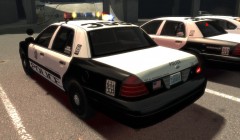 Very nicely done, though it is a bit douchey to show everything off and withold it IMO.
 -
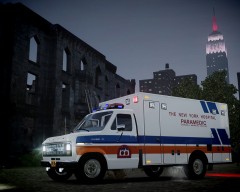 The texture is beautiful, as always - is that a Streethawk I see as well? Good luck with the computer problems by the way; I speak for all when I say that we look forward to your return at 100% capacity.
 -
-
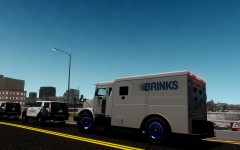 Gotta love the Brinks trucks!
 -
-
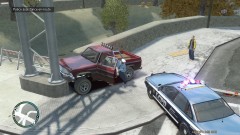 I like the look of the vanilla cars at times; there's something unique about them that can't be matched by real-life recreations. :) This particular Vapid is Ceril's. It is ELS-enabled, however. '?do=embed' frameborder='0' data-embedContent>>
 -
From the album: LCPDFR Escapades
Don't mess around with LC's meter maids or traffic agents; it won't end well for you! -
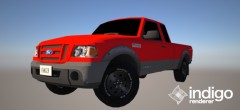 Good to see that someone is tackling the Ranger; it looks great.
 -
The NYPD has deployed a few of them, actually. I saw one in person a few days ago, but here's a photo from the web.
-
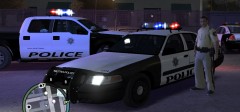 Looks great. What font is used for the "POLICE" text?
 -
Great job; I've always loved the PA-20 series sirens, and the fact that you've even captured the in-between tones is awesome.
- 9 comments
- 14 reviews
-
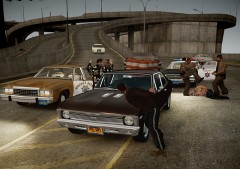 By far, the greatest photo ever to grace LCPDFR's gallery. As soon as I saw that Nova I knew I had to take a look, and I was definitely not disappointed! :D
 -
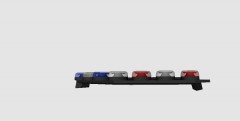 I imagine that ELS-H will be much easier to get that rotating look.
 -
Nicely done; it's great to finally see someone working on this bar. Now all we need is the NYPD variant with message board;
-
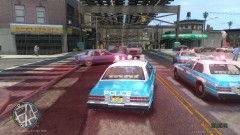
From the album: LCPDFR Escapades
Units attempted to pull over a reckless driver that had previously run a red light. A pursuit ensued. -
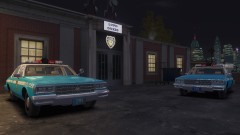
From the album: LCPDFR Escapades
Seeing as I can't have an Impala/Caprice with an NYPD Aerodynic just yet, the JetSonic will have to do. :D -
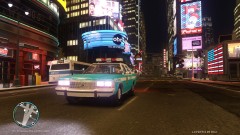
From the album: LCPDFR Escapades
It's a tough job, but somebody's gotta do it. -
I use pattern 3 LEDs for the primary lights, and have flash delay set to "2" in my ELS.ini.
-
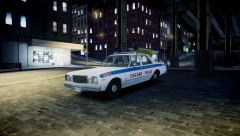 Strike always knows how to save the day. Here's another Aspen/Volare from the movie Death Wish 3 by the way;
 -
-
You simply cannot tease us with a Chicago PD Aspen/Volare and not give us an NYPD variant, Compeast! xD
-
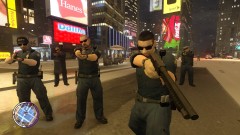
From the album: LCPDFR Escapades
It seems that following commands would be incredibly wise. -
I'm surprised an unlocked version of this lightbar hasn't been out already. Great job.
- 5 comments
- 10 reviews
-
For the love of classic automobiles, SOMEONE GET THIS MAN A TEMPLATE! xD

