


FCV96
Members
-
Joined
-
Last visited
Everything posted by FCV96
-
Use OpenIV or SparkIV to see what vehicle you have installed in the Ambulance spot. Alternatively you can spawn the Ambulance using Simple Native Trainer and make sure that you have an ambulance actually installed in that slot. Are you running other mods in conjunction with LCPDFR that alter traffic patterns?
-
Manually install LCPDFR 1.0 instead. Here's the guide; '?do=embed' frameborder='0' data-embedContent>>
-
Agreed; many of the vehicles in my game that were made when ELS V6 was out work perfectly fine, if not better, with ELS V7.
-
Though I cannot comment on the logs as I am not well-versed in 1.0's coding, I can help with the callouts. In the lcpdfr configuration file [ini], look for the callout multiplier setting and increase that value. Then look for the Maximum Time Between Callouts [it is in seconds] and decrease that value. You should be getting callouts more often now.
-
For reference, LCPDFR 1.0 runs perfectly on my system; Windows 7 64-bit Home Premium Intel Core i5 2500k at 3.30GHz Nvidia GeForce GTX 550Ti with 1gb of video RAM 8gb of 1600-speed RAM 1 TB Western Digital 7200RPM HDD
-
Right-click on My Computer and click properties. Look down to the System section and there will be a system type listing. It will say either 64-bit or 32-bit; by the sound of things it appears as if you have a 32-bit system. You cannot install an x64 program into a 32-bit [x86] system; find the Microsoft Visual C++ 2010 (x86) version and install that. > You will have to manually install LCPDFR 1.0 along with it.
-
No problem; here's hoping that I can help. You're correct, ALT and P will start LCPDFR.
-
The callout multiplier multiplies the likelihood that a callout will be received. Hence raising this value will raise the amount the possibility of receiving a callout is multiplied. You should decrease the maximum time between callouts if you want to have them more often.
-
1) No, LCPDFR 1.0 does not have the option to force a callout. If you increase the callout multiplier value in the ini and decrease the maximum time between callouts [in seconds] you will receive them more frequently. 2) Not sure about this one.
-
I'm fairly certain that there is a Visual C++ 2010 Redistributable x86; that version will work on 32-bit systems. Just install LCPDFR 1.0 manually and use the x86 version of the aforementioned file and you should be good to go.
-
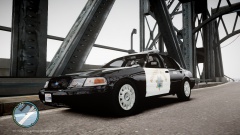 Those hubcaps were used on Crown Victorias produced between 2003 and 2005.
 -
I believe the option to force a callout has been disabled in LCPDFR 1.0. To make callouts spawn more often you can increase the value of the callout multiplier and decrease the maximum time between callouts in the ini.
-
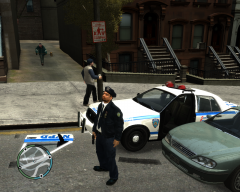 I wonder if they take those doors out of his paycheck. O_o
 -
This is a great idea; I've always wanted the Brickade to have a larger role [or any role at all] in GTA IV/EFLC.
- 6 comments
- 1 review
-
Have you made sure that you've stopped directly behind the vehicle and that LCPDFR prompts you to "Exit your Vehicle" at the bottom of the screen? If it does not tell you to exit your vehicle and you get out, the AI car will drive off and it will say that you left your vehicle.
-
It could be that ELS is set to delete AI vehicles using ELS once they are a certain distance away from you. Go into the ELS ini file and find the ELS_Range_Ai value; it is under the [Misc Settings] section of the ini. Try increasing that value; I have mine set to 500.
-
Do you have the newest scripthook.net version installed?
-
Are you running the game as an administrator? What other mods do you have running? Newest scripthook.net version?
-
Modded police peds are not currently compatible with LCPDFR 1.0 as far as I'm aware. Revert back to the original game files for now - this issue will be fixed in the future according to what I've read throughout the support forums.
-
Quoted from the Common Problems and Solutions thread;
-
I've been running 1.0 and ELS-7 and haven't had any crashes related to the two interacting so far. Have you uninstalled other scripts/car mods/police ped mods?
-
I think I read that arresting during traffic stops is bugged and will occasionally cause the game to crash. There is a fix in the works.
-
Nicely done, taximan - it looks great! If I may make a suggestion, would it be possible to delete the exclamation mark front of the "Unauthorized Access" text?
- 8 comments
- 2 reviews
-
The custom peds could be your problem; if they differ significantly from the original models (e.g. M_Y_COP having two heads, one hat model, four body/clothing models, etc) then the game will likely crash. I believe a fix is in the works for this.
-
I always found that using "rebuild" in SparkIV caused problems - just saving the archive seems to work fine.


