




AlconH
Members
-
Joined
-
Last visited
Everything posted by AlconH
-
Have you ran the game as an administrator like I originally told you?!
-
Yeah thats been around for a while now but i'm sure people will appreciate you letting them know. +1
-
I agree, it's what i use. Also, whoever down repped the post by Francis (quoted below) is a complete moron. In the post he stated a completely valid point so there was no reason to do that whatsoever. P.S Francis i have +REP for you to get it back to 0.
-
-
Link for 1.0.7.0 update is below in my signature.
-
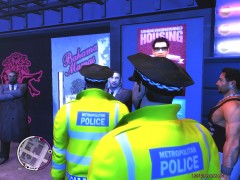 God, I love those uniforms! is there a expected release date?
 -
tbh, It's what i've been using for a while and its seemed to have picked up all of my threats. I got it at a discounted price a while back and have stuck with it ever since.
-
Sorry, I should have been more clear. If the client is receiving symptoms commonly caused by viruses but nothing comes up in other antivirus i would use it just to be sure. Then to actively protect the system i would install security essentials or equivalent. i have got SAS pro, though I don't use that alongside any other Antivirus as a while back I went to a mates house who thought it was a good idea to have 4 antivirus packages all at once. All four subsequently ended up tearing each other apart lol Cheers, Tom
-
I bought mine digitally on gamesplanet. They've actually got a 20% sale on at the moment. Download it once then save the installation files to an external hard drive and you never have to download it again.. LCPDFR works fine and if you have any trouble with it you can just reinstall again.
-
Oh, i thought that "M$" was really common, used to see it all over the place......
-
TBH, i prefer to use SuperAntiSpyware for my clients. Although microsoft security essentials would be my second pick.
-
If you want a trusted link see my signature. I uploaded it to mediafire myself so it is guaranteed to have no viruses whatsoever.
-
Use OpenIV (Download: http://ntscorp.ru/ovi/setup/ovisetup.exe) Note: IE9 may say that this file may harm your computer. This is a false positive and all you need to do is click "more actions" and then "run anyway". Install one car with openIV, load up GTA and play for a little while. If it is working fine quit and install another vehicle. (Be sure to use slots such as "noose" and do not use "police1" or "police2" What graphics card do you have?
-
When selecting vehicles does the game actually crash to the desktop or does the vehicle just not appear? Go to your root directory of GTA IV directory, open up the LCPDFR.log and post the contents here. Just to check, what version of LCPDFR are you running? 0.91 or 0.95? Also what patch of GTA are you running?
-
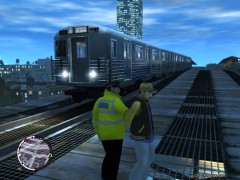 Same Here Please!
 -
Man this made me laugh!
-
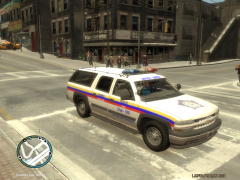 Very Nice. I actually quite like the vehicle tbh.
 -
Do you not think that is alot to ask? He's created quite a few skins and what your asking would take a while. In future, there's no need to quote the whole message too, it's pretty obvious what your talking about considering your the only reply. P.S Sorry Raynolds I sound so negitive :) Ontopic: Sounds pretty cool though just one or two pictures would be FAB!
-
It's because of the ELS cars in the "Police1" and "Police 2" slot, because your overloading the game. Try replacing those slots with the default vehicles again and mod slots that are not used so much by LCPDFR such as "NOOSE" and "FBI"
-
Nothing is guaranteed to be fixed like that, All reloadscripts does is forcefully reload the mod and any other asi based mods you have installed such as ELS. If there are other problems this will not always fix it.
-
Sorry Double Post.
-
Run your game as an administrator.
-
This is the mod he wants to install...
-
No worries, it happens to me when i test them too. Just wait a little bit for it to restart and it should work. :)
-
Link is in my signature


