




AlconH
Members
-
Joined
-
Last visited
Everything posted by AlconH
-
No problem. I find it useful when in a chase or whatever.... :woot:
-
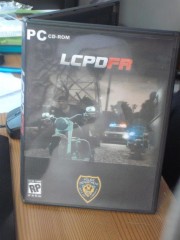 I'll sell it too yah :)
 -
Yeah thats the whole point. It disables the radar whilst your not using it so that it dosen't get in the way.
-
Did you know that you can turn off the speed thing (the white circle) by pressing LALT+R (i think) yet still keep dash cam running?
-
-
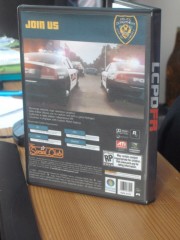
From the album: LCPDFR - PC
------------ Credits ------------ LilQ - Image on rear© Please do not use this image without my permission.
-
From the album: LCPDFR - PC
------------ Credits ------------ LilQ - Image on front cover© Please do not use this image without my permission.
-
I hope that they bring planes back :)
-
-
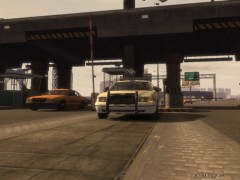
From the album: Random Photos
Rush Hour! -
Yep, thanks for your support :-)
-
Right all my mods are now installed again and LCPDFR is working perfectly, including the computer For now it seems the only fix is a reinstall of gta iv......... Thank you for your support everyone :thumbsup:
-
Right i've just re-installed gta iv and not installed any mods whatsoever. (Except LCPDFR) the police computer now works fine so i'll add my mods in one by one and see if the problem occurs again.
-
Yes I have a legitimate copy. I bought it online from http://uk.gamesplanet.com/. I don't have access to the internet stores as i am still quite early in the game. I also checked to see if the normal police computer works (as in the one when LCPDFR is not enabled) and it works fine without any crashes..... EDIT: Also just checked if i can use the LCPDFR database etc. whilst not performing a traffic stop and it still freezes. EDIT 2: in the process of backing up my siren mods etc. before a reinstall of GTA IV. I'll let you know how it goes!
-
I know. looking like reinstalling GTA IV is going to be the only option :/
-
Ok then, thanks for your help anyway. Much appreciated....
-
Heres the new log....
-
Right after examining the LCPDFR.log i saw the following: Literally hundreds of these: [WARN - 9:55:18 PM] [backupManager] Tick: Disposed object still in list (View attached screen shot) A few of these: [WARN - 9:32:21 PM] [ContentManagerItem] ProcessDeletion: Object disposed unexpectedly Alot of these: [DEBUG - 9:46:58 PM] DispatchUnitSetup 1 (View attached screen shot) The only part that mentions the police computer is this: [DEBUG - 3:25:23 PM] [scriptManager] RegisterScript: Scripts.PoliceComputer I hope that at least some of that is relevant, i don't exactly know what to look for. :D I can attach more screenshots of different parts if you want.
-
Got it :D
-
I tried but it wouldn't let me, the forum says something about 500KB so i checked the size of the LCPDFR.log and realised it was 9.60mb. EDIT: underneath the attatchment section it says "Used 126.4K of your 500K global upload quota (Max. single file size: 373.6K)"
-
Sorry, I return to my car during a traffic stop to check names and press 'E'. The login screen comes up and shows my username and the password "DoNuTz". I try to move my mouse but the cursor won't move. I try to press 'E' again to exit and nothing happens. I can hear the sounds of the traffic etc. and i can pause and unpause the game. Cheers!
-
Same here, forgot to remove my siren mod but the problem existed way before i changed from the default siren. The only thing that happened when the problem started was an upgrade to LCPDFR 0.95 BETA
-
I'm thinking it could be due to installing new updates over the top of old updates, I'm about to try without any vehicle mods and i'll tell you how it goes. If that dosen't work i'll probably have to reinstall GTA IV. Cheers for all you help though :) EDIT: Just tested the police computer again with no mods installed. The problem still exists. It occurs on the login screen and i can't move my mouse. I can hear the in game sounds (traffic etc) and can pause and unpause the game but cannot exit the login screen. The only way to get out of it is by "reloadscripts" or restarting the game.
-
I did have DashCam installed but i've just removed it. Other than that its just a single vehicle mod. EDIT: Just tried to upload the LCPDFR.log file but its too large (9.60MB) Cheers
-
Sorry i don't quite understand what you mean by crash logs. I get no errors as such come up, the game just freezes. I have attached the results from the diagnostics tool. Cheers.


