




AlconH
Members
-
Joined
-
Last visited
Everything posted by AlconH
-
^^ Got to agree with the above, don't keep making new threads. ^^ Turning off event logging will often fix quite a fair bit of lag........ I had to do it on my old pc, worked a treat!
-
This topics a bit old, I already bought it :D I ended up buying a MSI GTX 560Ti Twin Frozr II 1GB O/C on GTA max settings i get about 30FPS and on high I get 50 Thanks, Tom
-
Could you be more specific please? I know how to use it, but it would take me a while to go through it all. Is there a certain thing you want explaining?
-
Have you tried leaving the username and password fields blank? Don't worry about connecting to stats, you can do this after you have finished installing.
-
Are you running the installer as an administrator?
-
Did you edit the handling lines accordingly ?
-
-
Man, that sounds soooooo GREAT!
-
You need a decent branded 650W PSU minimum for that setup........
-
If you could post your specs and also what settings you are running the game on, Thanks
-
Works fine for me and everyone else....
-
He gets points for people visiting his blog, which is what the links all point to.....
-
lol, your asking which is better right? You do realise your answers are probably gonna be a lil bit biased?
-
LCPDFR allows you to play as a cop, with the original vehicles if you wish. You can download vehicles separately and install them yourself, but LCPDFR will not do this for you. You have to manually do it.
-
Whilst in-game and on duty, press LSHIFT+TAB to display all the keys.
-
apparently, there is no way to fix the error except for a reinstall.
-
Haha, I think its because it used to be slowed down due to the extreme lag I used to suffer from! Now I get 60FPS and runs so smooth!
-
I use SNT to spawn them....
-
Tell me about it :/ Anyway, that setting seems to have done the trick! +1, Thanks!
-
Hey Guys, I'm really having a hard time figuring out what's causing this. I have recently built a new computer and installed GTA, LCPDFR and ELS. I use ELS but the lighting speed is like super duper fast! it looks as though the whole lighting bar is lit up but is just flickering at a really high rate. No matter what primary light setting i use it doesn't change.... So, has anyone experienced this before, or know how to fix it? on my old computer ELS was absolutely great!
-
You could make a model but it wouldn't work like a chainsaw.....
-
Are you by any chance using a pirated/cracked copy of GTA 4?
-
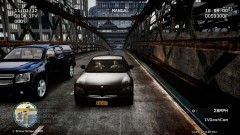 Whats with the empty SUV?
 -
-


