




AlconH
Members
-
Joined
-
Last visited
Everything posted by AlconH
-
Yeah I really think that skype is pretty poor when you've got a TS server available.
-
The LCPD has just received extra funds enabling them to buy new police vehicles.
-
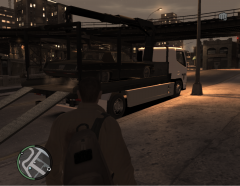
From the album: LCPD Vehicles
The LCPD have a new addition to the department - The Mitsubishi recovery truck. -
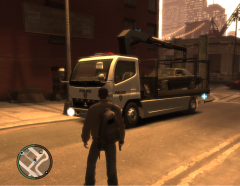
From the album: LCPD Vehicles
The LCPD have a new addition to the department - The Mitsubishi recovery truck. -
I believe you are using Simple Native Trainer. If so, either disable the keybindings in the .ini or in the in-game "options menu"
-
Post the contents of your ELS.ini. however use spoiler tags (/spoiler)
-
Thought that might be the case. Thanks
-
I do backup my vehicle.img's and will replace them now the reinstall has finished. I do also have a copy of my whole "Grand theft auto iv" folder saved on my external drive. What I forgot to mention was that I just uninstalled ENB and I reckon that it may have been a leftover file that was causing the issues. Thanks everyone, this thread can be closed now.
-
It's nothing to do with LCPDFR. This is separate. LCPDFR does not give you lights on your vehicle. Whilst in your vehicle press "J" or "K"
-
No the diagnostics tool is for LCPDFR related problems, which this is not. Also this topic should be in "Content Modifications". You need to download and install ELS, the link for which is in my signature. Try reading the replies.
-
Hi everyone, I was looking to use other keys for my ELS lights but was unable to see the number for the numpad enter. Anyone know what it is? Thanks -Tom H
-
lol, me too. Anyway, I'm about to re-install now. :(
-
-
Hmm... I was trying to avoid reinstalling for the moment. I'll try the graphics drivers now. Thanks
-
Hi Guys, I'm usually pretty good at fixing any computer related problems but this one has me stumped. I load up GTA and select GTA IV. Then I press start and the music plays and various characters come on screen. Then after a couple of seconds the game CTD's. It can be anywhere between 5 and 30 seconds into the character slideshow. What I've tried *Running as Admin *Compatibility Mode *Removed all mods, including LCPDFR, ELS and vehicles *Deleting my gamesave Here's the "more information" displayed during the CTD: Any Ideas?
-
No problem. Enjoy
-
I seriously hope you mean "LCPDFR"... The keys are here:
-
Man that was awesome!
-
Never seen the show, but the girl on the left of the 2nd pic is so HOT!
-
lol: this is mine, though we're on a slow day. Sometime I get 10MBPS others 3 :)
-
I like some of Bugs work, though some have just too many lights imo.
-
Back On Topic Try looking at this link to see if your system can handle GTA - http://www.systemrequirementslab.com/CYRI/download.aspx?name=Grand-Theft-Auto-IV&id=10802 Tell us whether you pass or fail the minimum and recommended requirements.
-
God, could that first post make any less sense? Try using punctuation. If you are looking to install a car mod, look for a OpenIV youtube tutorial.
-
I believe it's a restricted area. It's supposed to happen.
-
That may be the case... You could try looking at this though

