


Break
Members
-
Joined
-
Last visited
Everything posted by Break
-
Not-so-cool exterior? You have presumably never seen the new 6 Series on the street, it's beautiful and has won a few awards for design already. If I had the money to spend, I'd buy one of these. It's one of the prettiest cars around at the moment.
-
Try reinstalling LCPDFR and make sure you're using the right account name/password.
-
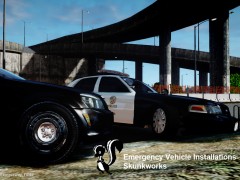 OH MY GOD A CVPI IN THE LAPD STYLE!!!! WHEN IS THE RELEASE DATE?!?!?
 -
There's tons of CVPI's with Whelen Liberty and GoRhino rambar like that. Just pick one, we even have a few in the downloads section.
-
It's possible, somebody made an unarmed cops mod some time ago. It's here on the site even, I believe.
-
Wrong section, moving to GTA IV - Support.
-
This is worthy of a new post: http://www.youtube.com/watch?v=Xbz0sc9hXao The mod has just been updated, to actually support mounting cars on trailers and driving around!
-
sadly Lt.Caine isn't active anymore. I don't think it would be a great problem to code the lightpattern to change after a certain amount of time, or when you change your sirenmode.
-
Since lot's of people ask about this, here goes a video, showing you how to avoid any errors while installing LCPDFR. This was recorded on Windows 7, with LCPDFR RC2R2, it might vary on other OS' or other LCPDFR versions. I hope you can understand me even though I've got my accent going on. (I recommend watching on 720p) http://www.youtube.com/watch?v=VCRelwEAqGI Important notes written out: - Run as Administrator - Disable Read-Only on your GTA IV folder - Make sure you've got 4 green ticks in the Wizard
-
Nothing to see here! This topic has been closed by G17 Media staff. If you feel that this topic has been closed in error, please report this post.
-
We're sick of repeating this 15 times each day, look through the forums before asking for help here. We get this question about 4-6 times a day and it's really going on everybodys nerves. Read the stickies and help threads: http://www.lcpdfr.com/forum-20/announcement-5-need-support-read-this-first/ And read threads of other people with the same problem: (there's about 5 billion more, just look at the first and second page)
-
Blending Options, that's what it's called. Not Layer Styles.
-
Last time I tried, doing it in the same fashion as GTAIVCode3, it worked for me. EDIT: Oh I get it, that's not a car slot that was in the game by default, yeah, that might give you problems.
-
It's an earlier version. It's worse than RC2, buggier and less features.
-
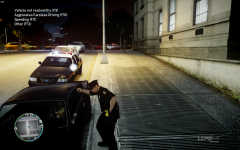
From the album: 99 Problems, but a bitch ain't one
Ever wanted to use a police car's spotlight in GTA IV?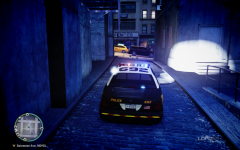
From the album: 99 Problems, but a bitch ain't one
Ever wanted to use a police car's spotlight in GTA IV?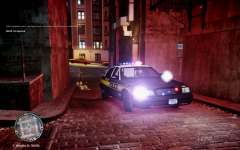
From the album: 99 Problems, but a bitch ain't one
Ever wanted to use a police car's spotlight in GTA IV?Won't happen, as we're using R* pursuit AI. Ramming the suspect is all they can do, hell, they even drive into traffic, do you really think they're smart enough to do a PIT? As of just enabling/disabling ramming the suspect, that's coming in RC3.hihihihihihihi his baton is holstered like a penis hihihihihi grow up.Legal GTA IV or GTA EFLC copy (steam or cd), patched to 1.0.7.0http://www.youtube.com/watch?v=2FyXVlgN1XYI did, that has nothing to do with handling btw, the cargrp.dat is there for traffic spawning. Turns out while copying the handling line from the readme, I accidentally left out a bit of the line, so that's what was causing the issue.Trailer seems to drive on ice.... I'm doing something wrong... Handling.dat, Vehicles.ide and cargrp.dat are both modified in accordance with the readme :/Wait, so people need a sign that says "STOP" in order to realize that a road is blocked, when a police car is parked across it, presumably with lights on aswell?


