


Break
Members
-
Joined
-
Last visited
Everything posted by Break
-
http://www.thelocal.se/7869/20070712/
-
It's something called "server".
-
Nothing to see here! This topic has been closed by G17 Media staff. If you feel that this topic has been closed in error, please report this post.
-
And that's just the first two pages of the support forum. Please look through it next time before you post. We get this question so often...
-
What the hell are you talking about? Intel Core i7 and GTX 580 can be considered high-end hardware.
-
Usually if I park with the centre of my car lined up with the left side of the car I'm pulling over (i.e. covering up half the lane) cars will try to go around me, it is important you also leave them a certain amount to maneuvre around you. (This works 90% of the time for me)
-
police3 uses the buffalo/fib/fbi handling line. Policew is just a burnt out Police1 cruiser, so I'd assume it uses the POLICE1 handling line.
-
A lot of gaming sites have this, usually even with a early-pre-order discount. However, I'm not gonna pre-order until it's more than just a placeholder and maybe they even put out special editions.
-
One word: Bxbugs123 His cars will make you have an epileptic seizure in front of the computer, however, they're usually good quality. Just not for everyone. Maybe you're one of those persons. Here's an example of his cars: http://www.youtube.com/watch?v=7kDVcrv9d8o
-
Then they could at least port it properly to PC and not release a (and excuse my wording) five minute glitchy shit port.
-
Looks decent. Hmn.... Try disabling your firewall next time you play a multiplayer match and see if it get's better.
-
Usually, as said in the installer, Left ALT+P ingame starts LCPDFR. However you might not have installed it properly, therefore please read this post: http://www.lcpdfr.com/forum-20/announcement-5-need-support-read-this-first/ and do what it says. Then report back. Thanks!
-
Speedtest.net Please post results.
-
No, it's not and encouraging people to pirate will get you an infraction. Your laptop has Intel integrated graphics, that can't be qualified as graphics card, nor will it run GTA IV. Don't buy it, you'd be wasting your money.
-
Nothing to see here! This topic has been closed by G17 Media staff. If you feel that this topic has been closed in error, please report this post.
-
Hello Captain Capslock. It seems to me you don't get how to use the search function, yet you present the audacity to post a thread here without even looking through the existing topics. The issue you present is a very common one, it is that either you don't run the installer as administrator, or your GTA IV folder is set to read only. Please fix these two. If the problem still persists and you can't find another answer in one of the other threads, feel free to PM me to get your thread unlocked again.
-
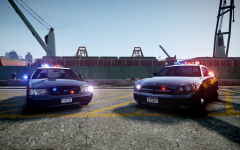 Whelen Edge Ultra Freedom
 -
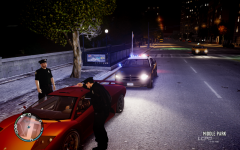
From the album: 99 Problems, but a bitch ain't one
Turns out he had no valid driver's license and on top of that he has a warrant for his arrest, by the police, for homocide. -
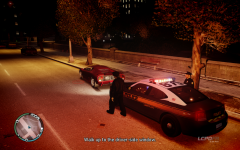
From the album: 99 Problems, but a bitch ain't one
The FDLC doing it's job extinguishing some police cruisers after a pursuit which ended in a fatal crash. -
Please make a new thread, thanks.
-
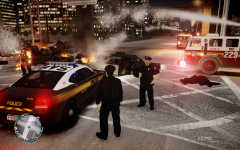
From the album: 99 Problems, but a bitch ain't one
The FDLC doing it's job extinguishing some police cruisers after a pursuit which ended in a fatal crash. -
From the album: 99 Problems, but a bitch ain't one
WIP -
I think the most current EFLC version is 1.1.2.0
-
Not an LCPDFR problem, moving to GTA IV Support.
-
ELS-H is ELS Halogen, it enables rotary halogen lights, similar to the ones GTA IV uses by default. To enable it you simply go into your ELS.ini file, look for the model you replaced that's ELS-H and enable it there. (I think the option is called Halogen Only or something). Then ingame cars will use a sort of halogen rotary pattern for that car. Also, wrong section. Moving to GTA IV support. EDIT: freaking ninjas.


