



RoegonTV
Members
-
Joined
-
Last visited
Everything posted by RoegonTV
-
From the album: GTA-IV Escapades
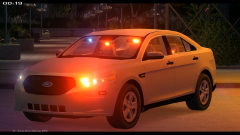
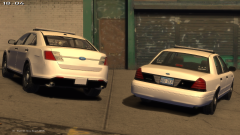
2013 LCPD Taurus - 60,000 triangles, no interior equipment yet - 7 Federal Signal Viper S2s - 4 Whelen Ions - 1 Whelen Dominator - 1 Whelen 500 Series TIR6 - Interceptor Hubcaps More Pics: -
 No, I converted this model from Need For Speed: Most Wanted for myself and some friends
 -
 That dirt mapping is exquisite.
 -
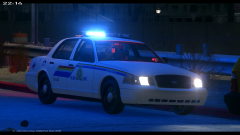
From the album: GTA-IV Escapades
Pulled for speeding, 1 arrested for 3 active warrants. -
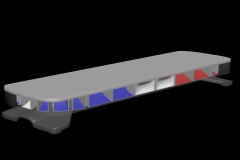 I would love to argue with you, but your grammar and capitalization is far below par.
 -
'?do=embed' frameborder='0' data-embedContent>> " If you would read the description of the picture before"
-
I am sorry, do you have a problem with my render? If you would read the description of the picture before, it says "basic render", because I have not edited anything in the render settings. I spend my time modeling, not learning how to make something look pretty in the sunlight. Please keep your comments constructive and helpful.
-
Not to my knowledge. The rims are from Need For Speed, and I believe the tires are from TraumaPak.
-
From the album: GTA-IV Escapades
-
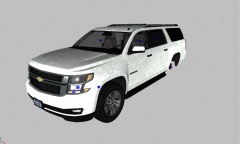
From the album: GTA-IV Escapades
Friend modeled this for me. If I want to I might edit it into a Tahoe. -
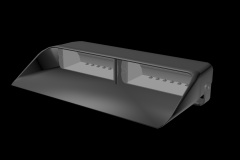
From the album: GTA-IV Escapades
Modeled this today. - 2,040 Triangles -
That is just the 3DS coloring, I will be texturing it soon with actual module textures. And yes, I will make sure to match up halogen with halogen on the takedwons.
-
From the album: GTA-IV Escapades
Think I am done. Comments? *Constructive* -
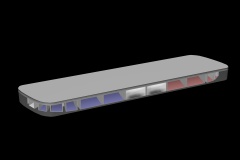 Do you mean add the hot-foot mounts to the base, or optional LED takedowns?
 -
From the album: GTA-IV Escapades
A basic render of my newest Federal Signal Legend. Any comments or suggestions? -
Overall seems like a nice job. A few suggestions Don't make vehicles you don't have the rims/hubcaps/etc. to make Some materials need to be changed from a mesh and re-setup to a generic for a plastic look The Charger's headlights need to be re dirt-mapped The Explorer's rims look a tad bit too big These things are not terribly difficult to fix, and would improve the overall quality. However, these are only things I could see from your pictures. Good job, just make some changes.
- 13 comments
- 2 reviews
-
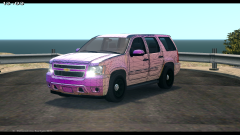 Yepp, I shortened the Suburban I converted but had to remodel the rear doors.
 -
From the album: GTA-IV Escapades
Model is fairly large, at 88,000 polygons. -
Hmm, that article was posted a year and a half ago, and I haven't heard anything since.
-
I am modeling a 2013 Chevrolet Caprice at the moment, though that project is a secret and I won't show you any progress unless you P.M. me. Maybe I can do this once I am done, who knows.
-
Sadly, the 2013 Ford Police Interceptor Sedan was only used for BETA testing in the newest LAPD fleet, and will not actually be used in the newest generation. The car you linked was a test car for the LAPD to see which cars they wanted to keep, add, and remove. Otherwise I would make and release the car.
-
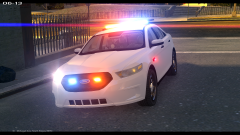 I wish I was Santa man
 -
From the album: GTA-IV Escapades
-
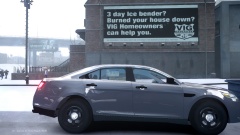 I would consider making new rims for it. Those are not very accurate. Use this as a reference picture:
 -
 - Fixed It


