


St.Kizza
Members
-
Joined
-
Last visited
Everything posted by St.Kizza
-
Exported the engine sound on the policebike so i could make a backup for it. The problem is that when i exported it, the file changed to something different so i cant get it back in. Just wondered if anyone would be so kind to send me a copy of their original files so i can restore it. Will send more details in a PM to the one whom wishes to help me out. Thanks in advance. :-)
-
 He puts links in the description on the cars. but this is found on Kinksta`s channel.
 -
Ahhh ok. that shed some light on it. Thanks! I`ll ask the author if he will upload a version with a template to it. :-)
-
Is it possible to add windowtemplate to a model? If so how do you do it? I tried importing a new template to a model that didnt have any. managed to get The template in the wtd file but it didnt show on the car. I did some work one the template so it wasnt invisible. Any advice?
-
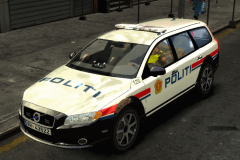
From the album: St.Kizza`s Album
Model and template by Britishpolicemods Mapped to police: Kinksta Lightbar: bxbugs123 edited by Kinksta Norwegian policeskin by St.Kizza (Me) LoL -
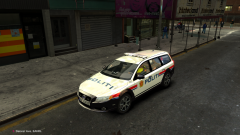
From the album: St.Kizza`s Album
Model and template by Britishpolicemods Mapped to police: Kinksta Lightbar: bxbugs123 edited by Kinksta Norwegian policeskin by St.Kizza (Me) LoL -
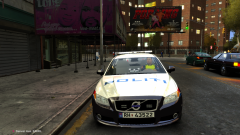
From the album: St.Kizza`s Album
Model and template by Britishpolicemods Mapped to police: Kinksta Lightbar: bxbugs123 edited by Kinksta Norwegian policeskin by St.Kizza (Me) LoL -
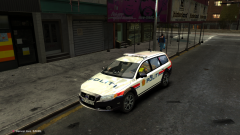
From the album: St.Kizza`s Album
Model and template by Britishpolicemods Mapped to police: Kinksta Lightbar: bxbugs123 edited by Kinksta Norwegian policeskin by St.Kizza (Me) LoL -
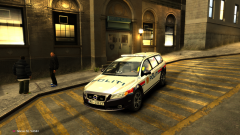
From the album: St.Kizza`s Album
Model and template by Britishpolicemods Mapped to police: Kinksta Lightbar: bxbugs123 edited by Kinksta Norwegian policeskin by St.Kizza (Me) LoL -
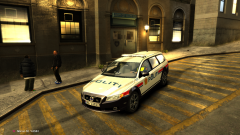
From the album: St.Kizza`s Album
Model and template by Britishpolicemods Mapped to police: Kinksta Lightbar: bxbugs123 edited by Kinksta Norwegian policeskin by St.Kizza (Me) LoL -
I use it for Ballad of gay tony. Since that DLC has more policecars.
-
Whelen x78 type awesome.
-
Aaaah ok. cool. Thanks dude! :-)
-
Dont understand what you mean with gaming setup. Can you explain it for me?
-
How will the game react to a new map? I mean will it crash like with modded cars with high polycount? Will the game use it? (Traffic,pedestrians,weather etc etc)
-
http://www.youtube.com/watch?v=rhKa28-IWZ8&feature=g-user-u
-
If you mean the light from the ligthbar and not the environmentlight then you change this in the emerglights files. Suggest you download a a model that is already using these colors so you can cut them out and past them onto the emerglights file on your Tahoe so you get it exactly right. But when it comes to where to paste the colors onto then you should upload a picture of both emergligts files so someone can tell you what is what. cuz i have no idea where you should paste it since i use only blue lights.
-
EC-135 Norwegian policehelicopter spot-x=-1.0 spot-y=+2.5 spot-z=-0.9 http://www.youtube.com/watch?v=m4Nc-H3oEnM&feature=plcp
-
Glad to hear you fixed it. It`s a very good feeling when you face a problem and you fix it.
-
-
-
If you manage to get the extra textures(liverys) in the file, dont forget to go in the vehicle.ide and add +livery behind the lines of the model name. It wont use the liveries if you dont. http://www.youtube.com/watch?v=7cDgQLGAn9E
-
There should be an option for adding in OpenIV. dont know about SparkIV.
-
Spittballing here...but try going into SparkIV or OpenIV and see if the model has a set of pants that would appear to not have a waist. If so then export the pants that have waist and import it back and replace the ones without. Dont now if this is the case but i guess its worth a try. :-)
-
If you have that magnifying thing enabled in windows,try turning it off. I had a similar problem caused by that,


