


St.Kizza
Members
-
Joined
-
Last visited
Everything posted by St.Kizza
-
Will this effect my other mods when i install it? In other words do i have to backup all my mods and then reinstall them when i install this?
-
This is the old police layout used in Norway. It`s still in use,but will be replaced with the new one. This is only the textures. NOT THE MODEL Downloadlink for the model: Folder includes: 4 textures Readme Credits: Model and new police layout: Corleone (Norpolice123 on youtube) http://www.youtube.com/user/norpolice123 Old Layout (This skin): St.Kizza (stkizza on youtube) http://www.youtube.com/user/stkizza Detailed Credits from Corleone`s download. Original model by BloxBloger, converted, modified and improved by corleone. Taillights and brakelights by corleone. Mapping and templates by corleone. Whelen Liberty by PFCBarefoot, modified by corleone, LED alley lights by EVI, LED takedowns texture by Break. Whelen Vertex by corleone. Whelen LINZ6 modules by Ridgerunner Designs, texture by Bxbugs123. Motorola radio by Ridgerunner Designs. Fog lights by Rockstar Games. Garmin nuvi GPS Unit by Bxbugs123. Antenna by PriMan.
-
Only thing i can think of is changing the emerglights in the .wtd file. You can do this by exporting the picture and edit it in whatever editing program you like. I personally use paint.NET.
-
This is all the same model right? Can you PM me a link to the model. I`ll download it and see if i can figure out something. Wont guarantee anything,but i`ll see what i can dig up.
-
Here`s some http://www.free-tv-video-online.me/internet/alaska_state_troopers/
-
Are they randomizing if you spawn in a new model? Try maybe using the trainer and see if one of the color slots in colormenu have something to do about it.
-
If the car is similar size then yes. I have done that. But backup your handling.dat first.
-
If you mean that you want to change police2 and the one you downloaded is polpatriot then yes, no probs. Just change the name on the one you downloaded to police2. But as stated by drdetroit you probably want to change the handling lines on it. but try it out first and see if it needs it. Might be you are lucky and it works out fine.
-
Oh so the file would probably be in the Gigabytes then. Download Windows MovieMaker free of charge at their site. Or google Windows moviemaker. Once you have got that,open it and import the raw material (fraps file) and save it as 1080 hp. This will compress it ALOT. You can also make intro`s, picture text,passovers and end credits with this. Very easy to use. You will see the upload time will go from 200 whatever minutes you said to around 5 min and down. It`s all about the size of it.
-
It`s either due to slow internet connection or you haven`t compressed the video file. That`s my guess anyway.
-
I think it sounds good when it is low like that. Kinda sounds like it comes from inside the car.
-
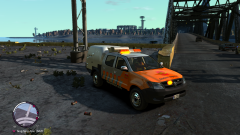 LoL.
LoL. -
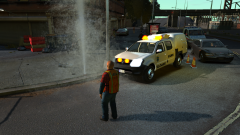 Thanks. :-)
 -
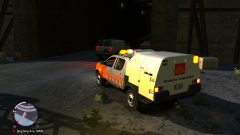
From the album: St.Kizza`s Album
-
From the album: St.Kizza`s Album
-
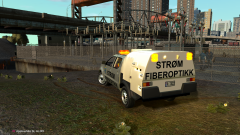
From the album: St.Kizza`s Album
-
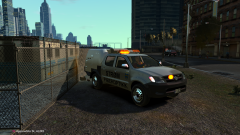
From the album: St.Kizza`s Album
-
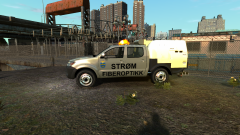
From the album: St.Kizza`s Album
-
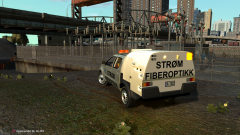
From the album: St.Kizza`s Album
-
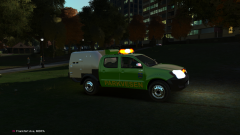
From the album: St.Kizza`s Album
-
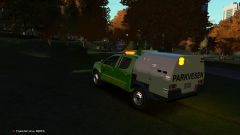
From the album: St.Kizza`s Album
-
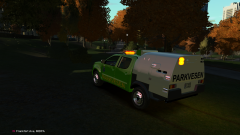
From the album: St.Kizza`s Album
-
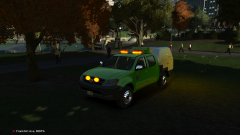
From the album: St.Kizza`s Album
-
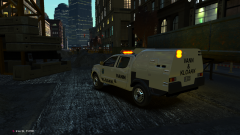
From the album: St.Kizza`s Album
-
From the album: St.Kizza`s Album

