


Creators: Due to background reprocessing of files, approvals and file security checks may be delayed. Thanks for your patience.

St.Kizza
Members
-
Joined
-
Last visited
Everything posted by St.Kizza
-
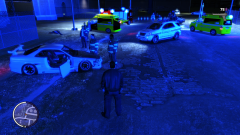 its blue dabudidabuda.. XD
 -
Try exporting both emerglights file and open them in paint.net (or your preffered program) and change the red and blue colors into amber. To get it most right i recommend you download a car that uses amber and simply cut out the color from that vehicles emerglights files and paste onto the one you want to use. If this is what you have already done then im out of suggestions, sorry. Hope you manage to do it. :-)
-
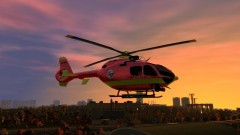 If you mean medical evacuation then yes. Or as the title says. Air Ambulance.
 -
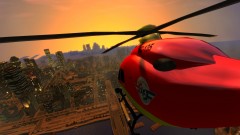
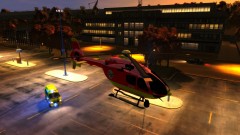
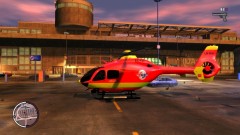
My first complete vehicle skin.
-
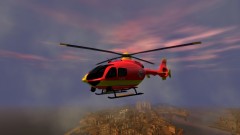
From the album: Norwegian Air Ambulance
My first complete skin. -
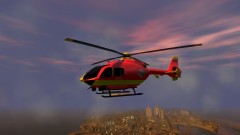
From the album: Norwegian Air Ambulance
My first complete skin. -
From the album: Norwegian Air Ambulance
My first complete skin. -
From the album: Norwegian Air Ambulance
My first complete skin. -
From the album: Norwegian Air Ambulance
My first complete skin. -
From the album: Norwegian Air Ambulance
My first complete skin. -
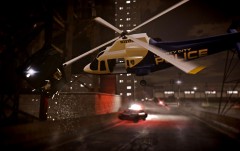 Love the light emiiting from the lightbar! How did you do that?
 -
I have never ecountered that problem. I suggest you take a screenshot and make a thread about the issue and explain the problem and post the screenshot. Name it something like: Need a hand. Texture made my car translucent
-
I found the star. Dont know if this link will lead you directly to it but maybe. http://www.google.no/imgres?hl=no&biw=1920&bih=991&tbm=isch&tbnid=Ju8AtvXtpUR38M:&imgrefurl=http://www.orgsites.com/az/mcsoposse/&docid=M4Uhqxhz3R_WQM&imgurl=http://www.orgsites.com/az/mcsoposse/star2.jpg&w=256&h=262&ei=Ut9NUNPxIar74QTe1oGgCQ&zoom=1&iact=rc&dur=380&sig=105274621681860292798&page=2&tbnh=147&tbnw=144&start=45&ndsp=52&ved=1t:429,r:40,s:45,i:337&tx=68&ty=75 If it doesnt let me know so i can download it and send it to you when i get home.
-
LoL XD Glad you made it.
-
What you do is open SparkIV, click Browse, Scroll down till you see models, (is located right beneath all the internetpages. Open cdimages, open vehicles.img, Now a new window will show. Then click import (find your downloaded car) .wtd and.wft. choose both thoose file and click ok. now if you scroll down (or search for it) you will see that thoose 2 files are know blue (ithink) either way...its a different color. Anywho...now what i usually do is click rebuild, save and save. then restart sparkIV and find the carmodel. Model cdimages vehicles.img (police) if this is what you have modded. now open .wtd file by highlighting it and clicking EDIT now you just have to find the texture (paintjob) in here, highlight it, click import,choose your new texture (paintjob),click ok, rebuild,save,save and close sparkIV. Voila DONE! :-) or just watch this: http://www.youtube.com/watch?v=tXIp1aVuXlU
-
It is the modded cars that cause the crash. No fix for it yet as far as i know of.
-
I guess its just the paintjob you want on your car. Then simply open SparkIV, find the carmodel fks police, open the file containing textures (It is written behind it) by pressing EDIT up right corner. think its the .wtf...anywho.... highlight the paintjob and import the new paintjob. remember, the paintjob you imoprt must be .PNG. Hope this helped you out. :-)
-
So the handling lines for police3 doesnt "exist" ingame? The reason i want it is so i can copy it to the ordinary police lines.
-
Anyone know them or know what police3 is named in the handling.dat? And while im here..Anyone who can tell me how i can change the topspeed and acceleration on a car in the handling.dat?
-
I want to keep being awesome.
-
Did You have installed ELS? If so: 1. Are the vehicles ELS enabled? 2. Did you installed ELS correctly?
-
-
Try something called audacity. I dont remember how i turned the volume up but it is very much possible. :-) See if you can find a youtube tutorial.
-
-
I looked inthe ELS.ini file and i cant see that there is an option for mouse buttons, Maybe some evil genious have figured out how,but as far as i know its not possible.

