


Joe C Wilson
Members
-
Joined
Everything posted by Joe C Wilson
-
-
-
You will need to change 2 files in the custom data folder to enable them for the default backup menu and optionally for them to spawn ambient (with <Flag>SpawnsAmbiently</Flag> in agency eup xml) The agency eup file will look like this (this controls what uniform is spawned): The custom data folder XML (outfits_lssd_eup.xml) will look like this (this controls what the uniform setup is like): However, with ultimate backup it would look like this (you can create this in a special units xml file): With ultimate backup, you can also change Code 2/3/5 settings as well for special units like such: I use EUP Menu to cycle through all of the uniforms to figure out what the clothing IDs are, but now with the EUP Converter tool, you can transfer them if they're already made in a different variation i.e EUP Menu, Data Folder, Ultimate Backup, etc to another. Hope this helps. TLDR: mp_m_freemode_01 is for male peds and mp_f_freemode_01 is for female peds, both in the default backup menu and for Ultimate Backup.
-
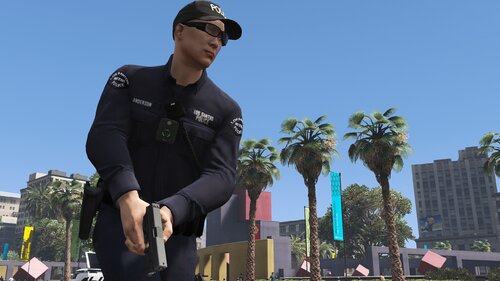 I've finished installing LSIA and LSPP tonight. Updated all new uniforms to the default backup menu, and Ultimate Backup: including EUP Menu and the duty selection menu. I only have to install the new content from RHPD/DPPD/NYSP/SAF, the 3 Park Ranger Departments including NPS Tech, and the 4 new security departments. From there I have to touch up on insignia correction, new jurisdictions, and some other miscellaneous stuff. Shouldn't be more than a week now.
- 944 comments
- 23 reviews
-
I don't think native LSPDFR has an option to change flashlight distance settings, but this mod does.
-
-
-
-
There's going to be a delay of the mod release until I fix my game. I updated GTA 5 with everything that I needed to as usual, but now GTA 5 does not launch (with the mods folder being disabled and vice versa). I have no idea as to why its not working. I updated everything imaginable. If its not a Script hook error, it just crashes without warning. Also why I hate updating games, but I needed to update the game sooner or later I guess. On the plus side, I ordered TrackIR so we will be doing a variety of new content with that on the YouTube channel. Racing, Trucking, and more. So be sure to stay tuned for that later on this week (hopefully).
- 944 comments
- 23 reviews
-
Update: I have been adding and correcting a lot of miscellaneous things within the mod. USMS, NOOSE SEP, LSIA, LSPP, DPPD, RHPD, NYSP, LSDRP, Game Warden, LE Park Ranger, NPS, SanFire, Bobcat Security, Securoserv Security, L&L Security, Chuff Security are the only departments left to finish. I also have to finish adding in several new stations, and finish insignia correction. I finished adding in most of the new uniforms to EUP Menu, Duty Selection Menu, and Ultimate Backup, but I still have a bit of a way's to go.
- 944 comments
- 23 reviews
-
.thumb.png.e12928a0da3f79f37fca5b50b1ffdd6e.png) San Andreas Ultimate Backup [EUP] Complete Edition is the public release version of EUP fyi.
San Andreas Ultimate Backup [EUP] Complete Edition is the public release version of EUP fyi. -
N/A
-
From the album: 2021
-
-
Most units and uniform variations between male/female units are mostly equal 50%. Perhaps the odds of you seeing more female units is coincidental. You can always edit certain unit's chances with Ped chance="x" x being the number between 1-100 for the probability of seeing the uniform/unit.
- 944 comments
- 23 reviews
-
I've finished adding in the Metro LSPD and the SAR Tech for (LSSD, BCSO, LSFD, LSCOFD). I'm also adding Lifeguard uniforms to the duty selection menu, and I also have fixed the SAHP Jacket. I'm adding in some new clothing items such as the coat/jackets as well too. Roughly 13 departments left to finish and from there the 3 security departments. Having to go across 3 different menus (EUP Menu, Ultimate Backup & Default Backup Menu) is EXTREMELY difficult having to multitask and cross-check making sure each folder has each uniform. From the 3 folders: normal, rain, and snow as well as the BCSO Vintage folder. Slow process, but I am also reorganizing a lot of things such as insignia correction, new jurisdictions, and new uniforms. We're getting there, one department at a time. I also installed EUP Converter which is speeding up the process 10 fold, but I am working as fast as I can without losing track and my focus.
- 944 comments
- 23 reviews
-
-

- 1
-
-
 "Essential for EUP Backup Configs" This tool takes data from your current configurations and transfers them into EUP Menu, LSPDFR Data Folder XML, and/or Ultimate Backup variations. This tool has saved me a week's worth of work to simply copy/paste my current settings into the tool rather than do each uniform one by one: line by line. Thank you!
- 30 comments
- 11 reviews
-
-

- 1
-
-
-
-
-
-
After reinstalling EUP Menu for LSPDFR I was able to get the new LEO, EMS and Fire uniforms. I will be adding several new departments including NPS, Metro LSPD, SAR Tech, FIB HRT, LSIA/LSPP/RHPD ESU/Utility, RHPD/DPPD SWAT I will also be adding in new jurisdictions for the new departments as well. Adding more uniforms onto: San Fire Water Rescue USMS NOOSE SEP NYSP Bobcat Security Securoserv Security L&L Security Chuff Security
- 944 comments
- 23 reviews
-
-
- 1
-
-
Uploading a fix soon. I suppose that was the last thing I forgot to update. Thanks. While I am at it, I will check out the new EUP Menu preset ini file and see what I may have missed. Perhaps I'll add in NPS soon.
- 944 comments
- 23 reviews
-
No. This is the public version only. I personally stopped using them after reverting all of the duty belt/radio slots to normal. So the tutorial for them became pointless since now we don't have to change the slot of the belts/radios and rename them. After the new update all of my uniforms became bugged when the slot I was using for the radio I think gave them a badge on default.
- 944 comments
- 23 reviews
-
I accidently set the tex shirt overlay twice. I'll upload a fix soon. I assume you're using the BCSO Vintage folder? 1. How Do I Remove Hats? You can locate "prop_hats" in Ultimate Backup XML files, and Prop id= in the data folder XML files for the prop hats. The same goes for any other type of prop - just locate the phrase "Prop" or "Prop id".
- 944 comments
- 23 reviews


.thumb.png.e12928a0da3f79f37fca5b50b1ffdd6e.png)


