


Joe C Wilson
Members
-
Joined
Everything posted by Joe C Wilson
-
-
-
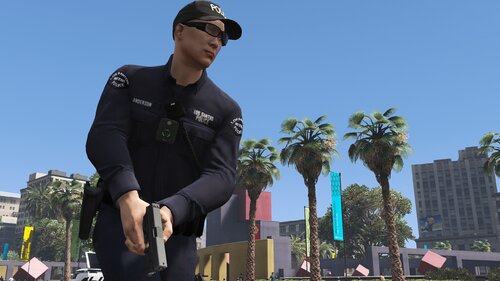 There's several police departments across Los Santos. Please reinstall LSPDFR's data folder from the original LSPDFR download, ultimate backup and replace my files with those ones. And be sure to reinstall Law & Order 9.3 + Serve & Rescue 1.5. There's no present issue on my end as all of my local units have the correct setting.
- 944 comments
- 23 reviews
-
What location did you call for the backup unit from? What type of unit was it? Local, state or special? Either way, you have A: installed the files incorrectly, B: are using an incorrect version of EUP with this modification, C : or when you changed your duty belt the other day that might've broken something. There's no invisible peds in this modification that I'm aware of. Plus I've seen you comment on Tom's EUP Backup Config modification so its HIGHLY likely you're using an incorrect version of EUP and forgot to revert your EUP version. His modification uses beta versions of EUP while mine is public release only. You can not use both EUP versions at the same time. As mentioned at the top of the description this is configured for Law & Order 9.3 + Serve & Rescue 1.5.
- 944 comments
- 23 reviews
-
I had this same exact thing. I thought something was wrong because I was editing LSPDFR data files. Went crazy cross-checking files for 30 minutes just to realize Deadly Weapons "magically" created a second DLL file in the LSPDFR folder. Look there to see if you have that or any other plugin that may have created a second DLL file by itself.
-
Game Warden has been added. LE Ranger and NPS are done as well. Almost forgot to include female NPS Rescue Technicians because EUP Menu did not have presets for them. Anyway, just have to work on their jurisdictions now and to add them to the agency eup file. While I'm working on the update, please let me know any feedback or suggestions as soon as possible. Don't wait until after the update drops to notify me!
- 944 comments
- 23 reviews
-
GTA 5 LSPDFR #57 - Los Santos Park Rangers | LSDRP '18 Charger via @YouTube
-
-
-
-
2. How Can I Change The Vehicle Settings? You can rename the vehicle files by locating "<VehicleSet>" in Ultimate Backup or "<Vehicles>" in the LSPDFR data folder and agency XML. If you don't want any extra agencies then EUPFR Basic might be a better option for you.
- 944 comments
- 23 reviews
-
N/A
-
I've finished adding the US Coast Guard, US Marshals, Merryweather, and the Los Santos Park Rangers to the default backup menu, ultimate backup and to the duty selection menu. Also corrected some oversights and other miscellaneous things as well. Here's what I left to do ETA 1-2 Weeks: Added NPS Added Game Warden Added LE Ranger Added San Fire Added Bobcat Security Added Securoserv Security Added L&L Security Added Chuff Security Added New Stations: NOOSE HQ, Fort Zancudo HQ, Gruppe Sechs Security HQ & Bobcat Security HQ Added Drop Off Locations (NOOSE HQ, Fort Zancudo HQ, FIB HQ, Del Perro & Los Santos Port) Added Jurisdictions For NPS / Game Warden / LE Ranger Updated Captain/Lieutenant Insignias For LSSD/BCSO To Bronze Let's recap what we've been working on! Added Duty Selection Uniforms [Male/Female] Added New EUP Outfits [EUP Menu, Data Folder, Ultimate Backup] Added NPS Added LSDRP Added Game Warden Added LE Ranger Added Metro LSPD Added SAR Tech (LSSD, BCSO, LSFD, LSCOFD) [Air Medic] Added LSIA/LSPP/RHPD ESU/Utility Uniforms Added DPPD/RHPD SWAT Added FIB HRT/SWAT Added San Fire Added USMS Added NOOSE SEP RIOT Added NYSP Uniforms Added Bobcat Security Added Securoserv Security Added L&L Security Added Chuff Security Added New Stations: NOOSE HQ, Fort Zancudo HQ, Gruppe Sechs Security HQ & Bobcat Security HQ Added Drop Off Locations (NOOSE HQ, Fort Zancudo HQ, FIB HQ, Del Perro & Los Santos Port) Added Jurisdictions For SASP / NPS / LSDRP / Game Warden / LE Ranger / LSPD Metro Code Cleanup Fixed Motor Unit Clothing Spawning In Rain/Snow Weather Variations Fixed Outfits.XML (Updated EUP Uniforms) Fixed SAHP Raincoat Updated Captain/Lieutenant Insignias For LSSD/BCSO To Bronze Future Update [If Requested]: Added Body Camera Version (From EUP Update) Added No Hats Version (Excluding Helmets, Snow Hats, etc.)
- 944 comments
- 23 reviews
-
-
GTA 4 LCPDFR 1.1 #09 - Deadly Drug Bust In East Holland | LCPD '13 Explorer via @YouTube
-
You do not need to change any XML to edit your partner's configuration when you could simply edit your character the way you want your partner to be. Copying player's outfit is the simplest option to go with. There is no duty belt that has a taser and a nightstick on it (at least not a full size nightstick - and the full nightstick belt does not come with a taser). Changing the XMLs changes the settings for ALL officers (NOT just for the partner). comp_accessories is what is used for the duty belt slot.
- 944 comments
- 23 reviews
-
As for the partner script spawning I have no control of that. Your best bet is to setup your partner the way you want it to be and copy player outfits. Same goes for the duty belt. Its much easier to edit your uniform in the duty selection menu (under component 9) or EUP menu (comp_accessories) and set it up the way you want it to be. 2. How Can I Change The Vehicle Settings? You can rename the vehicle files by locating "<VehicleSet>" in Ultimate Backup or "<Vehicles>" in the LSPDFR data folder and agency XML. 3. Are addon vehicles supported? Yes - please refer to the answer in question 2.
- 944 comments
- 23 reviews
-
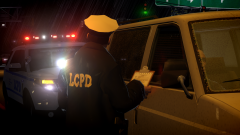
From the album: 2022
-
GTA 5 LSPDFR #55 - First Patrol Of 2022! | SAHP CVE '16 Charger via @YouTube
-
You need to change comp eyes to 9 for the holster with the handgun or to 2 if you want the leg holster one. comp_eyes="9" or comp_eyes="2" You need to either add this to your 3 XMLs one by one or you can use a program like NotePad++ to add this to the file (all at once): If using NotePad++ you can go to where it says "replace - find what" and then type in: ">mp_m_freemode_01</Ped> and replace that with comp_eyes="9">mp_m_freemode_01</Ped> Make sure to leave a space before comp_eyes of course, and to always backup your files. This is the fastest way to add the holster using NotePad++. Don't forget to do the same for female units using ">mp_f_freemode_01</Ped> and comp_eyes="9">mp_f_freemode_01</Ped>
-
Rockford Hills PD/SWAT/Del Perro PD/SWAT and NYSP is done. FIB SWAT/HRT is also done as well. Just have to work on SAF next and then the 3 rangers and 4 security departments. Followed by insignia correction, new jurisdictions, and some other miscellaneous stuff.
- 944 comments
- 23 reviews
-
-
-
-





