


Lapd Code 3
Members
-
Joined
-
Last visited
Everything posted by Lapd Code 3
-
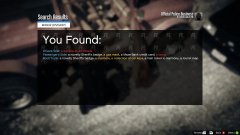
From the album: The Hunt for Trevor Phillips
-
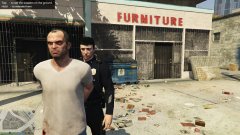
From the album: The Hunt for Trevor Phillips
-
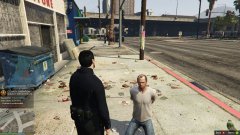
From the album: The Hunt for Trevor Phillips
-
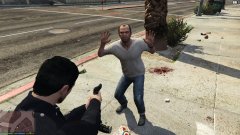
From the album: The Hunt for Trevor Phillips
-
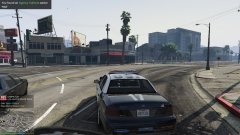
From the album: The Hunt for Trevor Phillips
-
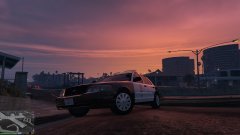
From the album: The Hunt for Trevor Phillips
-
ty officerblackjack will look into this
-
Hi there everyone So i went on gta5 Mods website to download a skin for my pistol and everytime i read the readme it says to place it in a path that leads to update/x64/dlcpacks/patchday3ng then when i get to the destinated location of the path i replace the mags and ytd and ytf files with the new ones (always backup before placing it) then when i get on the weapon is still the same default weapon its properly installed in the update files so what am i doing wrong all i want is a beretta M9 black is that too much trouble? can someone show me how they installed there weapon
-
-
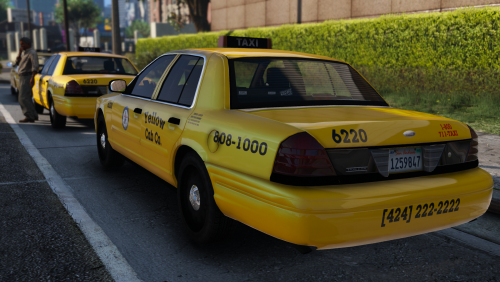 @Beren yea ill do that when i get some time around it ty once again beren will you be doing la buses too?
- 18 comments
- 6 reviews
-
-

- 1
-
-
-
Beren Thank you a Cab with multiple Liveries yes and it has proper logo placings proud of your work man now i can carry on to giving los santos a complete overhaul on project LA
- 18 comments
- 6 reviews
-
-
- 1
-
-
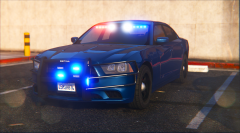 i have an unmarked charger is there a way i can change its color from Black to Blue or any other unsuspecting color?
 -
 ok ill give this a shot any probs ill send a screenshot to support or here UPDATE: FIXED AND FULLY OPERATIONAL THANK YOU KILYIN it was the folder placement that confused me last time
- 2,349 comments
- 238 reviews
-
anyone know why im getting a press none to open the eup menu? the ini setting came with a settings.ini that had menucontrolkey F11
- 2,349 comments
- 238 reviews
-
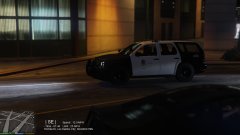
From the album: LAPD Patrol 8/19/16
-
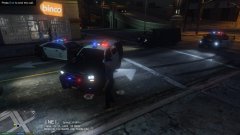
From the album: LAPD Patrol 8/19/16
-
using PimDSLR's 2008 tahoe All credits go to developers of this model
-
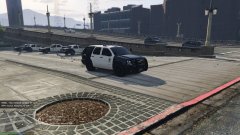
From the album: LAPD Patrol 8/19/16
-
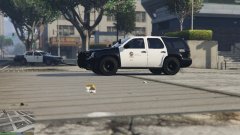
From the album: LAPD Patrol 8/19/16
-
@PieRGud so uninstall EUP till then??
-
im getting the press none to open menu i checked the settings file but everything looks confusing to me all the files on OIV are placed properly but im not sure if its the directory can someone help me !? also i tried to change the key from f11 to another key and still same results my ragenative is 1.4.1.0 and my rph is 0.42 and it wont let me downgrade any lower due to unsupported game patch so any tips please feel free
.thumb.png.8c9f22a5d87a71cbd84e4177b73f7ef0.png)
.thumb.png.0d8227c076f1d86ef1c51ad5bba4ba68.png)
.thumb.png.bdba1a8aa24082edcdc17d93f8bde9c8.png)
-
same i installed it just like it was supposed to and when i hit f11 nothing happens i tried ctrl+f11 and fn+f11 and nothing i been trying to fix this since 5pm est yesterday
- 2,349 comments
- 238 reviews
-
bit of both sorry for late reply im currently seeing alot of em which requires other mods to place em properly and hear them talk while driving which makes the game more realistic
-
same situation happen to me when i upgraded to 0.44 i downgraded to 0.42 and though it gave me a little trouble after the first few tries of gamplay the loss of textures stop affecting me after a good while of gameplay

.png.14d6a994ee177662c5ef0a86fea38b44.png)
.png.4facf362c627bc72c28f6e20d18efaf5.png)
.png.778d96117f8b85569ff67f5cc9bade77.png)