Reddington
Members
-
Joined
Everything posted by Reddington
-
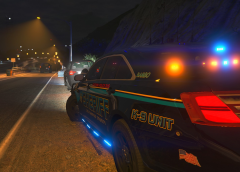 That car looks sexy.
 -
No, you would need to remake it yourself. You had to make the mods folder yourself the first time.
-
You would delete your mods folder and remake it the same way you did the first time by copying over the files from the vanilla game.
-
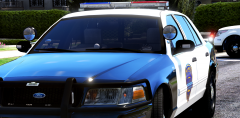 You're welcome. :) Personally, I prefer always having an Explorer and Tahoe, then the other three can be cars for a bit of variety, or anything else.
 -
Lookin good! What all cars will be included?
-
You're welcome.
-
Increasing the day and night emissives along with having postfx, shaders, and shadows on high will also make your lights look good if you want to do it manually. A lot of folks think RadianceV and all these other ones are the only way to make them bright.
-
Check the download for that file. It may have a readme that says how to install the ped. Make sure you're on stage 3 lighting of the vehicle. (press J three times)
-
You're welcome, and no worries. :) It can be confusing sometimes trying to figure out exactly where a topic belongs.
-
I've never used RDE, so I don't know how it works for things like this. Double check the vehicles.meta lines for these vehicles, specifically <audioNameHash>. Make sure that line looks like this: <audioNameHash>police</audioNameHash> You can also use police2, police3, police4, fbi, fbi2, sheriff and sheriff2, depending on what the vehicle is. This topic has been moved to the appropriate forum. Please post in the correct location in the future.
-
Thank you! :) As nice as it is to get told thank you, the best thanks to get is when others can play and enjoy their game in the same way I enjoy mine. This topic has been moved to the appropriate forum. Please post in the correct location in the future.
-
This topic has been closed by LCPDFR.com staff because it is a website, clan, or group ad. Our site isn't an advertising service - please do not use it as one. If you want to share your website, group, or clan, please keep that limited to your profile and signature. If you feel that this topic has been closed in error, please report this post. Note: If you do add it in your signature, since it is named LSPDFR Discord, please make it clear that it is not official/affiliated with G17 Media.
-
I also need you to verify something for me, please. You previously said other ELS models had been working. Are all of these models ones you made, or were they other people's? Essentially, are the only models that aren't working right your models?
-
If ELS wasn't recognizing the car, the control panel wouldn't appear nor would he be able to do anything with ELS. However, just for the sanity of it, Chief, please post a screenshot showing inside your ELS folder, and inside the pack_default folder. Just to add, that is true, however, the lights would work regardless because they weren't made to work specifically for ELS. :)
-
I'm sorry, do you mean B.E.L? I'm not sure, it has been a very long time since I've used that mod. If you mean the location of the carcols file, mods / update / update / x64 / data.
-
If you did install it, B.E.L might be conflicting with ELS. Advancedhookv.dll comes with the ELS download.
-
Did you install this by any chance? If not, I unfortunately am not sure what to tell you. Normally, when ELS lights don't work but ELS works, advancedhookv.dll is missing or needs to be reinstalled, or the method of uninstalling OpenIV.asi and ASIloader, reinstalling and restarting works fine. The last thing I can advise is remaking your mods folder to see if that's the problem, which it shouldn't be unless you installed a mod like B.E.L.
-
Damn, forgot about that part. >_> The only thing I can advise then is to do a fresh install of ScriptHookV and possibly ELS is the former doesn't work.
-
Just the carcols.ymt. Rename your mods folder to _mods. This will stop the mods folder from being used. Now load into the game and try using ELS.
-
Do you have ELR installed, though?
-
What is Emergency Light and Siren Console Tester? Do you have Emergency Lighting Revolution installed? Try removing lightshow.dll and see if that fixes the issue.
-
Take a screenshot of your main GTA V directory, please. Trainers being able to activate the lights is normal, as trainers are able to activate extras. However, the lights do not stay on permanently. They flash quickly.
-
This topic has been moved to the appropriate forum. Please post in the correct location in the future.
-
Give RadianceV a try - This topic has been moved to the appropriate forum. Please post in the correct location in the future.
-