


Reddington
Members
-
Joined
Everything posted by Reddington
-
You're welcome. :)
-
I can't recall, I don't include the names of authors in my mods spreadsheed. :P Maybe it was. It was an ELS pack, though, and in my playtime with the cars there wasn't any gamebreaking bugs or issues, so I'm curious what he'd need to update. Though, at this point, I don't think it's ever being re-released.
-
There was an ELS LAPD pack (not by TwistedScopes) a while back but it was also removed for unknown reasons. The pack was good, there really wasn't any reason to remove it.
-
Goodnight. In the morning, please link me to the car you're trying to use.
-
You're welcome. :)
-
Well, it wasn't the Youtubers fault. I'm not sure why, but you used to be able to use patchday3, or patchday 11 without any issues. It was changed at some point to where it only works with the latest. Yes, it goes in the highest number patchday. Delete the modded vehicle from previous ones.
-
The only thing you need to delete are the modded vehicle files from patchday 11 The patchday they go is the latest, so patchday13, patchday14, or whichever is the very latest for you. It also has to have a vehicles.rpf.
-
Patchday11 is incorrect. Different patchdays used to work just fine, but now you have to use the very latest one.
-
For right now, we can just ignore it and see how the game responds. So to verify, you have ScriptHookV, advancedhookv, the ELS folder, the VCF, and the ELS models in the correct patchday. Is it still not working?
-
That looks good. Just two minor things: 1) Your mods folder should be all lowercase: mods 2) Your Plugins folder should be capitalized. Plugins Sometimes there are mods that get picky about that.
-
I'm confused about what files you're referring to. Check the ELS documentation, it'll tell you what should be in the main directory. ELS.ini and ELS.ini go in the main directory with advancedhook.
-
Do you have advancedhookv.dll in your main directory?
-
AHHHHHH! It's amazing!
-
No rush. I'll be here.
-
You do have the VCFs installed correctly, so my next question is, which vehicle is it you're trying to use?
-
Open the ELS INI and look under lighting for: LightFlashDelayMainLts = 38 LightFlashDelayCoronas = 40 This topic has been moved to the appropriate forum. Please post in the correct location in the future.
-
Please take a screemshot of the pack_default folder. Also, the ELS VCF needs to be the named the exact same thing as the vehicle slot you're using.
-
Just what's inside. :) This topic has been moved to the appropriate forum. Please post in the correct location in the future.
-
It's really no problem! A year ago I was in your shoes and had no clue what I was doing. Go into your main GTA V directory. From here, you should have an "ELS" folder. Open it. Next, you should see "pack_default" folder. Open it. Now you can drag and drop the ELS VCF there. :)
-
All ELS vehicles come with the VCF. It's an XML document that is named the same thing as the vehicle. With ELS vehicles, this is required. The VCF needs to go into ELS --> pack_default folder.
-
Alright, just wanted to be sure you were installing the correct thing. Is this an ELS vehicle? Did you install the ELS VCF?
-
When you say "meta folder" do you mean text document or actual folder? Because you're not supposed to add in any folder.
-
Please create your own topic in this section and I will. :) (This is mainly to keep things organized and easier for the author of this thread and helpers)
-
This topic has been moved to the appropriate forum. Please post in the correct location in the future.
-
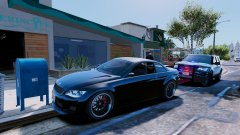
From the album: Red's LSPDFR chaos

