


Reddington
Members
-
Joined
Everything posted by Reddington
-
This topic has been moved to the appropriate forum. Please post in the correct location in the future.
-
I mean, the game doesn't freeze at all? Please double check you have all the requirements - http://ragepluginhook.net/Requirements.aspx and check out these tutorials. https://www.youtube.com/watch?v=7ZnBwl7R4cg
-
When you press F4 to open the console, what happens?
-
Are you able to record, or get a screenshot?
-
I'm kidding! Don't worry at all about using your phone camera. As long as I can see the area we're working with it's all good! Yes, put the files directly into the pack_default. No sub folders.
-
No, you use the screenshot tool like a civilized human being! :P In your third screenshot, notice how the POLICE VCF is right there? That is where all the VCFs need to go. The sub folders won't work.
-
Please take a screenshot showing me your ELS folder, inside the ELS folder, and the pack_default folder.
-
Open your ELS INI and look for "MaxActiveVehs". What is the number set as?
-
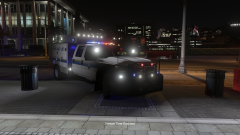 I second that. Looks like poop. (I love all the lights!)
 -
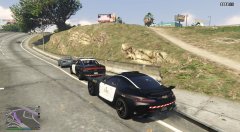 "Go ahead, run. Make my day."
 -
I highly doubt it, but please go back into the previous patchdays and delete the extras just to be sure. Also, when you're in these vehicles and you try and bring up the ELS menu, does it work?
-
This topic has been moved to the appropriate forum. Please post in the correct location in the future.
-
For the other cars, those are all in your latest patchday, correct?
-
The Redmond pack came with ELS VCFs the last I looked. Please check the download again.
-
If you're using an ELS car without a VCF it will not function. The siren may still turn on via e, but the lights will be inoperable. ELS vehicles require the VCF. ELS is a standalone program. All you need to run it is ScriptHookV.
-
Make sure you're adding the ELS VCF to the pack_default folder and naming the VCFs the same as the cars.
-
You're welcome. :)
-
You're welcome.
-
If you have ELS installed, then yes, it probably will. ELS doesn't play well with other light mods.
-
Try removing Menyoo, please. If this doesn't solve it, also include a screenshot of the plugins folder. :)
-
Please link to the pack you're trying to use. Also, can you take a screenshot of these red squares? This topic has been moved to the appropriate forum. Please post in the correct location in the future.
-
Take a screenshot of your directory, please, and include the Plugins folder.
-
At what point is it crashing on the loading screen?
-
Make sure you have ScriptHookV installed. If you do, or this doesn't solve it, please create a new topic in GTA V support and we'll work on figuring out the cause. :)
-
Open OpenIV and go into your mods folder. Click the "edit mode" button and confirm. Do you see any notification about updating? If not, go into the mods / update folder. Anything?

