


Reddington
Members
-
Joined
Everything posted by Reddington
-
 That looks so good!
 -
You're welcome. :)
-
As long as you did everything correctly, yes. :)
-
-
If your add-on vehicle meta and carvariations are already in mpchristmas, yes, leave them alone. Otherwise, the individual lines need to be added.
-
This topic has been moved to the appropriate forum. Please post in the correct location in the future.
-
Yes, but remember, you cannot replace the meta or carvar, you need to add in the lines to it.
-
Your topic has been moved to GTA V Support, this is not LSPDFR related. Please post in the correct location in the future.
-
That is actually my bad, you confused me by mentioning the ambulance. I didn't realize you meant add-on ambulance. Add-on vehicles should be in a dlc like mpchristmas2, not the patchdays. Patchdays are for replacement cars. Check my guide.
-
Patchday7 is not the latest patchday, patchday16 is.
-
You may have to revert the files, then.
-
Then your modded vehicles should be working fine. You're using the very latest patchday? Please post a screenshot showing where you're installing the vehicles.
-
Ah, that would do it. You're welcome. :)
-
Alright, then remove them from x64e. You are using a mods folder, right?
-
Try placing the ambulance files in x64e.
-
You're welcome, but that shouldn't be what fixes it, as even for me 50k would just kill it and make the lights extremely, unnecessarily bright. I'd double check your GTA options.
-
Only if there is a problem. :) If your vehicles.meta is the exact same as it was before when it worked, there shouldn't be anything in it causing problems.
-
Double check the carvariations, vehicles.meta, and the vehicles.rpf and verify if the vehicles and their files are still there.
-
No, the add-on lines don't expire unless Rockstar went in and edited that dlc. They should still be there. Also, you do not have to mess with the txd relationships. I haven't for any of mine unless it specifically says to.
-
Ha ha, it's no biggie. You're welcome. :)
-
Extract your visualsettings.dat to your desktop, then open it. To find the file, go to mods / update / update / common / data Now search for "car.defaultlight", you'll be brought to "car.defaultlight.emissive.on", and there will be a day and night option. Change the DAY option to 6000.00 Change the NIGHT option to 1500.00 Now save and close. Next, in OpenIV, go to mods / update / update / common / data. Click "edit mode" and drag and drop the edited visualsettings into OpenIV. Now click "edit mode" again and you're good.
-
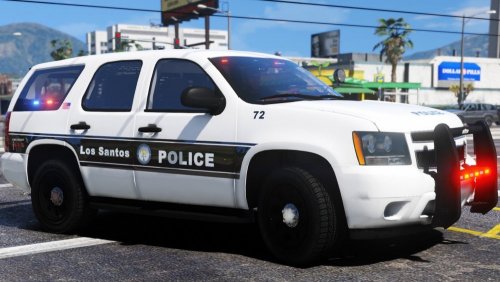 LOVE the full white and black stripe! Can hardly wait until you get T0y's Goose Creek pack added.
- 39 comments
- 12 reviews
-
-

- 1
-
-
Make sure RagePluginHook.exe is in your GTA directory along with all of your GTA 5 shortcuts/.exes. This topic has been moved to the appropriate forum. Please post in the correct location in the future.
-
Yes it does. All vehicles need to have a carvariations to work properly. If it's an emergency vehicle, the vehicle needs to have sirensetting=1 When you have ELS installed, all vehicles will need a VCF in order to have the full siren control. If you don't have a VCF for non-ELS vehicles, all you can do is turn on lights/siren with E, you won't be able to use the different keys for sirens. Here is a modified VCF that will work flawlessly with non-ELS vehicles, you just need to change the name of the file to match your car names. Remember, you can right click-->copy the file, then paste it and change the name. VCF for non ELS.xml
-
For ELS vehicles, they have to have an ELS VCF in order to use the lights. If they are a non-ELS vehicle and you use ELS, they will still need a VCF in order to have the same basic light/siren functionality. You'd just need to edit the VCF to make sure the non-ELS vehicle doesn't utilize the extras.

