


Reddington
Members
-
Joined
Everything posted by Reddington
-
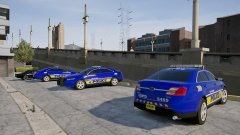
From the album: Red's LSPDFR chaos
-
Go ahead and rename your mods folder to _mods please, then load in game and see if it crashes or acts weird.
-
So you uninstalled it. When you start GTA via the GTA5.exe, what happens?
-
Sorry, sharing of game files such as carvariations is not allowed. Your best option is just to manually re-add them. This topic has been moved to the appropriate forum. Please post in the correct location in the future.
-
Okay, okay, slow down. When I say rename it to _mods, I say that because renaming it that will prevent the mods folder from being used. I'm trying to verify what is the actual problem. So what did you do that was "too late"?
-
Before doing that, rename your mods folder to _mods and load into the game to see if it still crashes.
-
I doubt it, but please list everything you've recently installed/changed.
-
Generally the vehicleslayouts.meta is what causes it. I'd go ahead and try backing that file up to the vanilla.
-
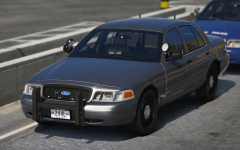 I really wanted to edit your post to say "Everything is hotter than me". LOL Really, though, the Vic looks amazing!
 -
Yes, please. :)
-
The unmarked Vic is hotter than you. :P
-
You're welcome. :)
-
To my knowledge you can't. There's three alternatives: 1) Press A to blip the person, then press A again to disable blackout mode. 2) Turn on your lights, then hit A to blip them. 3) Use the keyboard to blip.
-
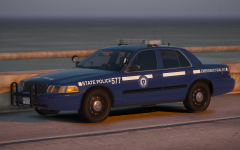 I told you a thousand times don't do this in public! I screenshotted that, by the way. I'm never letting you live that down. :P
 -
FREEDOM IS ZE BEST, THE HATERS CAN FEEL MY BAN HAMMER! >:)
-
You're welcome!
-
No, by scripts they mean scripts folder. If you don't have one, in your main directory, create a new folder and name it scripts all lowercase. You're welcome.
-
1) Extract the visualsettings to your desktop and find "car.defaultlight.emissive.on". There is a day and night option. Just lower the numbersm save, click edit mode in OpenIV, drag the visualsettings back in, hit edit mode again, and you're good. 2) No clue, check the download page and the readme. I guarantee it says how to install. 3) Check out my guide -
-
I'm not sure about the LSPD textures, but the blue Sheriff textures are.
-
Hi there, Do the lights still look bright, or have they dimmed?
-
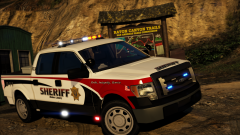 I LOVE the color scheme! Can hardly wait to use it.
 -
If you're doing a clean install, yes, you need to reinstall GTA. Please create a new topic if you have more questions about it. :)
-
No. If you used a mods folder, you can either a) If you know what files the mods replaced, you can go into the vanilla update folder, extract the files to your desktop, then go into the mods folder and place the vanilla files back in. or b) Remake the mods folder.
-
Does it say anything else? or just critical error?
-
50,000 is far too bright under normal circumstances. Something in his settings is either incorrect or not set as it should be. You should never need to have it as high as he is. In fact, at 50k, it should be blinding.

