


Reddington
Members
-
Joined
Everything posted by Reddington
-
I asked you to move LSPD First Response.dll to your desktop trying to decide if that was the problem. Are you able to launch GTA V via Steam / GTA 5.exe?
-
and your mods folder is still named _mods? What if you remove LSPD First Response.dll? I mean move the plugin to your desktop.
-
Launch Rage as if you're going to play. When the Rage logo appears, click the gear icon in the lower left and wait for the Rage settings to open. Now, go to the game settings tab and check "force directx11" and "force windowed mode".
-
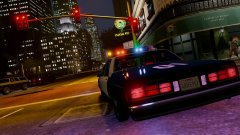 Wasn't aware of that, thanks.
 -
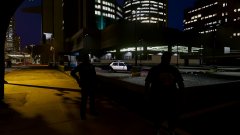
From the album: Red's LSPDFR chaos
-
From the album: Red's LSPDFR chaos
-
Please rename your mods folder to _mods and try loading into your game. If that still doesn't work, remove ScriptHookV.
-
Try renaming your mods folder to _mods and see if it's still infinite loading.
-
Rename your mods folder to _mods and then try loading in. Do the same thing as I mentioned above. For your next reply, please create your own topic and let me know if that fixes it. It makes things easier to not try and help two people in the same thread.
-
This means that ELS is not actually registering the VCF for the car. Check your ELS config, make sure MaxActiveVehs is set to 50. Your topic has been moved to GTA V Support, this is not LSPDFR related. Please post in the correct location in the future.
-
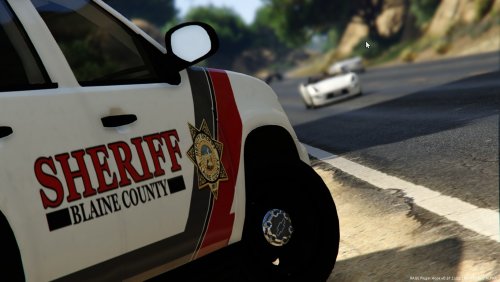 This is an absolutely beautiful texture! The mixture of the colors is done very well. I would definitely want this to be a full texture pack.
- 5 comments
- 5 reviews
-
-

- 1
-
-
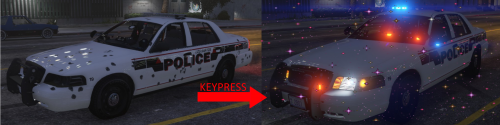 This is one of those must have plugins. Even if you have a trainer, this plugin is still extremely convenient and makes things a lot easier, especially during pursuits when the AI does something stupid.
- 21 comments
- 21 reviews
-
This topic has been moved to the appropriate forum. Please post in the correct location in the future.
-
Ha ha, that too! I love trucks.
-
Advancedhookv.asi would be in the main GTA directory right by advancedhookv.dll. One thing, you have two police3.xml files. One directly within ELS, and one I believe inside pack_default. Please delete the one directly inside ELS. There should only be one, and that should be inside pack_default.
-
One thing I notice, you're missing advancedhookv.asi. This comes with LSPDFR, so I'd head back to the download page and grab it. Are you using ScriptHookV?
-
Which step, advancedhookv or the second one? Please post screenshots of your main GTA V directory, your ELS folder, and the pack_default folder.
-
Do you have advancedhookv.dll in your main GTA V directory? If yes, try this - In OpenIV, go to ASI Manager and uninstall ASI Loader and OpenIV.ASI and then click install again to reinstall them. Next, restart your PC, and try loading into the game again and see if that works. This topic has been moved to the appropriate forum. Please post in the correct location in the future.
-
It has been updated. Please check in the "misc" section of our downloads.
-
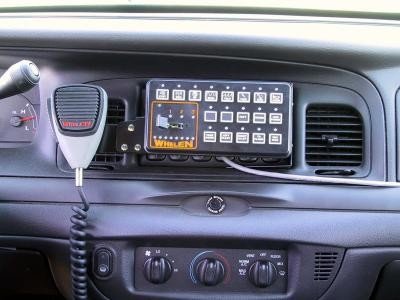 I've been trying to find a new siren to use that was loud, clear, and had good tones. I already had a few I was debating between using, but after giving this a try, I think I've found my new favorite and main siren! The sirens are nice and loud, and the tones are very crisp and clear. Amazing work! My one gripe with this is that there's not a proper demonstration of the sirens. Personally, I prefer hearing all the siren tones before downloading just to see how loud they are and if it sounds like something I want to use. I recorded this video of all the tones + manual for anyone who may be curious.
- 14 comments
- 7 reviews
-
-
- 2
-
-
You're welcome!
-
Welcome back, Sergeant. ;) Give this a try, please. In OpenIV, go to ASI Manager and uninstall ASI Loader and OpenIV.ASI and then click install again to reinstall them. Next, restart your PC, and try loading into the game again and see if that works. If it still not working, please post the ASI log and ELS log files.
-
Try using this gameconfig - https://www.gta5-mods.com/misc/gameconfig-for-addons-600 This topic has been moved to the appropriate forum. Please post in the correct location in the future.
-
I second what Mags said, that's impressive! One minor correction, under the "location" tab, the newest patchday, patchday16, is really where all replacement vehicle files should go for the best result. If you use patchday3 or any previous ones, you run the risk of having the replacement files not work right.
-
Your topic has been moved to LCPDFR Support Requests. Please post in the correct location in the future.

