


Reddington
Members
-
Joined
Everything posted by Reddington
-
Do me a favor, please. In OpenIV go to mods / update / update / common / data. Replace the gamconfig with this one - https://www.gta5-mods.com/misc/gameconfig-for-addons-600 Normally all you need to do is just replace the gameconfig, nothing else.
-
-
Lets clarify something, please. You edited the gameconfig.....what did you edit, exactly? You're not supposed to edit the gameconfig at all.
-
If it's crashing when spawning in an add-on vehicle, the problem is either with the vehicles.meta or the carvariations. Remember, a standalone vehicle must have the carvariations and vehicles.meta in the same dlc that its vehicle files are located.
-
Please take a screenshot of your ELS folder and the pack_default folder.
-
It was an upgrade, everyone had this.
-
Do you have advancedhookv.dll in the main GTA directory?
-
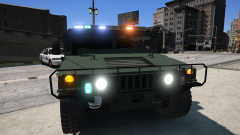 I just found my new Blaine County Sheriff vehicle. <3 Will it be able to have textures, or is that pushing it?
 -
What version of Rage does it say you have? Right click RagePluginHook.exe-->properties-->details.
-
MODERATOR NOTICE: I have split your post into its own thread. In the future, please create your own thread for support requests.
-
You're welcome, it's quite alright.
-
This topic has been moved to the appropriate forum. Please post in the correct location in the future.
-
If I may ask, what was the problem? :)
-
If you're trying to replace files like the POLICE, POLICE 2, etc slot, I don't believe those will work in the DLCs. I think they have to be in the latest patchday. The vehicles.meta for the patchdays is mods / update / update/ common / data / levels / gta5 The carvariations are hard coded in, you'll need to add your own carvariations line in the carvariations for a dlcpack such as mpchristmast2. I created a guide for installing standalone cars if you'd like to check it out:
-
Try this for me, please. In OpenIV, go to ASI Manager and uninstall ASI Loader and OpenIV.ASI and then click install again to reinstall them. Next, restart your PC, and try loading into the game again and see if that works. If it still not working, please post the ASI log and ELS log files.
-
It comes with ELS. :)
-
When one of the files, usually the vehicles.meta or the vehicles.rpf, gets to about 1k, I stop and move onto the next one. I have several DLCs full of standalone cars, lol.
-
Yes, you need to modify each carvariations and vehicles.meta if you use different DLCs. If you just use one DLC, you only need to edit the meta and carvar for that one. The only way to shrink carvariations and meta is to delete content inside of it, in which case, everything inside the meta except the add-on vehicle content is mandatory.
-
I honestly couldn't tell you if MB is more than KB or which, but yes, there definitely is a limit as to how big carvariations, vehicles.meta, and vehicles.rpf can be. I learned this the hard way. My mpchristmas2 carvariations is at 167.5KB, while the mpchristmas2 vehicles.meta is 338.1 KB, and vehickes.rpf is 2000MB. I would take a few veehicles out of the dlc or patchday you're using and start utilizing the dlcpacks for add-on cars. Start with mpchristmas2, but note, you will need to edit the carvariations and vehicles.meta within mpchristmas2, as it has its own.
-
You're welcome. :)
-
For the gang turf, your best bet is the mod author. For JobsV, gonna have to wait until it's updated.
-
You're positive you installed everything correctly and have the requirements the mod lists? The mod was just recently updated, so it should work. I'd speak with the mod creator for support, as he'll be better suited in this situation - https://www.gta5-mods.com/scripts/gang-and-turf-mod#comments_tab JobsV is in need of an update, and won't work, I believe.
-
Can you link to these mods, please? I don't know which you're referring to.
-
I deleted your other topic, please try not to make duplicate topics. Is your game up to date, or not? If it's not, you're kinda SOL now unless you backed up Rage.
-
Ha ha, you're most welcome! I wasn't angry at you or anything, was just trying to get you to do it so you could verify it did work, lol. Don't ever hesitate to ask for help, we were all new once and totally get it. :)


