

Skip to content
View in the app

A better way to browse. Learn more.

LCPDFR.com

A full-screen app on your home screen with push notifications, badges and more.

To install this app on iOS and iPadOS
  1. Tap the Share icon in Safari
  2. Scroll the menu and tap Add to Home Screen.
  3. Tap Add in the top-right corner.
To install this app on Android
  1. Tap the 3-dot menu (⋮) in the top-right corner of the browser.
  2. Tap Add to Home screen or Install app.
  3. Confirm by tapping Install.

Freedom!

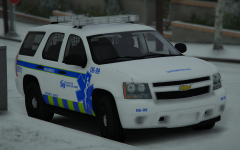
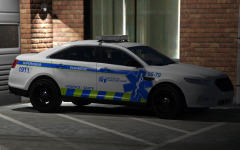
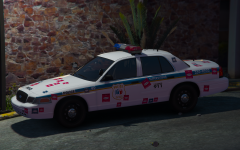
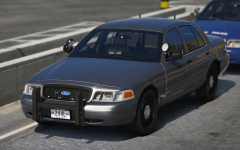
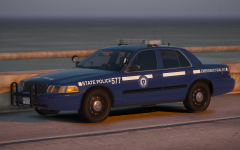
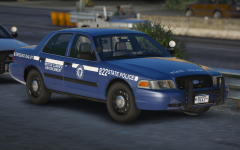
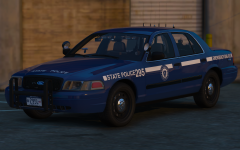
WHAT!? T0Y YOU SLUT YOU DID A FREEDOM AGAIN? Yes... But this time... SPLIT MODULES! Don't be mad I used a freedom pls... There are literally no good lightbars to use right now, and this Liberty is never going to be finished thx gn.


59b8498d17310_Desktop09_12.2017-16_52_58_107.thumb.png.4f6c9749941d8f1dcd60024a3e8e1b64.png


59b84990444cb_Desktop09_12.2017-16_52_43_105.thumb.png.863ea5f96a17d7749dc00bdb6a479550.png


59b849939cf9b_Desktop09_12.2017-16_52_51_106.thumb.png.11125b784eed9da4571d5e7a11ff5cf5.png


Credit

t0y, Carper, OfficerUnderwood, Iansonwheels, Matt, Jay

Copyright

© t0y

From the album:

t0y's Projects

· 127 images

Account

Navigation

Search

Search

Configure browser push notifications

Chrome (Android)
  1. Tap the lock icon next to the address bar.
  2. Tap Permissions → Notifications.
  3. Adjust your preference.
Chrome (Desktop)
  1. Click the padlock icon in the address bar.
  2. Select Site settings.
  3. Find Notifications and adjust your preference.