


Reddington
Members
-
Joined
Everything posted by Reddington
-
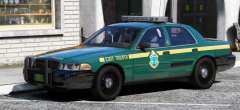 I LOVE that texture! The car is gorgeous!
 -
From the album: Red's LSPDFR chaos
-
From the album: Red's LSPDFR chaos
-
 You can make the cars add-on yourself. Just add them to mpchristmas2, and add a meta and carvar line.
- 114 comments
- 37 reviews
-
It's okay. :) We all gotta learn at some point.
-
The file you linked to does not include the .ytd, it only has the actual image files. The lights can only be edited in the .ytd.
-
Check this topic. Press CTRL+F and search for "headlights", you should be brought to the fix for your issue.
-
You can play LSPDFR just fine without ScriptHookV. SHV is just for ELS and other scripts. As per EUP, it might be because EUP has the EUP menu, which relies on SHV to open.
-
This topic has been moved to the appropriate forum. Please post in the correct location in the future.
-
From the album: Red's LSPDFR chaos
-
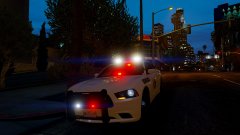
From the album: Red's LSPDFR chaos
-
I'd never install 7 vehicles at once unless you want a problem to occur. I always install things manually, and two at a time.
- 114 comments
- 37 reviews
-
The vehicles go in the very newest patchday that has a vehicles.rpf. I believe the newest patchday is patchday17? Can't recall, but I think it has a vehicles.rpf, so that's where your replacement cars go. This topic has been moved to the appropriate forum. Please post in the correct location in the future.
-
Yeah, lets go with that. :P Tbh looking back at GTA IV/LCPDFR, I'm glad I got into GTA modding with V. I don't think I could've taken how horrible GTA IV's art style was.
-
Since you haven't updated yet, you can still do what this topic says - You can also just backup your game via Rage's settings, but I find the above topic easier. Your topic has been moved to GTA V Support, this is not LSPDFR related. Please post in the correct location in the future.
-
Unless you made a back up, there's no way of reverting versions. You'll just have to wait for Rage to update. Your topic has been moved to GTA V Support, this is not LSPDFR related. Please post in the correct location in the future.
-
I don't believe Jed knows how to do this, so unfortunately not, especially since this is meant to be a replacement pack. Still, you can make them all standalone cars on your own, just follow my pinned topic in GTA V support.
- 114 comments
- 37 reviews
-
-

- 1
-
-
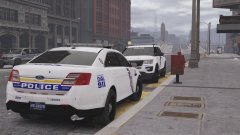 Which texture pack is this again? I recall seeing it before, but can't remember who it's by.
 -
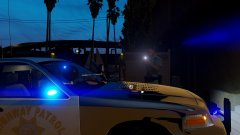
From the album: Red's LSPDFR chaos
-
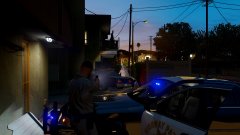
From the album: Red's LSPDFR chaos
-
The GTA folder that you're using needs to be named Grand Theft Auto V It can't be anything else.
-
-
-
.thumb.png.7db4ff792de167922a0ae818e4ff748a.png) Is there any chance you could make a lore/BCSO version of the green Sheriff uniform in your screenshot? I love the look!
Is there any chance you could make a lore/BCSO version of the green Sheriff uniform in your screenshot? I love the look!- 22 comments
- 2 reviews
-
-
- 1
-
-
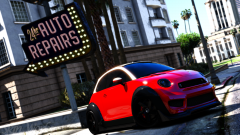 Imagine driving down Grove Street in the brand new Gang Unit vehicle. Gang member #1: Da fuck is that tiny ass shit? Gang member #2: I want to give myself up just to save that officer the embarrassment of having to drive it in public. Gang member #1: u mite wanna rethink that, dog. That shit got no backseat, your ass is going in the trunk. Gang member #2: Shit dawg, that thing so small it probably doesn't have a trunk. Gang member #1: Yo ass is going on the roof.

.thumb.png.7db4ff792de167922a0ae818e4ff748a.png)
