


Reddington
Members
-
Joined
Everything posted by Reddington
-
You're welcome! :)
-
You can use whatever car you want for whatever video. Permission wise, the only thing you'd need permission for is redistributing the actual vehicle files, which I doubt you plan on doing. So you're good. Use whatever you want, and use whatever you want in a video.
-
Moderator notice: I have removed the portion of your request that refers to your clan, as it appears to somewhat be an advertisement and isn't necessary for this request. In the future, please leave out mentions of your fivem server.
-
Your trainer should still work even with the mods folder disabled. Are you able to load into GTA V via Steam or GTA 5.exe?
-
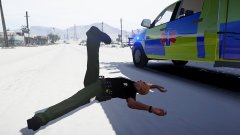
From the album: Red's LSPDFR chaos
-
For the added vehicles section of Simple Trainer, all you need to do is include the vehicle model name and the vehicle name shown in the trainer. For example, take a look at mine: Display name is what is shown when viewing the spawn add-on car option of the trainer.
-
That almost looks more like what happens when you pause the game and everything in the background blurs. Does it only happen when activating snow?
-
Are you using any graphics or ENB mods aside from RadianceV? This is the first I've heard of RadianceV causing this. This topic has been moved to the appropriate forum. Please post in the correct location in the future.
-
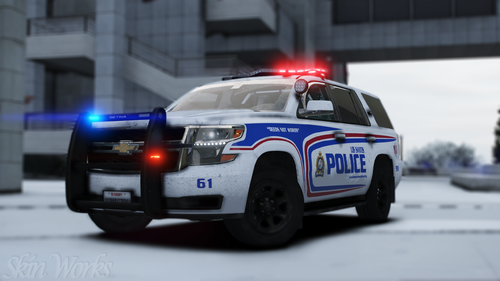 Good question. It's funny, 99% of CVPI textures work on ALL CVPIs. Hell it's rare I even find a Hurk CVPI, now there's apparently a third one.
- 16 comments
- 8 reviews
-
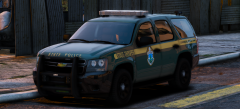 Taaahoeeee <3
 -
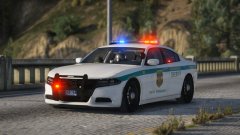 I like the livery, mind you. I do think the badges on the doors are a bit too big, but other than that I like it.
 -
@harrison90 Can you please include T0y's CVPI from the Fort Worth pack? All your other textures work fine except this one. I tried both CVPI folders you provided, not sure what the base model he used is. Thanks! (I'd give you the template here, but Cyan still hasn't fixed the broken attachments)
- 16 comments
- 8 reviews
-
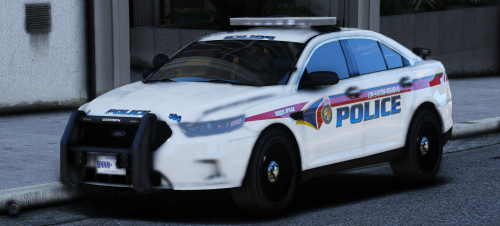 The light bar is sexxxxy! This is a beautiful model with a nice set up. My only complaint is that I don't care for the style of mirror lights. At least in GTA, the light just doesn't show properly.
- 8 comments
- 8 reviews
-
-

- 1
-
-
You can go into OpenIV and to mods-->update. Click "edit mode" at the top. If it comes up with a green box indicating an update, do it. If it doesn't have a green box, you will need to remake the update.rpf. Delete the one in your mods folder and re-add it.
-
The mods folder will prevent you from ever needing to completely redo everything. I personally just had a problem recently where my vehicles.rpf became corrupt. Deleted it, and replced with the vanilla vehicles.rpf and all is good again. Sure, I lost all my replacement cars, but that's an easy fix.
-
The point in which your game is crashing has me wondering if it's a gameconfig issue. Rename your mods folder to _mods and then try loading into the game. This topic has been moved to the appropriate forum. Please post in the correct location in the future.
-
Your topic has been moved to GTA V Support, this is not LSPDFR related. Please post in the correct location in the future.
-
Unfortunately, Free My Controller and other mods do not work alongside ELS, so you'll have to go without FMC. We cannot redistribute game files to you. If you used a mods folder, you can go into the vanilla update folder and find standard.meta and stamdard_duck_handbrake.meta, extract them to your desktop, then add them back to your mods folder. This topic has been moved to the appropriate forum. Please post in the correct location in the future.
-
In terms of a controller, no, there isn't a way to configure it. The only way is if a mod comes with keybinds you can change. You can try mods like "Free my controller".
-
You're welcome, and thank you. I'll certainly add that now. :)
-
From the album: Red's LSPDFR chaos
-
This topic has been moved to the appropriate forum. Please post in the correct location in the future.
-
Your topic has been moved to GTA V Support, this is not LSPDFR related. Please post in the correct location in the future.
-
The reason the tutorials are confusing is because all of them are for PC. LSPDFR, and all mods are for PC only, you cannot do this on console.
-
Make sure you updated the update.rpf that is in the mods folder. Your topic has been moved to GTA V Support, this is not LSPDFR related. Please post in the correct location in the future.

