


Reddington
Members
-
Joined
Everything posted by Reddington
-
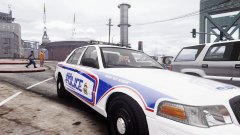
From the album: Red's LSPDFR chaos
-
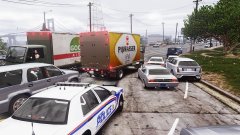
From the album: Red's LSPDFR chaos
-
I believe this might have to do with ELS itself, and I'm not sure if that's something you can change. You can try changing the LOD distance in the vehicles.meta to 500 for each line, but not sure if that works. Your topic has been moved to GTA V Support, this is not LSPDFR related. Please post in the correct location in the future.
-
You're welcome.
-
This topic has been closed because you are asking for support regarding pirated software. We are unable to provide support to pirates, or people using cracks. If you feel this topic has been closed in error, please report this post.
-
Please see this topic. You can use CTRL + F to search "tinted" -
-
Yes, you can use mods from GTA 5 mods. What I meant was, the specific mod you're looking for might be removed. Is this what you wanted? https://www.gta5-mods.com/player/wade-player-model
-
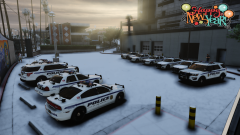 "No gunfire please." Yeah, tell that to the Grove Street Families. :P
 -
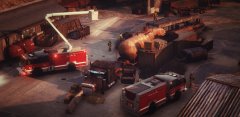 This one - https://www.gta5-mods.com/scripts/ladder-control-mod I use it as well and love it.
 -
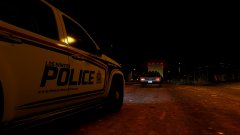
From the album: Red's LSPDFR chaos
-
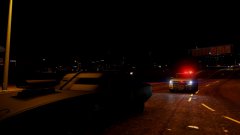
From the album: Red's LSPDFR chaos
-
You said you renamed the mods folder - to what? and did it work?
-
-
If it's not anymore, chances are it's not available at all.
-
As was stated, old RPHs are not available. If you're game is up to date, older versions wouldn't work. If you're on an old RPH version and for some reason need to reinstall it, unfortunately you're out of luck in that front.
-
Your friend used to be correct about that. Patchday3 used to work, but Rockstar changed something to where only the latest patchday works. I don't believe your friend still actively plays LSPDFR, because patchday3 absolutely does not work for vehicle replacements.
-
I don't recall ever seeing or hearing about this mod, and Google searching gives me no results for it. It might not be available anymore.
-
Your topic has been moved to GTA V Support, this is not LSPDFR related. Please post in the correct location in the future.
-
Can you define 'acting weird'? What is happening? This topic has been moved to the appropriate forum. Please post in the correct location in the future.
-
Do you have ScriptHookV? Your topic has been moved to GTA V Support, this is not LSPDFR related. Please post in the correct location in the future.
-
There are various individual British cars on here and GTA 5 mods if you still want to use some.. :)
-
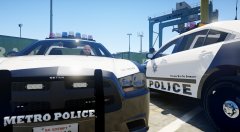
From the album: Red's LSPDFR chaos
-
Usually ELS related crashes are a result of installing either ELS itself wrong or installing the VCF XML wrong that comes with the car.
-
.png.623eb1e878669872e85101afceb702e2.png) I could be wrong, but I don't think departments generally bother with punctuation on liveries. Though, it does annoy me as well. :P
I could be wrong, but I don't think departments generally bother with punctuation on liveries. Though, it does annoy me as well. :P -
Hi Mike. In the future, please create your own topic instead of bumping one that is almost a year old. In the vehicles.meta, look for this line: <requiredExtras /> That is what you'll edit. Here's how your edit should look: <requiredExtras>EXTRA_1</requiredExtras> Change the number to whatever extra the light bar is. Remember a few things, however. If it's an ELS enabled model, the light bar cannot be removed UNLESS it is one of Candice's models which has a removal light bar. When you are done editing the vehicles.meta, remember to SAVE the edited file, and to put it back into the spot in OpenIV from which you got it. Also remember to click "edit mode" BEFORE and AFTER you try and place the vehicles.meta in. If you require further help, please create your own topic in this section and I'll try to assist. :) If you feel this topic has been closed in error, please report this post.


.png.623eb1e878669872e85101afceb702e2.png)