


Reddington
Members
-
Joined
Everything posted by Reddington
-
That would be the carvariations. Carvariations are hard coded into the game, so you'll need to paste a new line yourself. I use the mpchristmas2 carvariations when adding lines for GTA vehicles. When adding a new line, make sure lightsetting is set to 1. (EG: lightsetting=1)
-
Unfortunately no. You could just copy your current GTA V folder and paste it somewhere. Then you have two modded directories. You can choose which one to start deleting mods out of to make the vanilla directory.
-
This topic has been moved to the appropriate forum. Please post in the correct location in the future.
-
Your topic has been moved to GTA V Support, this is not LSPDFR related. Please post in the correct location in the future.
-
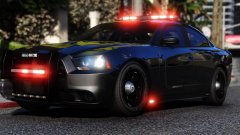 TBH The Charger looks sexy as fuck without a livery. Have you considered making the light package all red and having it be a fire vehicle?
 -
This topic has been moved to the appropriate forum. Please post in the correct location in the future.
-
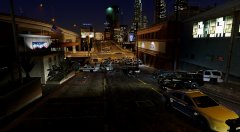 I use VisualV.
 -
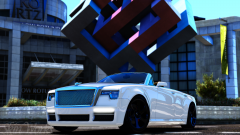 It is a very nice, rich boy car. :P
 -
All this car needs is a logo going along the sides: Harrison's pimp mobile
-
From the album: Red's LSPDFR chaos
-
For me, the very newest patchday always works. All my vehicles, including sheriff and police2, are changed from the patchday. Go into your newest patchday, and go into the vehicles.rpf. Double click sheriff.yft. Is it your modded car? Double click police.yft. Is that your modded car? This topic has been moved to the appropriate forum. Please post in the correct location in the future.
-
This topic has been moved to the appropriate forum. Please post in the correct location in the future.
-
This topic has been closed by LCPDFR.com staff because it is a website, clan, or group ad. Our site isn't an advertising service - please do not use it as one. If you want to share your website, group, or clan, please keep that limited to your profile and signature. If you feel that this topic has been closed in error, please report this post.
-
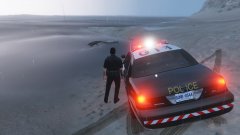 Get the fishing pole. :P
 -
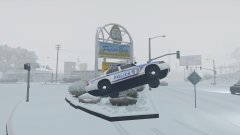 You're welcome!
 -
That one came with the car. :) Check out @Jedahdiah's BCSO pack.
-
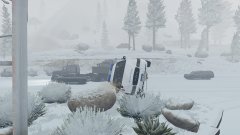
From the album: Red's LSPDFR chaos
-
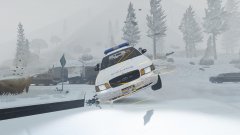
From the album: Red's LSPDFR chaos
-
From the album: Red's LSPDFR chaos
-
![LSMPD 'Addon DLC' [Part one]](//s3-gallery.int-cdn.lcpdfrusercontent.com/monthly_2017_12/small.20171226123659_1.jpg.557c579427066aec6ffa2890157864fc.jpg) DOOOOO WWAAANNNTTT
DOOOOO WWAAANNNTTT -
This topic has been moved to the appropriate forum. Please post in the correct location in the future.
-
This topic has been moved to the appropriate forum. Please post in the correct location in the future.
-
That's because you need to create that path. When you inro the vanilla update-->x64-->dlcpacks-->your newest patchday-->dlc-->x64-->levels-->gta 5-->vehicles, and click "edit mode", you'll see an option that says "copy path to mods folder". Do this, then your mods folder will have that path. You'll need to do this for all paths that you want and/or plan to edit.
-
Hi there. It is against our guidelines to offer payment to users. On top of this, it is ill advised and a safety risk to try and set up a real life meet with someone just for something arbitrary as setting up your game for you. Finally, and this is more on a personal note (I'm straight forward, so if any of this sounds rude, that is not at all my intent, and I apologize), if you are not willing to mod the game yourself, there's no point in you playing it at all. Part of modding is learning how to do it and learning from your mistakes. While this forum is here to help users, we are not going to do everything for you, which includes trying to figure out every little issue you have. We have no problem with helping those that need it, but you need to be willing to learn and find your own mistakes in the future. If you're wanting to just throw mods in your game and have everything work flawlessly without zero issues, modding is not for you. As fun as mods are, issues will always arise, it's unavoidable. If you want to learn, most of it is a simple drag and drop. If you need video help, there's a ton of Youtube tutorials, including one form Albo1125, a popular modder. If you need help getting everything set up, we encourage you to post, but none of us will do it for you. I'm going to go ahead and close this topic now since it is only here to offer payment for help. If you feel this topic has been closed in error, please report this post.
-
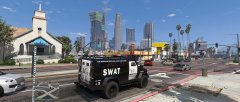 It's in Jedahdiah's LSMPD pack. :)


![LSMPD 'Addon DLC' [Part one]](http://s3-gallery.int-cdn.lcpdfrusercontent.com/monthly_2017_12/small.20171226123659_1.jpg.557c579427066aec6ffa2890157864fc.jpg)
