


![LSMPD 'Addon DLC' [Part one]](http://s3-gallery.int-cdn.lcpdfrusercontent.com/monthly_2017_12/large.20171226123659_1.jpg.8382a5ba61e0c06fa93784b83d2a7a02.jpg "LSMPD 'Addon DLC' [Part one]")

![LSMPD 'Addon DLC' [Part two]](http://s3-gallery.int-cdn.lcpdfrusercontent.com/monthly_2017_12/small.20171226213955_1.jpg.92f6ff687061ce5cff145a96d57d7e63.jpg)
![LSMPD 'Addon DLC' [Part one]](http://s3-gallery.int-cdn.lcpdfrusercontent.com/monthly_2017_12/small.20171226123659_1.jpg.557c579427066aec6ffa2890157864fc.jpg)

.gif.67f97e2d727f2a0d8f97497ee135a44c.gif)
LSMPD 'Addon DLC' [Part one]

By Jedahdiah
- 2,092 views
- View Jedahdiah's images
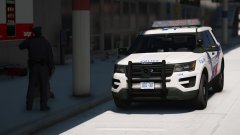
With the release of the Expedition and the Caprice by Him1250, I'll be adding to my LSMPD pack with a sort of 'free addon DLC' style pack.
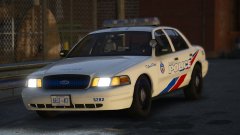
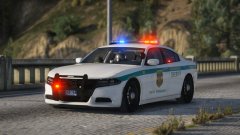
The pack with feature three new vehicles: LSMPD Patrol and Supervisor Expedition, a LSMPD Patrol Caprice and a LSMPD Detention and Police Support van.
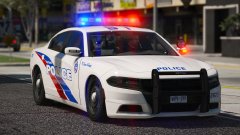
With the addition of the 'Addon DLC' pack, the original pack will receive some TLC and the vehicles have been updated and a few bugs have been fixed. It'll come with a new carcols file, ready for my Toronto Style LSPD Pack that's coming soon.
I'll be releasing the picture of the Caprice later as 'Part two', because I haven't even built it yet... *Ahem*


Credit
Him1250 and other various Dev's
Copyright
© Jedahdiah
Recommended Comments
Join the conversation
You can post now and register later. If you have an account, sign in now to post with your account.