


Reddington
Members
-
Joined
Everything posted by Reddington
-
You either have to remove it manually, as in go find the files it installed and delete them, which means you need to revert back to the vanilla files. or Redo the mods folder. The first option is more viable. I'd go back and download the mod again, except when the rar opens, open the .oiv and find out what it installed and where, then manually restore your files. I never advise using OIV installers unless you know what it's installing and where. This topic has been moved to the appropriate forum. Please post in the correct location in the future.
-
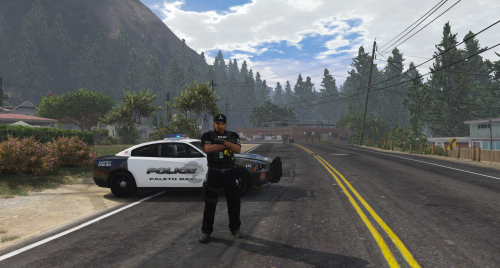 Really love this ped! It has everything I like - gloves, vest, tazer and leg holster. Awesome job!
- 5 comments
- 5 reviews
-
-

- 1
-
-
Your topic has been moved to LCPDFR Support Requests. Please post in the correct location in the future.
-
Your topic has been moved to LCPDFR Support Requests. Please post in the correct location in the future.
-
Your topic has been moved to LCPDFR Support Requests. Please post in the correct location in the future.
-
We do not allow FiveM content on these forums. Feel free to post your request in the FiveM community. If you feel this topic has been closed in error, please report this post.
-
If a vehicle author provides you with a vehicles.meta or carvariations, it usually means their vehicle uses specific settings. You can either install the one he provided, or you can open the one he provided, and open your carvariations and change the firetruk entry to match his.
-
This topic has been moved to the appropriate forum. Please post in the correct location in the future.
-
I've never even heard of that mod. If you want more slots, the easiest and simplest way is making the vehicles standalone. See my topic here - Personally, I'd delete that mod and go with my method. You're still utilizing dlcpacks like mpchristmas2, but you're not limited to just 20 or so slots.
-
Please don't make any mentions of donations/paying someone, as it is against our guidelines. Honestly, if you'd rather someone else do it for you, you really shouldn't even bother. I'm not trying to be rude, but GTA modding is not something you can throw together and have everything work. Things break, things don't work, it's part of the modding process. If you don't have the time to dive into all aspects of modding and learning it, I'd stick with the barebones of installing LSPDFR/Rage only. It'll benefit you in the long run. Now, per standalone cars, if the guide you read was mine - I specifically made it as detailed as possible because I know there's people such as yourself who are brand new. Just follow along with my steps one by one. What I'd be telling you to do in this topic is the same thing I said in that one. If you're still struggling, let me know and I'll help to the best of my abilities.
-
Use patchday 17 instead.
-
What exactly do you mean by black windows? Like window tint? Go into your trainer under vehicle mods-->tint. Change the tint to pure black, then back to none. Now try the lights.
-
Can you take a screenshot of the downtown police station (the one you can walk into) and one of the convenience stores, please?
-
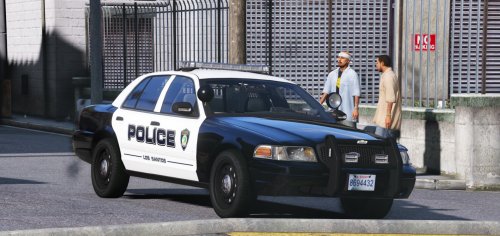 Thanks for adding the CVPI! Can hardly wait to have the Silverado and 15 Tahoe for the complete set!
- 32 comments
- 4 reviews
-
In the vehicles.meta for your add-on cars, did you add an audio name hash? The default looks like this: <audioNameHash /> You can edit it this way: <audioNameHash>police</audioNameHash> Your topic has been moved to GTA V Support, this is not LSPDFR related. Please post in the correct location in the future.
-
I'm sorry, what? The non-ELS cars are still on GTA 5 mods.
-
Something else is overriding that patchday. Try using a different patchday.
-
Also, I made a guide on how to install standalone cars. However, TheHurk includes an add-on option for his ELS pack, so it should be simple. Your topic has been moved to GTA V Support, this is not LSPDFR related. Please post in the correct location in the future.
-
This topic has been moved to the appropriate forum. Please post in the correct location in the future.
-
-
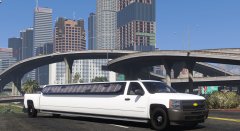 My previous post still stands. :P
 -
That's me trying to figure out what this is.
-
Hi there. There are plenty of non-ELS models both on here and GTA 5 mods - https://www.gta5-mods.com/ For this site - https://www.lcpdfr.com/downloads/gta5mods/vehiclemodels/ Under "ELS compatibility" option, select non ELS. You'll now have a list. If you'd like to request someone make a livery for you, you can do so here - https://www.lcpdfr.com/forums/forum/891-suggestions-requests/
-
If you're busy, I perfectly understand, but if you get the time, please include T0y's Fort Worth pack.
- 32 comments
- 4 reviews
-
Yes. In OpenIV go to tools-->asi manager. Make sure ASI loader and OpenIV.asi are installed.

