


Reddington
Members
-
Joined
Everything posted by Reddington
-
Double check your meta and carvar, make sure everything is correct. If it is, you might need a new gameconfig. Check the one linked in my tutorial on installing standalone cars. It's at the top of this section.
-
It's the speedometer in Simple Trainer.
-
 Normally I do requests in order, however, I beta tested Jed's pack and had already begun changing his cars. I will get to yours after I finish Jed's pack. 🙂
- 269 comments
- 17 reviews
-
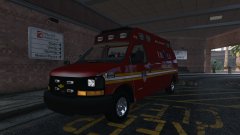
From the album: EMS/Fire duty
-
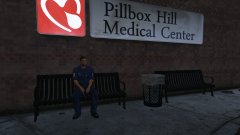
From the album: EMS/Fire duty
-
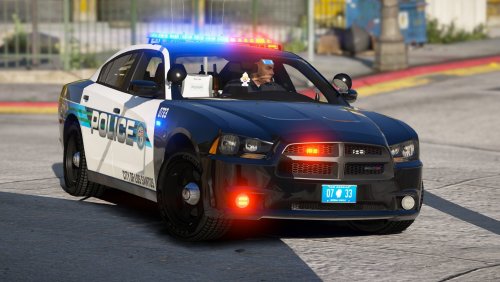 I've been waiting for a nice Valor pack for a while, and whether you knew this or not, you have fulfilled my wishes! The light bar is sexy, and I absolutely love the texture.
- 22 comments
- 16 reviews
-
-

- 1
-
-
You can try asking him, but with Youtubers, don't expect a response. Most of them don't.
-
I'm not sure on that, the website I linked doesn't provide too much info, and I couldn't find another site that sold them.
-
We do have a section for sharing LSPDFR videos. You can ask for feedback in the title, but do note that you may not get it as our forum isn't really the place for video critiquing. You could try the LSPDFR subreddit, or even a subreddit for video editing. I imagine some of them allow for getting feedback/criticism on editing. Here's where you can post your video to showcase: https://www.lcpdfr.com/forums/forum/896-media/ This topic has been moved to the appropriate forum. Please post in the correct location in the future.
-
You're most welcome.
-
-
You might need a new gameconfig. Try this one, however I'm not entirely sure if it's up to date. If you still crash after installing this, let me know. https://www.gta5-mods.com/misc/gameconfig-for-addons-600
-
This topic has been moved to the appropriate forum. Please post in the correct location in the future.
-
There's not a whole lot of choices. There's either https://www.gta5-mods.com/scripts/rescue-mod-v-fd-ems-coast-guard or I personally prefer EMS Mod for EMS, but remember, this is still GTA. Neither mods are going to have the in depth functionality that I'm sure you're looking for.
-
You're welcome.
-
Hello, Redistributing game files is against both Rockstar TOS and our guidelines. If you used a mods folder, you can go into the vanilla update folder and get the line from there. If you didn't use a mods folder and didn't back up the meta for policeb, your only option is verifying integrity of game cache.
-
Here's the guide for audio names. 🙂
-
How can I change the audio on my car? If wanting to change the audio for a default slot, such as police, police2, etc: In OpenIV, navigate to mods-->update-->update-->common-->data-->levels-->GTA5. If you're wanting to change the audio for a standalone car, navigate to where you installed the meta for that car. Extract the vehicles.meta to your desktop. Open the file, and find the line of the vehicle you want to modify. You'll see this line: <audioNameHash /> Rockstar has set it up to where the vanilla slots don't need to have anything else there for the namehash. I'm not sure how that works exactly. For standalone cars, if it just has <audioNameHash />, the vehicle will not have any sound at all. For most people, they never touch the audio name hash and stick with default sounds. However, it's really awkward to drive around a Tahoe and have it sound like a Vic, right? Below I'll list the proper way the namehash should look when you edit it, and then I'll include a list of cars you can put in the namehash to make your vehicles sound more realistic. Contrary to what some people might think, if you have ELS, you can use civilian car names in the audio name hash. However, you will also have the normal car radio activated. The only way to fix this is either turning the music all the way down/off, or going in the options menu each time and changing the radio to off. Before we continue, I need to point something out. If you are not using ELS, this guide won't be as beneficial to you. The audionamehash dictates how your vehicle sounds and if it has a siren. If you change the namehash to anything but a police car, you will no longer have emergency services capability in your vehicle. If you're looking for a specific vehicle, you can search using CTRL + F and enter keyword. This is how it should look once you've edited it: <audioNameHash>police</audioNameHash> Crown Vic police stanier Dodge Charger 2010 and under (or using the old body style), use police2 2011+ Charger, windsor Ford Taurus/Caprice/Impala fugitive (I personally prefer this one. Sounds a lot meaner) police3 schafter3 Ford Explorer gresley nightshark Chevrolet Tahoe baller Ford Expedition fbi2/sheriff2/pranger (all three of them are essentially Expeditions, so take your pick) granger nightshark Chevrolet Silverado / Ford F-150 / Ford F-350 bison sadler sandking (this might work better for the F-150, 350s and Raptor) Dodge Durango baller gresley nightshark Dodge Challenger gauntlet gauntlet4 Ford Mustang dominator Ford Fusion tailgater (fugitive can also work, it depends on your taste) BMW Motorcycle hakuchou Harley Davidson Electraglide wolfsbane Chevrolet Corvette coquette Chevrolet Avalanche There is not currently a GTA version of the Avalanche, so you can refer to the suggested audio for Chevy Silervado, or play around with it and find one you prefer. Chevrolet Camaro gauntlet Dodge Magnum windsor gauntlet4 (if newer version of the Magnum) gauntlet (if older version) nightshark If you think a certain namehash works better with "blank" car, send me a PM!
-
You pointed out something to me that I completely forgot to include in my guide, so thank you. I have updated it to include some important info. Please check it out. Pertaining to vehicle sounds, I will create a new guide for that shortly. For now, what kind of car are you trying to install? CVPI? Charger? Regarding the car being white, does it have a livery? Check your trainer and see if it has multiple liveries.
-
Please do not use my file as a means to get support for something unrelated to what I provided.
- 269 comments
- 17 reviews
-
https://www.thisiswhyimbroke.com/gun-shaped-iphone-case/ Was shown this by a PD on FB issuing warnings to people not to buy it. I love how the website has a disclaimer not to buy it, but still offers it. Not only is this going to put more people at risk, it's going to make those who want suicide by cop much easier. I genuinely think the person who made this did it on purpose. There's just no way you make a gun shaped phone case "for fun" in this day and age.
-
This topic has been moved to the appropriate forum. Please post in the correct location in the future.
-
Check both WOV (I assume World of Variety) dlcpacks and see if either of them have vehicle .ytds for emergency vehicles. If they do, delete them.
-
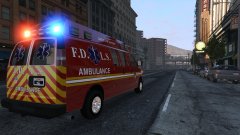
From the album: EMS/Fire duty
-
Unfortunately, you did something incorrect. Did you follow it to a T?


