


Reddington
Members
-
Joined
Everything posted by Reddington
-
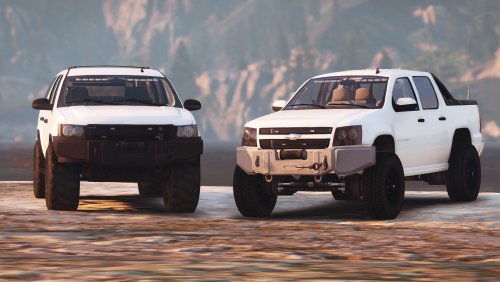 @Mikker I've yet to see others mention this, but on the Avalanche, the right tail light is connected to ELS (specifically the sectional lighting). When all the lights are on, or I press K, the right tail light turns off. Any ideas?
- 19 comments
- 2 reviews
-
Moderator notice: Offering payments is against our guidelines. Please do not do this in the future.
-
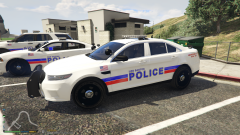 Awesome, I'm using TGH's LSPD pack right now, so that works out. I'll let you know of packs in the future if I ever change it,
 -
Please read the FAQ's that are pinned at the top of this section. They cover said issue. This topic has been moved to the appropriate forum. Please post in the correct location in the future.
-
What pack(s) will it support?
-
I really like the livery. Is this a vehicle or texture pack?
-
Try your other .asi plugins and scripts next. It'd be better if you could remember what you recently installed prior to this starting.
-
Yep, you can add more than 7. Check my tutorial on how.
-
This topic has been moved to the appropriate forum. Please post in the correct location in the future.
-
Go under downloads-->Vehicle Mods. https://www.lcpdfr.com/downloads/gta5mods/vehiclemodels/
-
This topic has been moved to the appropriate forum. Please post in the correct location in the future.
-
You already have a topic for this, please do not create multiple threads for the same thing. Here is your original:
-
If your ELS setting is on manual or invert, you might not be able to do it. If it's set on auto you can do it. Just cause you can't replicate doesn't mean it's a lie. If you still can't get it, PM me. otherwise, lets not hijack his thread any further.
-
You are incorrect. I also wouldn't patronize him for being new. When you double tap J quickly, the siren blips just like it would with non ELS if you double tapped E. The bliping sound is the exact same, depending on your siren, that you'd hear when initiating a traffic stop. The reason it blips is because you're turning the lights on and off quickly.
-
Your topic has been moved to GTA V Support, this is not LSPDFR related. Please post in the correct location in the future.
-
Use the very newest patchday (patchday19, I believe) for vehicle mods.
-
Your topic has been moved to GTA V Support, this is not LSPDFR related. Please post in the correct location in the future.
-
I don't think you really understand what you're saying. First of all, if he doesn't disable the option, he is not going to be able to stop a vehicle. I know ELS's feature is nice, but you really have no other option. Where are you getting anything about leaving their sirens on? No one has said a word about this. On traffic stops, you leave your emergency lights on. For intersections, yes, it is nice to use trafctrl to clear cars, but clearing cars isn't worth it if you can't even get a traffic stop vehicle to stay still. Also, Uhm....no. When you go to stage 3, all lights are on, but you still have to manually activate the siren. If you have the siren on and disable your lights, the siren automatically turns off.
-
It could also be a .asi plugin or a script, doesn't have to be a plugin. Let me know how the trainer removal worked.
-
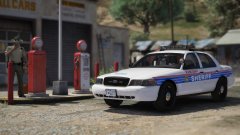 NO MINI PACK, THIS BEAST NEEDS TO BE A FULL ON THING! 😄
 -
From the album: Red's LSPDFR chaos
-
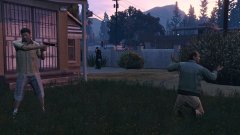
From the album: Red's LSPDFR chaos
-
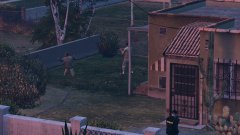
From the album: Red's LSPDFR chaos
-
Your only option is to verify integrity of game cache. In the future, when messing with the contents of the update folder, always use a mods folder.
-
Were you using a mods folder?


