


Reddington
Members
-
Joined
Everything posted by Reddington
-
.png.0faeb3cdf22b78da14948696de22d9d4.png) Bork bork looks hungry. 😂
Bork bork looks hungry. 😂 -
This is incorrect. 1) There are solutions, but most people don't like to do it. Solution 1: Try using all vanilla cars and see if it still happens. Solution 2: See if the issue is specifically with the car pack you're using. Some models are very poly heavy, which causes the memory issues. Solution 3: Try removing some other modded assets such as graphics, weapons, etc. Solution 4: Remove some LSPDFR plugins. 2) It will not "always happen", and doesn't always happen. The texture issues primarily happen to those who either have too many modded vehicles, high poly vehicles, too many high quality liveries, and/or just a poor PC all around. There are plenty of people who can play for hours and not have texture loss.
-
If you're using ELS, this is normal. I've noticed that it's only on some models where there is a proper headlight wig wag.
-
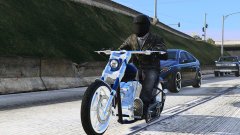
From the album: Off duty shenanigans
-
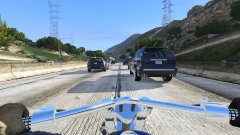
From the album: Off duty shenanigans
-
This topic has been moved to the appropriate forum. Please post in the correct location in the future.
-
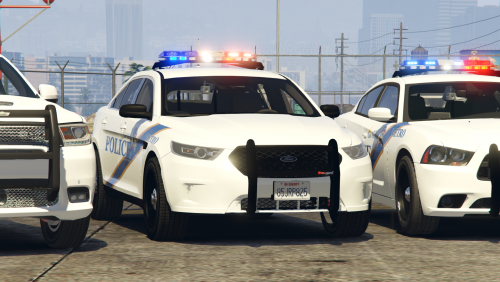 I can't say why no one has really made more Cali based cars, that is up to the individual developers on what they want to do. What I can say, again, is that people can make whatever types of packs they want. We will never limit the content to state/region/country/etc only. If you want more Cali content, you're welcome to suggest it in the right section, but there's no point in commenting on someone's file about the lack of Cali content. It's irrelevant and disrespectful to the mod author who is simply making what he wants to.
- 24 comments
- 3 reviews
-
-

- 1
-
-
 I know, I'm teasin. 😛
 -
The game being based on Cali does not mean all the content has to be Cali specific. People like the variety and the option to make it personal towards where they live, or just different.
- 24 comments
- 3 reviews
-
-
- 1
-
-
That red light triggers me. 😂 Looks sexy though.
-
It is 100% relevant. OP was asking about the computer, and Dwardo was posting to show him what it looked like IRL and not as some store shown off product. You do realize there is a difference between seeing it as a store display and seeing it with someone's actual set up, right?
-
-
Damn, that sucks. If you still have the extra cars, you could either PM Cyan about it, or make two downloads.
- 24 comments
- 3 reviews
-
Best arrest ever.
-
@Officer Wade How many LSPD cars are there, and how many sheriff? Are they all multi livery (have LSPD and BCSO livery)? If not, I recommend adding an LSPD texture to the sheriff units so we can utilize all cars for LSPD. Also, in your install instructions, you say you don't use a mods folder. I strongly advise you edit the readme to say use the mods folder. The mods folder is a must have and protects your core game files in case shit breaks. You don't want to do a full game reinstall if something corrupts, right? 😛
- 24 comments
- 3 reviews
-
Your topic has been moved to GTA V Support, this is not LSPDFR related. Please post in the correct location in the future. @Pandas For everyone's safety, we caution users against doing this, and users suggesting it. All issues can be resolved via text in thread, just need to take the time to ask the proper questions. I encourage reading my FAQs, as I give you a way to fix it the light bar not working.
-
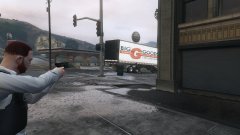
From the album: Red's LSPDFR chaos
-
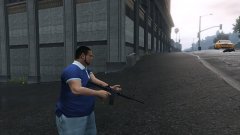
From the album: Red's LSPDFR chaos
-
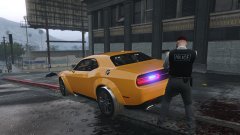
From the album: Red's LSPDFR chaos
-
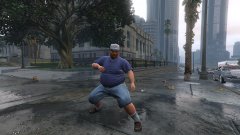
From the album: Red's LSPDFR chaos
-
Changing the LSPDFR keybinds is currently not possible. As an alternative, you can change the GTA V keybind which should change the LSPDFR one as well.
-
This topic has been moved to the appropriate forum. Please post in the correct location in the future.
-
Actually, small correction. It's not in my FAQs, but is here. Press CTRL F and search tint.
-
The lightbar being black is window tint. You can turn it off in the trainer. If you want to fix it permanently, check my GTA V FAQs.
-
You're welcome.

.png.0faeb3cdf22b78da14948696de22d9d4.png)
