


Reddington
Members
-
Joined
Everything posted by Reddington
-
This topic has been moved to the appropriate forum. Please post in the correct location in the future.
-
-

From the album: Red's LSPDFR chaos
-
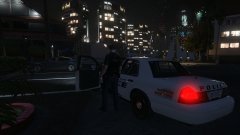
From the album: Red's LSPDFR chaos
-
Your topic has been moved to GTA V Support, this is not LSPDFR related. Please post in the correct location in the future.
-
Your topic has been moved to GTA V Support, this is not LSPDFR related. Please post in the correct location in the future.
-
Did you use a mods folder? If not, you'll need to verify integrity of game cache and see if that fixes it. Your topic has been moved to GTA V Support, this is not LSPDFR related. Please post in the correct location in the future.
-
Your topic has been moved to GTA V Support, this is not LSPDFR related. Please post in the correct location in the future.
-
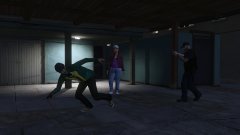
From the album: Red's LSPDFR chaos
-
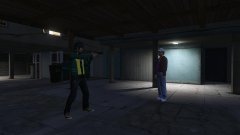
From the album: Red's LSPDFR chaos
-
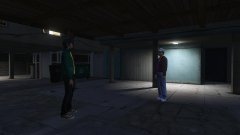
From the album: Red's LSPDFR chaos
-
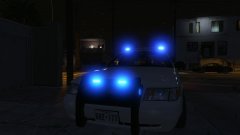
From the album: Red's LSPDFR chaos
-
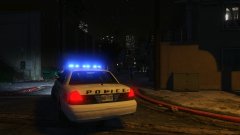
From the album: Red's LSPDFR chaos
-
Open the ELS XMLs for the cars and at the top you'll see <LstgActivationType>auto</LstgActiviationType> Change auto to manual This topic has been moved to the appropriate forum. Please post in the correct location in the future.
-
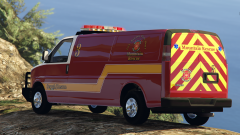 No biggie either way. 🙂
 -
The only time I've had this happen to me is if I clicked download, there's a captcha, and I go back to the file page instead of filling it out. Cyan might have more information on this.
-
I realize the primary focus is S&R, but any of chance of offering optional rescue livery, or general purpose? Personally, I'd like to be able to use this in the city as well. If not, I completely understand. Can just roleplay it as not being Mountain Rescue.
-
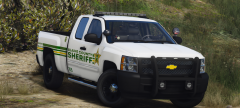 THEREE'S A TEXTURE INSIDE THE SPOTLIGHT MY 1MMER510N
 -
Does it happen on all files, or just the one? If it's just the one, please link it.
-
From the album: Red's LSPDFR chaos
-
Off-roading a van? Pfffffffft! This is sexy.
-
Neither of these are helpful, and telling someone to "check their eyes" is rude. There are better ways to provide helpful advice.
-
Please stick to your original topic. No need for two topics requesting the same thing. If you feel this topic has been closed in error, please report this post.
-
This topic has been moved to the appropriate forum. Please post in the correct location in the future.
-
From the album: Red's LSPDFR chaos


