


Reddington
Members
-
Joined
Everything posted by Reddington
-
Game crashing implies an issue with either the vehicle itself, or the meta/carvar. What exactly are you doing and have you done? I'm sorry to say, but it's most certainly something you did.
-
This topic has been moved to the appropriate forum. Please post in the correct location in the future.
-
Your best bet is using a site like this, or Google. https://findmusicbylyrics.com/search?q=There's+no+one+on+this+road.+I+remember+when+you+drove+me+crazy
-
This topic has been moved to the appropriate forum. Please post in the correct location in the future.
-
This topic has been moved to the appropriate forum. Please post in the correct location in the future.
-
Will these vehicles be released to the public? This topic has been moved to the appropriate forum. Please post in the correct location in the future.
-
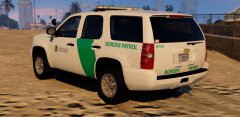 https://youtube.com/watch?v=EaUA9xIS9wQ
 -
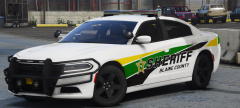 Oh right, the light bar is the same. LOL My eyes focused on the sexy livery.
 -
The only thing I can think of doing with this that'd be proper is being those wannabe border agents from the V story mode. Remember, those two hicks?
-
 Just wanted to update you. Your request is done, but the site is not letting me upload the update. Currently trying to figure out what the issue is. If we don't get it resolved in a few days I'll upload off site and PM you. Disregard.
- 269 comments
- 17 reviews
-
Lol, fine fine, never mind. 😛
-
No. Big pack!
-
-
-
Your topic has been moved to GTA V Support, this is not LSPDFR related. Please post in the correct location in the future.
-
Your topic has been moved to GTA V Support, this is not LSPDFR related. Please post in the correct location in the future.
-
Your topic has been moved to GTA V Support, this is not LSPDFR related. Please post in the correct location in the future.
-
This might not work for all models, but you can go into the vehicles.meta and find the LODistance lines. Change all to 500.000000
-
Your topic has been moved to GTA V Support, this is not LSPDFR related. Please post in the correct location in the future.
-
As found in my GTA V FAQs
-
I've used his pack before, and it works fine for me. Granted, it has been a while and I didn't use any of his auxiliary vehicles. For now, just use a different pack and enjoy playing. Then down the road try this one again. 🙂
-
You're welcome! Can you link me to the pack you were trying, please?
-
Try a different pack, or just any car and see if that yields a different result.
-
I mean, what slot are the vehicles for? police, police2, police3, etc.
-
What slot are you trying to install this in? and whose pack/car is it?

