


Reddington
Members
-
Joined
Everything posted by Reddington
-
Lets start over then. What patchday specifically are you placing the files in?
-
Most recent patchday folder is correct, that's always where they should be. The issue you're experiencing implies that either a) You installed the vehicle incorrectly. (maybe missing the _hi.yft, or you have mismatched files) b) The files you installed are conflicting with another set of files of the same name. My advice, to start, do a clean reinstall of this model. If that doesn't work, try another car and see if it still happens. If both fail, get back to me and we'll go from there. 🙂
-
Your topic has been moved to GTA V Support, this is not LSPDFR related. Please post in the correct location in the future.
-
Do you have NVR installed? If yes, NVR installs an NVR_EMISSIVES dlc which contains .ytds for various models. This dlc is not needed, you can safely delete it and it'll solve your problem. Your topic has been moved to GTA V Support, this is not LSPDFR related. Please post in the correct location in the future.
-
Your topic has been moved to GTA V Support, this is not LSPDFR related. Please post in the correct location in the future.
-
In your ELS INI, disable "ELSTrafCTRL" Change from "true" to "false". Your topic has been moved to GTA V Support, this is not LSPDFR related. Please post in the correct location in the future.
-
You are incorrect. Cruise lights and takedowns do not stop emergency lights from coming on. You can have both of them on while running code 3.
-
This topic has been moved to the appropriate forum. Please post in the correct location in the future.
-
What is the folder you're placing them in?
-
-
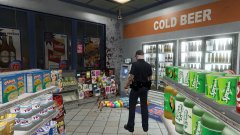
From the album: Red's LSPDFR chaos
-
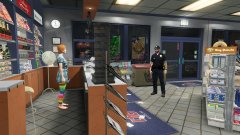
From the album: Red's LSPDFR chaos
-
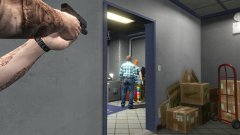
From the album: Red's LSPDFR chaos
-
I don't make skins, lol - go for it! I was just advising he give more information so people know what he wants.
-
Would be helpful to others if you expand on what you're wanting. The liveries on these ares are LSPD. So what do you want? What design?
-
You might of done something incorrectly. I have a ton of standalone cars in my game and the ELS works fine.
-
From the album: Red's LSPDFR chaos
-
From the album: Red's LSPDFR chaos
-
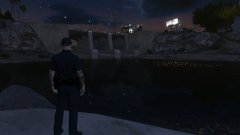
From the album: Red's LSPDFR chaos
-
This topic has been moved to the appropriate forum. Please post in the correct location in the future. Since this is a request, I've moved it to the proper section. However, if you want to discuss the car, please make a new topic in the law enforcement section.
-
Not a problem at all. 🙂
-
This topic has been moved to the appropriate forum. Please post in the correct location in the future.
-
Please see my tutorial, which includes a link to a new gameconfig, which you'll need.
-
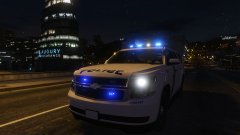
From the album: Red's LSPDFR chaos
-
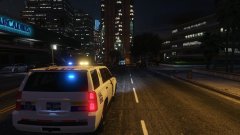
From the album: Red's LSPDFR chaos



