


Reddington
Members
-
Joined
Everything posted by Reddington
-
and are you using a mods folder?
-
You're welcome.
-
Do you have ScriptHookV?
-
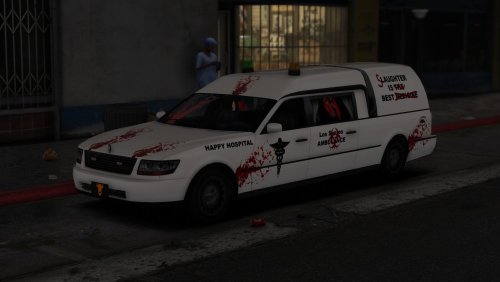 Initially I was confused why it had lights, then saw the custom carcols and needed new underwear. I absolutely love the lights, especially the colors. Much to my surprise, the green actually worked really, really well. It gives me some ideas for joke lights. I testes this before there were liveries, so seeing them now makes me so giddy! I really love the ambulance and coffin cruiser skins. Needless to say, I might have to do some not-so-realistic LSPDFR with this beast. 😄
- 2 comments
- 5 reviews
-
-

- 2
-
-
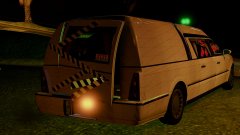
From the album: Off duty shenanigans
By Jedahdiah. Livery is soon to come. -
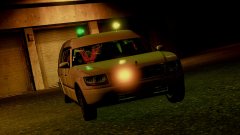
From the album: Off duty shenanigans
By Jedahdiah. Livery is soon to come. -
Lets move on from the gun debate. Private message each other instead.
-
For starters, are you using patchday19 for replacement vehicles? Your topic has been moved to GTA V Support, this is not LSPDFR related. Please post in the correct location in the future.
-
Please read the GTA V FAQs that are pinned at the top of this section. It covers this issue. Your topic has been moved to GTA V Support, this is not LSPDFR related. Please post in the correct location in the future.
-
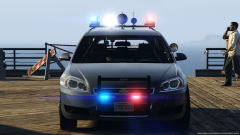 Sweet, thanks! As much as I love huge white lights like you have set up, they are bright as all hell, sometimes even overpowering,
 -
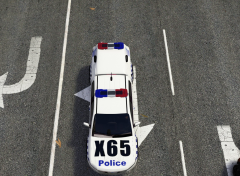 Ah, okay. Thanks for clearing that up.
 -
The fastest/best way is deleting other sounds, but be careful you don't delete something that you normally always hear, say tire screeching. This topic has been moved to the appropriate forum. Please post in the correct location in the future.
-
Erm, fair warning, we don't allow images of models that won't be released. I'm not going to take this down right now, but I recommend either removing it yourself, or reconsidering releasing.
-
Double check the edited dlclist and make sure there are no errors in it.
-
Are you spawning these cars in after you get in game? if so, is it any specific models, or all?
-
To clarify, do you mean add-on cars or replace cars? Unless you edited the popgroups.ymt, add-on cars should not be spawned in unless you actually spawn them.
-
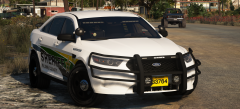 Yisssssss, slick top Taurus is always a winner.
 -
Ohh, I'm liking the look of this. Is it released, or are you working on it?
-
Really loving the look of these cars! Will there be an option to disable the whire lights on the light bar from flashing?
-
I have never seen a Halloween based callout pack. You can try searching on Google, but my guess is there isn't one. This topic has been moved to the appropriate forum. Please post in the correct location in the future.
-
 I think you might have something with the window texture, but it's not dirt related. I tried cleaning my car and double checking there was no tint. If what you say is accurate, it sounds like the window texture is blocking the lights.
- 66 comments
- 26 reviews
-
-
- 1
-
-
Unfortunately, this comes with the territory of game updates. However, you will only lose what is inside the sub update.rpf. The mods inside the update-->x64 archive should be fine. However, I recommend making backups. Your topic has been moved to GTA V Support, this is not LSPDFR related. Please post in the correct location in the future.
-
As Dingleberry said, setting it to windowed mode may help. You can then go into the settings and go into fullscreen. I do want to correct Dingleberry on one thing. Rage does show in full screen and works fine. There are just times where temporarily setting to windowed mode fixes certain problems.
-
Check the vehicles.meta lines for the cars. Under flags, they should have FLAG_HAS_LIVERY If they don't, add that in. It allows them to have multiple liveries.
-
You're welcome.

