


Reddington
Members
-
Joined
Everything posted by Reddington
-
As all the other topics have stated by Mikh, myself, or someone else, SHV needs an update. Keep an eye on the SHV website - http://www.dev-c.com/gtav/scripthookv/ If you feel this topic has been closed in error, please report this post.
-
As with almost all title updates, the mods need to be updated as well. Keep an eye on the SHV website for updates - http://www.dev-c.com/gtav/scripthookv/ If you feel this topic has been closed in error, please report this post.
-
Keep an eye on the SHV website for an update. That is your only option - http://www.dev-c.com/gtav/scripthookv/
-
Did you edit anything with vehicle related files? Such as vehicles.meta, vehiclelayouts, etc. Your topic has been moved to GTA V Support, this is not LSPDFR related. Please post in the correct location in the future.
-
This topic has been moved to the appropriate forum. Please post in the correct location in the future.
-
If you feel this topic has been closed in error, please report this post.
-
I recommend following the ScriptHookV website to see when there is an update. http://www.dev-c.com/gtav/scripthookv/ Until it updates, there's not much you can do aside from temporarily removing the mods that depend on it. Closed. If you feel this topic has been closed in error, please report this post.
-
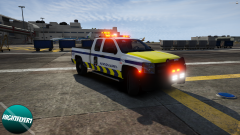 I really like this, especially that dual light bar.
 -
Keep an eye on the SHV website for updates. - http://www.dev-c.com/gtav/scripthookv/ Closing as nothing else needs said. If you feel this topic has been closed in error, please report this post.
-
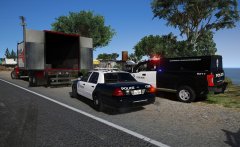 ohhh, is that CVE released, or WIP?
 -
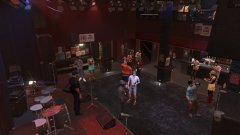
From the album: Red's LSPDFR chaos
-
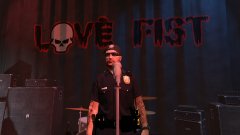
From the album: Red's LSPDFR chaos
-
There is no alternative to ScriptHookV. As with every single title update, the only option is to wait if you have not backed up your game prior, Keep an eye on the SHV website for when the update is released. http://www.dev-c.com/gtav/scripthookv/ Locking this topic since there are so many duplicates about this. If you feel this topic has been closed in error, please report this post.
-
No problem. 🙂 In OpenIV, go to mods-->update-->x64-->dlcpacks--->patchday17-->dlc-->x64-->models-->cdimages-->patchday17ng.rpf Now click "edit mode". Drag and drop the ped files in. Click "edit mode" again and you're done.
-
Your topic has been moved to GTA V Support, this is not LSPDFR related. Please post in the correct location in the future.
-
I have edited your title to better reflect your issue. In the future, please use thread titles that tell people what your issue is. 🙂 Can you clarify, are you struggling to download to your computer, or install them into your game? Your topic has been moved to GTA V Support, this is not LSPDFR related. Please post in the correct location in the future.
-
Your topic has been moved to GTA V Support, this is not LSPDFR related. Please post in the correct location in the future.
-
From the Rage website: Which also means do not redistribute. If you didn't back up your game, your only option is to wait. If you feel this topic has been closed in error, please report this post.
-
As with every game update, the mods need to be updated as well. If you didn't back up your game via Rage or the stickied topic in the LSPDFR Support section, your only option is to wait. If you feel this topic has been closed in error, please report this post.
-
As with every single update, things need to be updated in order to work. Keep an eye on the SHV site. If you feel this topic has been closed in error, please report this post.
-
 From his roadmap, it doesn't appear so. I, too, would like one or two added just for the extra variety of SUVs. (Don't get me wrong, I'm very happy with the vehicles already released)
- 75 comments
- 19 reviews
-
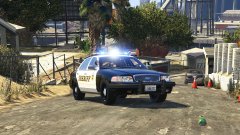
From the album: Red's LSPDFR chaos
-
-
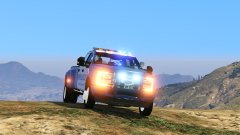
From the album: Red's LSPDFR chaos


