


Reddington
Members
-
Joined
Everything posted by Reddington
-
This topic has been moved to the appropriate forum. Please post in the correct location in the future.
-
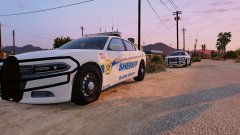
From the album: Red's LSPDFR chaos
-

From the album: Red's LSPDFR chaos
-
First, and I'm sure this is obvious, download LSPDFR from this website. Then go here and download the very newest RPH version - http://ragepluginhook.net/ From there, it's up to you what to do. You can either install a ton of callouts, modded vehicles, etc, or play with vanilla LSPDFR. You cannot go into GTAO with a modded game. Your best option is to have two separate GTA directories, a modded and vanilla one. This topic has been moved to the appropriate forum. Please post in the correct location in the future.
-
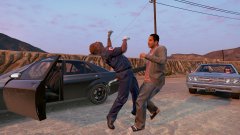
From the album: Red's LSPDFR chaos
-
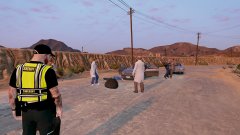
From the album: Red's LSPDFR chaos
-
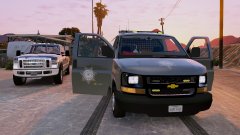
From the album: Red's LSPDFR chaos
-
This topic has been moved to the appropriate forum. Please post in the correct location in the future.
-
It ain't being a dirty cop if it enhances your experience. 😛
-
The best advice I have to make up scenarios, which sometimes unfortunately means you're technically breaking the law. For example, say you pull over someone. Roleplay that you asked for their ID and they refused. Call another unit on scene and go from there. Either roleplay his cooperation, or force him out of the vehicle and arrest him. Yeah, not legit since they currently have no choice but to give you their ID, but you gotta overlook some of that stuff if you really want to make your own scenes.
-
My unit name/number is 4 Ocean 24, and I have gone through all the scripts and changed it. I still do roleplay it out, though.
-
I've yet to do a foot patrol. I really should, especially on the beach. Kinda wish we had food patrol based callouts for petty things.
-
 The - definitely works because I got it on the top of the screen. The issue is that it's at the very top, to the point of cutting off. I wasn't exactly sure how to lower it. LocTextPosY = -8035 is where it is at now. I'm not sure if I should go up in numbers, or down.
- 220 comments
- 55 reviews
-
I've tried to use a K9 mod in the past and it didn't go well, so I unfortunately can't help with that.
-
-
If I wanted the position you have, but at the top of the screen instead, would I add - befpre PosY?
- 220 comments
- 55 reviews
-
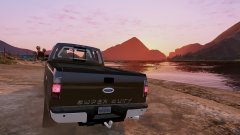
From the album: Red's LSPDFR chaos
-
This topic has been moved to the appropriate forum. Please post in the correct location in the future.
-
That menu is Stop The Ped, a very handy and amazing plugin.
-
My guess is that it might be a plugin? Maybe an ambient event, I'm not too sure. I did a quick Google search and there was a gallery image someone uploaded who was experiencing the same thing.
-
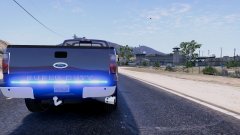
From the album: Red's LSPDFR chaos
-
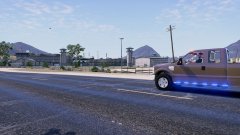
From the album: Red's LSPDFR chaos
-
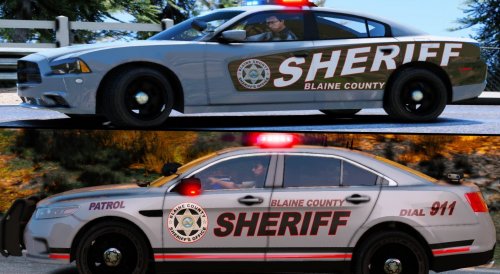 It might be renamed to "template". If you still can't find it, look through all of the textures in the .ytd.
- 30 comments
- 5 reviews
-
I'm not sure if this is related, but a lot of us have issues where we hear explosions. Not sure if it's planes crashing or cars spawning on each other. Do me a favor and play normal GTA (non Rage) for a while and see if it still happens.
-
This topic has been moved to the appropriate forum. Please post in the correct location in the future.



