


Reddington
Members
-
Joined
Everything posted by Reddington
-
How is your fps when attempting to do this? Even when spawning default cars via trainer, sometimes it'll say the car is spawned, but it wasn't. This is due to lag.
-
Are you using NVR?
-
This topic has been moved to the appropriate forum. Please post in the correct location in the future.
-
Whenever I see something like this, I can't help but wonder if losing their loved one helped in their death. RIP
-
This topic has been moved to the appropriate forum. Please post in the correct location in the future.
-
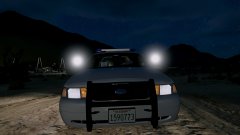
From the album: Red's LSPDFR chaos
-
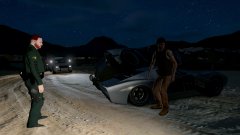
From the album: Red's LSPDFR chaos
-
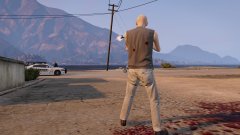
From the album: Red's LSPDFR chaos
-
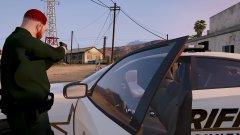
From the album: Red's LSPDFR chaos
-
I know you meant LCPDFR. I'm almost positive all development of LCPDFR is done and attention is focused on LSPDFR. I imagine once the new GTA comes out, LSPDFR development will cease to begin work on the new mod. I'm not part of the development team, so I could be wrong.
-
-
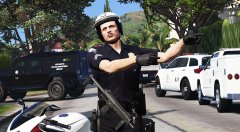 Ahh, think I got it. Trying to angle the gun similar to how you got it was difficult to figure out at first. I wish there was a more legit gun sling option.
 -
This topic has been moved to the appropriate forum. Please post in the correct location in the future.
-
Moderator notice: Your thread title has been changed to better suit your thread. In the future, please use thread titles relevant to your subject.
-
I've never messed with objects in the trainer. How did you do it?
-
I thought his hands were doing a pointing animation from some trainer lol. "Go this way!"
-
How did you get the MP7 to look as if it was slung over his shoulder and hanging like that? or is that an animation glitch?
-
All development is focused on LSPDFR for GTA V, as I'm sure will eventually happen to LSPDFR when the new GTA comes out.
-
This topic has been moved to the appropriate forum. Please post in the correct location in the future.
-
This topic has been moved to the appropriate forum. Please post in the correct location in the future.
-
Your topic has been moved to GTA V Support, this is not LSPDFR related. Please post in the correct location in the future.
-
Your topic has been moved to GTA V Support, this is not LSPDFR related. Please post in the correct location in the future.
-
Makee sure you're pressing "edit mode" before and after you install the edited meta.
-
Your topic has been moved to GTA V Support, this is not LSPDFR related. Please post in the correct location in the future.
-
Your topic has been moved to GTA V Support, this is not LSPDFR related. Please post in the correct location in the future.


