


Reddington
Members
-
Joined
Everything posted by Reddington
-
I have never edited this and personally don't see a reason to. I've used essentially the same meta line for all cars - SUVs, trucks and cars - and haven't had a problem at all. This section can be ignored.
-
This topic has been moved to the appropriate forum. Please post in the correct location in the future.
-
To my knowledge, there isn't a way to prevent extras from spawning/being used. You can force extras via the vehicles.meta. <requiredExtras /> <requiredExtras>EXTRA_1</requiredExtras> as an example. This topic has been moved to the appropriate forum. Please post in the correct location in the future.
-
I'm going to kind of echo what has been said, but quite honestly, GTA is not the game to be letting your 9 year old play. Even if you install all these mods that prevent sexual content and try to censor the game, it is still GTA. If your son wanted, he could become the bad cop who abuses his powers. There's definitely no mod to prevent that. My advice is to find a more child friendly game like Enforcer. It's a police game with the bare basics. It's certainly not the best game out there, but for a 9 year old, it works.
-

From the album: Red's LSPDFR chaos
-

From the album: Red's LSPDFR chaos
-

From the album: Red's LSPDFR chaos
-

From the album: Red's LSPDFR chaos
-

From the album: Red's LSPDFR chaos
-
I'll forget you asked. 😛
-
When you're in the vehicles.meta, press CTRL F and search "police". Keep looking until you find the line entry for "police".
-
Ha ha, you're not a bother at all! I'm here to help, so you're fine. 😄
-
Where are you looking? You should be in the vehicles.meta.
-
You're welcome. 🙂
-
From what I've seen, you can use all caps or all lowercase, but I'm not sure if you can put in "Fugitive". and yes, you can use fugitive for the handlingid.
-
It's at the very top of each vehicles.meta line entry, Handlingid is the third one down.
-
Check out my handlingid guide. 🙂 As I state in my guide, I don't recommend trying to mess with handling.meta unless you know what you're doing. Changing the handlingid in the vehicles.meta works just fine.
-
There's so many good response vids out there! I'm subbed to a lot of emergency response based channels, always fun to watch.
-
Short video, but had to share due to how bad ass the first group looks.
-
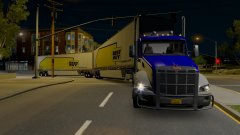 When you know you're going out of business, you have to make one last ditch effort to stay afloat!
 -
From the album: Random Games
-
This topic has been moved to the appropriate forum. Please post in the correct location in the future.
-
Aside from the above, make sure you have installed the EUP menu AND have loaded the plugin. Hit F4 and type "Loadplugin EUP" and click tab to fill it the rest of the way in.
-

From the album: Red's LSPDFR chaos
-

From the album: Red's LSPDFR chaos

