


Reddington
Members
-
Joined
Everything posted by Reddington
-
That's normal, <audioNameHash /> is the default. However, I asked because changing the namehash to, say, "baller", so the car sounds similar to a Tahoe, will result in the civilian radio playing. What cars did you install?
-
I don't see this as being plausible for quite a few reasons, one of which lovkal covered. My recommendation is to create a backup folder and throw all your plugins into there temporarily. Granted, you might want to organize them better. @LMS I've found that method doesn't work - whether it's just for me I'm not sure. Tells me the game is corrupt, put dinput back in and all is well.
-
Hi there, I don't update my game, so I cannot confirm if anything has changed in terms of the path, but my best guess is that it's still the same. Can you define 'can't change'? What are you changing?
-
Your topic has been moved to GTA V Support, this is not LSPDFR related. Please post in the correct location in the future.
-
Did you change the audionamehash in the vehicles.meta for these slots to sound like different cars?
-
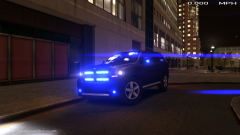 Blue lights or no lights!
 -
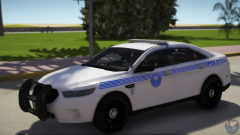 I'M SO HAPPY! I've been wanting a good Florida based PD pack.
 -
Your topic has been moved to GTA V Support, this is not LSPDFR related. Please post in the correct location in the future.
-
Your topic has been moved to GTA V Support, this is not LSPDFR related. Please post in the correct location in the future.
-
Your topic has been moved to GTA V Support, this is not LSPDFR related. Please post in the correct location in the future.
-
Your topic has been moved to GTA V Support, this is not LSPDFR related. Please post in the correct location in the future.
-
For future reference, it's against Rage's terms to redistribute it.
-
This is acceptable. Especially since it's a vegetable soup.
-
I WILL END YOU! (*hovers over *ban*)
-
I was here first, go away!
-
From the album: Red's LSPDFR chaos
-
From the album: Red's LSPDFR chaos
-
Bring me a sammich when you come back.
-
For right now, I'd go ahead and just split your download into 2 archives. This will fix it.
-
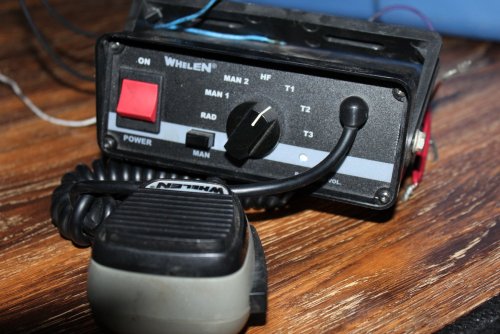 I'm honestly so confused by this siren due to it being half police tones and half fire. I do think it's odd to have a Powercall for police, but I like it. If only we had one more slot to add the Q. The sirens are nice and loud, and the looping sounds pretty good. Nice job!
- 14 comments
- 2 reviews
-
From the album: Red's LSPDFR chaos
From the album: Red's LSPDFR chaos
This topic has been moved to the appropriate forum. Please post in the correct location in the future.This topic has been moved to the appropriate forum. Please post in the correct location in the future.


