Hullian111
Members
-
Joined
-
Last visited
Everything posted by Hullian111
-
From the album: Hullian111's Gratuitous Misadventures
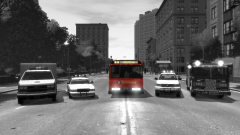
Sorry this is belated. I had no access to my computer, or even a minute's silence, as I was on my way home. On the morning of 7th of July 2005, London was bombed where it hurt most - it's transport system. 52 people were killed, and many more were injured. It has been twelve years since that date, and I decided it would be best to commemorate that as best as I could. Never forget 7/7. 52 died in 4 attacks. We won't give in!© Hullian1111
-
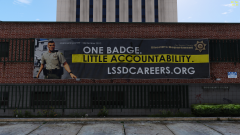 Oh man, I really wish I was able to make stuff like this. How do I billboard in GTA IV? I'm not good at it, so it'll probably not end well.
 -
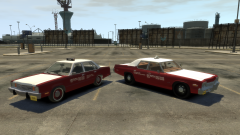
From the album: Hullian111's Gratuitous Misadventures
Similar to New York and London taxi services, Metropolitan Taxis was set up in 1963 to go around and ferry citizens across Liberty City. Even though it was stuck in the middle of the diplomatic crisis which involved the 'borrowing' of the city and it's assets, the cab company powered on, buying fleet from America using friendly-faced businessmen to keep away from the British diplomatic crisis, and ferrying around passengers across the city with foul-mouthed Grecian attitudes. These are actually really satisfying to look at, IMO. The whole red and white thing - if there were templates for the vanilla taxis, I'd make these all over again.© Hullian111
-
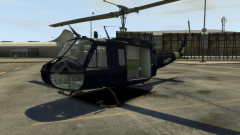
From the album: Hullian111's Gratuitous Misadventures
The GLP even procured five RAF Hueys once the RAF had retired them following the 'borrowing' of USAF bases. These were repainted into the traditional GLP midnight blue, given the registration G-GLPD-H, and numbered from one to five. They still had renmants of the USAF liveries on them, but became the backbone of the GLP aerial division. Sorry for making a mess of your work, SkylineGTRFreak. I'm not too proud of this one, I just really like the Huey, and I wasn't good at GIMP back then.© Hullian111
-
 Ah, I understand.
 -
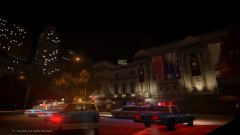 I'm really surprised nobody got to this. This is great! But Ghostbusters 2 wasn't.
 -
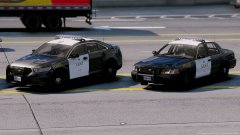 Aww15?
 -
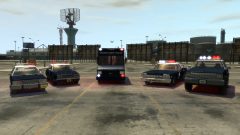
From the album: Hullian111's Gratuitous Misadventures
Last year, upon the dawn of my modding career here (back when my first mod was a crappy ambulance mod around about this time, I deleted it), I made my own personal retextures for what you may know as the Greater Liberty Police, in which Britain 'borrowed' one corner of America. The GLP, not as you know it now, were based upon the Royal Hong Kong Police, and used a varied fleet of vehicles back in 1988. Of most importance is the 1978 Ford Fairmont, lifted from the Ukrainian GTA IV modding scene. Before I knew it, the Ford Fairmont became my favourite regular car. The Ukrainians really outdid themselves with the Fairmont - so much so, that it really appealed to me. It was boxy, it was charming, and oh my, the front end just looked so satisfying. However, when I played in-game with the Fairmont installed into POLICE1, TAXI1 and PREMIER, I screwed up the handling lines, meaning it flipped all over the place. I loved it. I kept that in. Having passed a year since I got into texture modding, with school inadvertently teaching me how to use .GIMP, I wanted to celebrate what got me here today by getting the 'band' back together. I was proud of this then, and I am proud of this now. Maybe I'll release it, who knows.© Hullian111
-
Hmm, I don't really know if you should have done this. I'm in no position to judge, but this is slightly worrying.
-
-
If so, that'll probably leave a nasty taste in my mouth, metaphorically. I don't like empty promises, and this just makes me want to do...something about it. I wish I had the power, and the authorisation, to reupload mods here. Oh shame. Guess the non-ELS modders have to suffer.
-
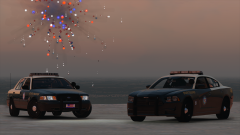 I ship it! *detoxes laptop*
 -
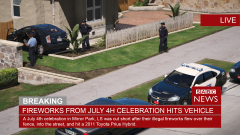 Er...you do know there's actually an SABC out there? In South Africa, they call it the South African Broadcasting Corporation. Not saying wipe it all, and start over, it's just that it's something I wanted to get out there.
 -
-
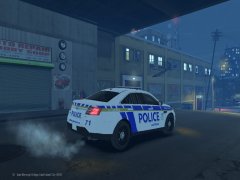 Is this some kind of WIP that has yet to be uploaded onto the site? If not, I don't condone doing Dropbox links. I'd rather you post on the site itself, gets more attention that way. Unless its a retexture. Then that's fine by me.
 -
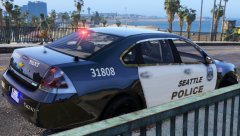 WHAT?! That's the new Seattle Police livery? That's awful! They should bring back the stripe!
 -
And I was going to make retextures for some of the cars on here - probably make a decent command van. But that's lost. Still waiting on the archive...
-
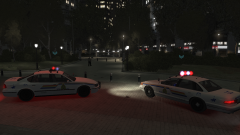
From the album: Hullian111's Gratuitous Misadventures
The sister image to the previous post. If you didn't catch that, still, happy Canada Day, from the original Humberside region. -
Me too!
-
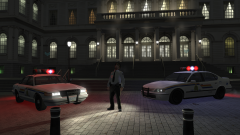
From the album: Hullian111's Gratuitous Misadventures
Happy Canada Day, and happy 150th anniversary of Canada to all those Canadian LCPDFRers out there! I could be one of those in the near future...I hope. With thanks to PieRGud, TheCanadianDream, (other popular Canadians here), the RCMP, of course, and last but not least, JaiTheGamer58. Have a great rest of the day, everyone. Wish I could take part myself. -
Can...third this, too. Tried twice, can't surpass the final stage.
-
Those LAPD screenshots give me Midnight Club LA vibes.
-
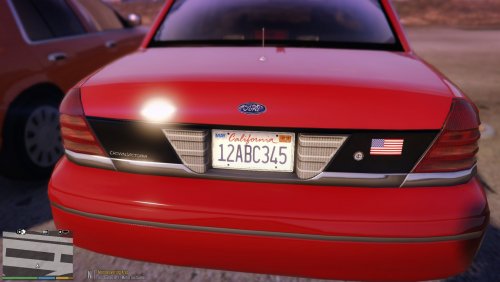 Ooh, license plate friend!
 -
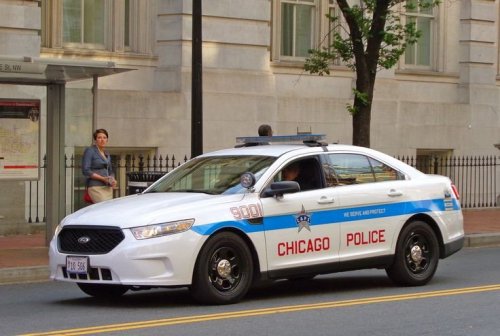 For a moment, I thought this was good, but alas, I was bamboozled. The blue line is either too big or too small, and misaligned pretty badly. Also, you should get Eurostile to replace the 'CHIAGO POLICE' text font, it is wrong - you can find that in the UK police temps pack - and use a model that has steelies and a blue lightbar. However, you're slightly improving, I see. Can't be as generous as a five-star review, but the fact that you've toned the screenshots down - in expense for the videos - majorly is a sign that you're beginning to improve. Good luck for the future - take some time in your off-days to research proper image editing, and we'll see how you do when you get back.
- 4 comments
- 1 review
-
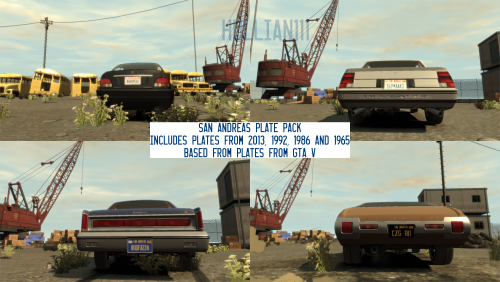 Tired of pulling over Liberty-plated cars in a GTA V-esque map? Want to emulate GTA V in GTA IV? Or you just want some feng shui? Well look no further! Hi, Billy Mays...sorry, Hullian111 here with a brand new license plate mod - authentic San Andreas plates! Each of these plates replaces the number plates of vehicles that uses GTA IV's 'vehshare.wtd' (if plates are included as their own generic_detail, or are standalone altogether, you'll have to add these yourself) to authentic San Andreas plates from 1965, 1986, 1992 and 2013, as based from GTA V's plates, and real-world California plates of the time. A problem you will notice when driving in the sun is that the spec map is terrible. Forgive me, for I don't even know how to do spec maps - I just copied and greyscaled and scaled it down - and there doesn't seem to be any tool for .GIMP. Note that these WILL NOT be varied, a-la GTA V. Someone should seriously figure out how to do that. Anyway, enjoy my mod, and don't redistribute without my permission!
 -
I see we've won! Come on lads! Ah, but sadly, that means people won't go back to GTA IV. GTA V was a sh*tty port to begin with for me - serials got screwed up, and I still can't play it one year on. Oh well. I'll throw my weight behind GTA V modders, but I can't fully get involved with the fight. A shame, really. I'm still not shelving out £60 to buy GTA V again. Not after this.