




We're Getting The Band Back Together

By Hullian111
- 1,158 views
- View Hullian111's images
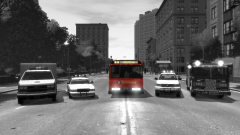
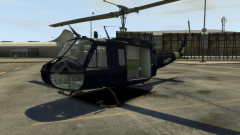
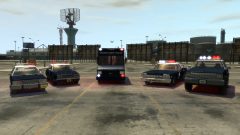
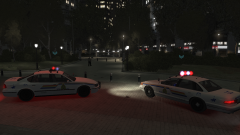
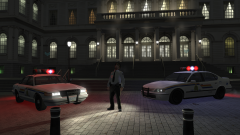
Last year, upon the dawn of my modding career here (back when my first mod was a crappy ambulance mod around about this time, I deleted it), I made my own personal retextures for what you may know as the Greater Liberty Police, in which Britain 'borrowed' one corner of America. The GLP, not as you know it now, were based upon the Royal Hong Kong Police, and used a varied fleet of vehicles back in 1988.
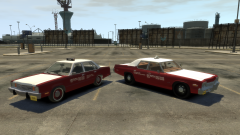
Of most importance is the 1978 Ford Fairmont, lifted from the Ukrainian GTA IV modding scene. Before I knew it, the Ford Fairmont became my favourite regular car. The Ukrainians really outdid themselves with the Fairmont - so much so, that it really appealed to me. It was boxy, it was charming, and oh my, the front end just looked so satisfying. However, when I played in-game with the Fairmont installed into POLICE1, TAXI1 and PREMIER, I screwed up the handling lines, meaning it flipped all over the place. I loved it. I kept that in.
Having passed a year since I got into texture modding, with school inadvertently teaching me how to use .GIMP, I wanted to celebrate what got me here today by getting the 'band' back together. I was proud of this then, and I am proud of this now. Maybe I'll release it, who knows.
Recommended Comments
Join the conversation
You can post now and register later. If you have an account, sign in now to post with your account.