


JAM
Community Team
-
Joined
-
Last visited
Everything posted by JAM
-
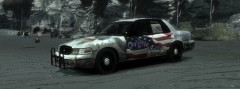 @iod97 Right....its a tribute skin,While everybody has their opinion on any matter, It still doesen't mean you should come on here and post rude remarks on a horrible situatiuon that happend that day, Its plainly disrespectfull, Quite simply, State your opinon, by all means do, But if you have nothing good to say, Then why are you commenting? @Marty, Wonderfull skin, Love it.
 -
:o, ive been looking for something like this for a while, Thanks Cj24, Amazing work!
- 9 comments
- 5 reviews
-
![[WIP] Las Vegas Metropolitan Police Department Crown Victoria](//s3-gallery.int-cdn.lcpdfrusercontent.com/gallery/album_226/sml_gallery_5382_226_188810.jpg) Looks great, Can't Wait!.
Looks great, Can't Wait!. -
Err, I cannot remember the road name, But in Alguanquion (Yes I know I spelt that wrong, Down Grammar nazis down :D), There is a main road where you pass a large white building with alot of steps, In front you'll see an officer doing what apears to be a traffic stop, But yeah, Its normal, Not part of LCPDFR, Just something RockStar Added in to add some realisim I supose, Theres also another one on some high way, Its a bit diffrent in terms of what the officer does, But its no doubt, Still cool :happy:
-
Are you running the installer as Admin?
-
-
Unfortunatley, No.
-
Turn your lights on and off, its a ELS glitch.
-
Did you close your spark IV after installing the car mod?
-
Look through the .ini and see what you can change, or in game hit Shift Tab to see the key list in game, Also, Your welcome :D PS: Lights: Are NUMPAD /
-
Save it to desktop, and then drag it back in.
-
Its because your using an older version, You cannot save a seperate .ini to an older version, Update your mod to the latest vesrion, It has alot of new goodies :D
-
You need a ELS Enabled car installed (Modded).
-
V.91, And V.95, Are VASTLEY Different............. Also, Here is the .ini for .95: '// G17 Media '// LCPD First Response '// GTAIV ' '// --------------------------------------------------- '// LCPDFR CONFIGURATION SETTINGS '// - V7 (January 2012) '// - Made by The G17 Media Team '// - © Copyright 2009-2012, G17 Media '// --------------------------------------------------- [sETTINGS] Callouts = True Hardcore = False Language = en-US MaxNumberOfWorldEvents = 2 PreloadAllModels = True UseAlternativeTargetDetection = False UseAnimatedPoliceBlips = True [CALLOUTS] CalloutTriggerMultiplier = 350 MaxDelayBetweenCallouts = 180 MinDelayBetweenCallouts = 30 [CONTROLS] PursuitAirSupport = Keys.F10 PursuitNooseBackup = Keys.F11 PursuitPoliceBackup = Keys.F12 PoliceBackup = Keys.B NooseBackup = Keys.N CPR = Keys.M ExitPD = Keys.Back GoOnDuty = Keys.P [TASER] ShowHolsteredTaserOnPlayer = True [NETWORK]
-
What vesrion of LCPDFR Are you running? Because it would apear your running an older version, Here is the latest version of LCPDFR (.95 RC2 R2)
-
I was speaking of how to install els..........
-
Woops, I meant to say FirstResponse.ini *facepalm* apoligies......
-
Place ELS.ini and ELS.Asi in your main directory. Also, Google is your friend......
-
This Is a hot fix, And is not guarenteed to fix the problem, And may cause stability issues, Go into your scripts folder, Find LCPDFR.ini FirstResponse.ini, Open it up using note pad, Find the following sentence: PreLoadAllModels = False, Change False, To True, So it should look like this: PreLoadAllModels = True, Hope this fixes your issue, JAM.
-
You will need Spark IV: http://code.google.c.../downloads/list And here is a video to help you out: EDIT: Also, You placed this thread in the wrong section.
-
Well, To be sure, Your hitting your num pad / Right?
-
Are you using the stock cars that came with the game?
-
Sounds like Simple Native Trainer, Open it up (F3), go to options> On the top right hand corner you should see "Key bindings Enabled" Hit 5 On your numpad on that sentance, to set it to Disabled, That way the key binding short cuts are disabled, JAM. Ninja'd By Cj24 :ninja:
-
When I first started playing GTA IV on the PS3, I would find a cop car, Drive around, Find some random guy, And chase them with my Sirens on, No doubt, I got blown up %99 Of the time, But it was still funny, As far as joining Random Free Modes on Here to do the same type of thing, I would find it funny to try it out, And theres no doubt Ive tried it before, But unforutanetly, I almost never find a full game, Or just one game with 1 player, So I never really do it anymore :/
-
E.S.U = Emergency Services Units, Basically, hes speaking of the random Emergency vehicles (Such as EMS and FDs) Responding through out the city due to Traffic Flow V5.

![[WIP] Las Vegas Metropolitan Police Department Crown Victoria](http://s3-gallery.int-cdn.lcpdfrusercontent.com/gallery/album_226/sml_gallery_5382_226_188810.jpg)
