


JAM
Community Team
-
Joined
-
Last visited
Everything posted by JAM
-
-
-
-
MODERATOR NOTICE Wrong section, (Should be in Discussion) Moving... You can try to re install, And through the installation, You get to a point where you login in to your LCPDFR account, After that it should keep updating your stats, You can also get a API key, But I forgot where you go to get that, If I find it again, I'll link you to it, JAM.
-
 Wow, Looks amazing, you by any chance using any graphic mods?
 -
No worries, Just be more aware of where you post, Thanks bud.
-
MODERATOR NOTICE Wrong section (Should be in Gameplay/Misc Modifications),Moving...
-
MODERATOR NOTICE Wrong section, Moving...
-
Nothing to see here! This topic has been closed by G17 Media staff. If you feel that this topic has been closed in error, please report this post.
-
MODERATOR NOTICE Closing due to wrong section and wrong format, Post in the support forum if your having game issues and please make sure you read the stickies
-
Offically my new fav skin, Love it!
-
MODERATOR NOTICE Wrong section, Moving...
-
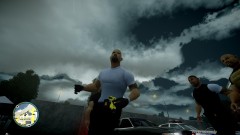 My god, Is that a custom sky texture or something? Looks amazing! :D
 -
Increase your mouse sensitivity, and then try moving your mouse around, If you still don't see your mouse, let me know.
-
MODERATOR NOTICE Im not sure if your attempting to make a statment,Or attempting to Hijack the thread, Either way, Its off topic, If your having your own game issues, Go post in your own thread (which you already have one).
-
-
Nothing to see here! This topic has been closed by G17 Media staff. If you feel that this topic has been closed in error, please report this post.
-
MODERATOR NOTICE You already have a topic for this issue, as well as the other one, Closing... -JAM-Justin35
-
Nah, GTA IV was meant to run on XP and VIsta, your RAM seems to be a bit low, Other than that, Youre diagnostics log doesen't really show anything that pops out, I'll keep looking into it.
-
-
It does, But im pretty sure its Multiplayer only, Could be wrong however.
-
Sorry, But LCPDFR Only supports users with more than 2 GB Of ram.
-
Right section, And did everything that was asked for in the stickys, Thank you.
-
-
MODERATOR NOTICE Please don't attempt to Hijack other threads, If your having your own game issues, Create a thread in the support forum JAM-Justin35


