


JAM
Community Team
-
Joined
-
Last visited
Everything posted by JAM
-
Moving to Random section.
-
Topic belongs in Content Modifications, moving topic...
-
Nah, you're perfectly fine with this topic bud, and I understand your point in creating this topic. My post was a broad statement that for anyone to have a debate about it currently can be considered as too soon (In terms of which is better, not which will develop a better console). I can definitely understand what you are trying to get at with this topic and I support it. There's no need to close this topic (I would have done so earlier if I felt it was needed). I can often mistake some topics to perceive certain things rather than the main discussion that they're going for. In my opinion if I had to choose currently what console I'll be saving up for it would be the Xbox One, I've had some decent experiences with the Xbox 360 and can genuinely say that I was satisfied with it. However it will be down the road, I'm too busy with my current PC.
-
Eh, even though I don't record as much as I wish (waiting to get my new computer), I might as well contribute. Headset/Voice Recording: Blue Microphones Snow Ball microphone/Yeti Microphone. Gameplay Recording: FRAPS full version, exporting to external HD. Editing: Apple's Final Cut Pro X.
-
My post was simply me showing my opinion on the matter and how I feel it's early to have any type of debate about it (Since there's is little to no vital information about them, including prices). Not to mention the clearly posted "Please take no offense" part of my post. If I honestly felt that this was a completely useless topic I would have closed it, which I did not. I'm fine for conversation/debate, and I'm free to express my opinion. If you felt my post was so negative, then you responding to it and making another post about it really isn't helping out much, now is it? Now please, stay on topic.
-
Please take no offense. I kinda find this debate pointless, seeing as we know almost little to nothing of both of them. Not to mention we have yet to see a picture of the PS4, let alone actual prices, but that's just my opinion. If I had to choose I'd probably just got with the Xbox one, why? I have not a clue.
-
-
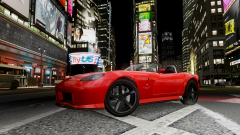 Holy...that looks awesome.
 -
You'll have to excuse me, I've only seen Southland a few select times. I was actually hoping on catching up on all the seasons, does this leave the show on a cliffhanger? Or just no new season? Sad to see such a good show gone, TV died a long time ago for me...
-
-
Nice to definitely see such a surprise here, especially with the provided article showing the background on the Modification and it's history. A definite huge Thank You to not only Lt.Cain, but to also Sam and NicolaiB for giving so much time dedicated to not only the modification, but to also the site in general. I can easily state that I'm proud to be part of this site. Now it's just time to play with this monstrosity of awsome-ness.
-
Moving topic to Content Modifications.
-
Included with the modification .zip folder the readme.txt states the following on how to install the mod/where to place the files: "To install TrafficFlow V5, make sure you have an ASI loader, the C++ Scripthook and an up-to-date version of the .NET Scripthook. Simply copy over TrafficFlow.net.dll and TrafficFlow.ini to your /scripts folder in your GTA IV or EFLC directory." Pretty much just like any other script modification, move the TrafficFLow.net.dll and TrafficFlow.ini into your Scripts folder in the games main directory, minus the ReadMe.txt provided (That doesn't need to be in the scripts folder).
-
Not sure if anyone has linked this yet. Kotaku has made a pretty damn good article on them taking a peek at the game. http://kotaku.com/ive-seen-grand-theft-auto-v-this-ones-radically-diff-487200782 Enjoy! *Grabs cigar/Cofee and starts reading*
-
Topic belongs in Content Modifications, moving topic...
-
Closing topic as it no longer has a purpose (Issue resolved). Nothing to see here! This topic has been closed by G17 Media staff. If you feel that this topic has been closed in error, please report this post.
-
Topic belongs in Misc Modifications, moving topic...
-
It would seem with only a short while of the site being unlisted as malicious, the site has returned to the list of malicious sites provided by Google Safe Browsing, both Google Chrome and Mozilla Firefox browsers are blocking the site actively (Firefox will only block the site if you're using the Google Tool bar, which includes their SafeBrowsing). I suggest all members to steer clear of all entrance of the site in general, let alone any downloads until their issues have been fixed. Here is some analytic info on the subject to confirm what I've just stated: Google site Safe Browsing info: http://www.google.com/safebrowsing/diagnostic?site=gta4-mods.com VirusTotal URL Scan (2/37): https://www.virustotal.com/en-gb/url/406ffd55b9955da9f050887d8ae5a477300b91dbf07f4f643fee3e20641801c7/analysis/1365664029/ From the report of Google safe browsing I would assume the site has either been attacked (this wouldn't be the first time: http://www.gtagaming.com/forums/showthread.php?t=117780) and exploit kits have been set to download malicious software to unsuspecting users computers, or that some unloaders have decided to upload malware and admins haven't taken care of it yet. Again, I highly recommend that all users steer clear until everything is sorted out. -JAM.
-
Don't thread Hijack, if you have a request then please create your own topic. This is to avoid confusion between members on this topic. Your post will now be hidden.
-
Topic belongs in Content Modifications. Moving topic...
-
And please don't back seat moderate. If you see an issue, please hit the report button instead of creating a authoritative post. We ask of this to avoid members general confusion as well as avoiding members editing their post in an attempt to hide their violation. Your post will now be hidden as it is off topic and un-needed. -JAM.
-
I find scripts like this would be enjoyable, kinda a nice relaxing distraction from the game play of LCPD:FR and can really make you feel like a part of a living breathing city. I'd be happy to see something like this be created, definatley something different and shouldn't be too hard to do.
-
According to the people who created the BF:BC2 Server Emulator (Which allows modification and custom server configs), they are already working on one for Battlefield 3, have a peek at it here: http://www.mordorhq.com/content.php?11-Battlefield-3-Server-Emulation-is-Now-a-Close-Reality. Seems promising, but in terms of Battlefeild 4, it just seems like a "Fix it new shiny game" from DICE/EA, especially with the artwork being focused on the drabby blue and orange.....again.. .
-
I don't see how that can be a joke. Many people dislike wikipedia including many/most schools. All info on their site is created by public members, and many simply post nonsense as a joke. It's good for some general knowledge, but it's not the best source for facts.
-
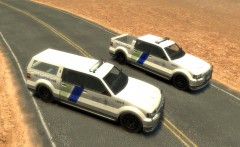 Very nice job bud. :)


