
Caffeinated
Members
-
Joined
-
Last visited
Everything posted by Caffeinated
-
are you using a legit, and updated version of zmoddler ?
-
Post any errors you got during export.
-
If the interior isn't white in zmoddler then your ytd is missing the interior texture. If it is the wrong color/texture in zmoddler then you need to fix the issue in your materials.
-
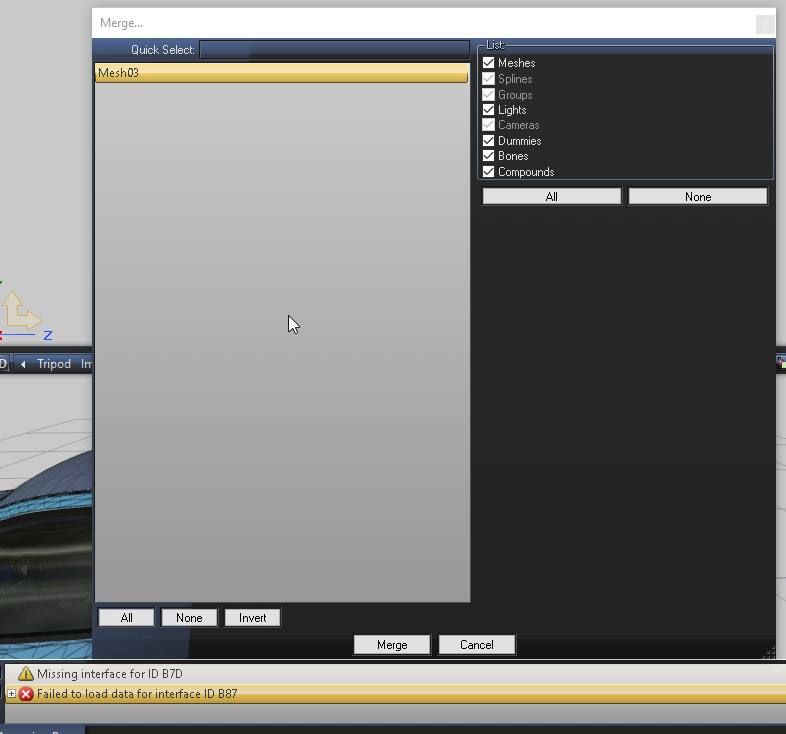
Check your materials, and make sure that all your emissives are at the top.When I merge certain parts into zmoddler I get errors stating that they are "Missing interface for ID xxxxxxxx" The x's being whatever the ID is in that specific message. Does anyone know how to fix this? I'm assuming it has something to do with the mesh's properties, perhaps a missing ID ? This is the current error
 Yes, I meant in the boot node. So take extra_3&_4 and place them inside of the boot node.As MajorPaine said your save name must match the node of the hierarchy you are looking to export/save.Did you change anything in the hierarchy? if there is a space in the naming of the extra ELS won't see it.Not a problem, If you need any more help just post up. I go into more detail if you need it. Additionally, sometimes an emissive may flip when you attach. I find that selected that emissive in polygon mode and flipping it back always fixes that problem for me/Use the attach tool in zmoddler3.
From the album: Caffeninated W.I.P Pics
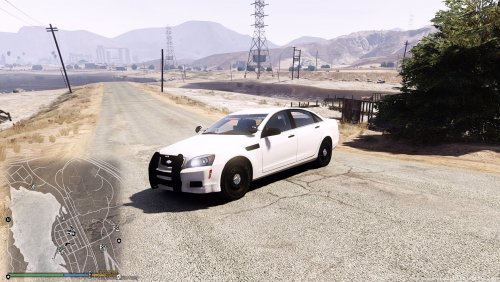 Pull the plates off a model that has them, Clean up the materials. Save it and then merge the plates into your project. I don't know if that is the right way to do it, but it works for me.
- 10 comments
- 3 reviews
-
-

- 1
-
Any update on this ? Mirror intersectors are breaking a Tahoe of mine at the moment. That is a new level of attention to detail. !!
 They look really good though. I wish we have more feniex lighting.
Looks really good. What light heads are you using for the fender and the front of the bumper?Following, What I know how to do is place the items under the hierarchy of object that needs to move. For instance vehicles windows are under the door hierarchy. What I don't know how to do is configure the Light Emissive so that the truck emisives move with the truck, but other emissives attached to the trunk emissives don't also move.You could always Put the custom image on the vehicle template and then delete the plate off the vehicle.
They look really good though. I wish we have more feniex lighting.
Looks really good. What light heads are you using for the fender and the front of the bumper?Following, What I know how to do is place the items under the hierarchy of object that needs to move. For instance vehicles windows are under the door hierarchy. What I don't know how to do is configure the Light Emissive so that the truck emisives move with the truck, but other emissives attached to the trunk emissives don't also move.You could always Put the custom image on the vehicle template and then delete the plate off the vehicle. Are those mpower lights on the rear ?
From the album: Caffeninated W.I.P Pics
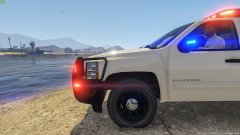
From the album: Caffeninated W.I.P Pics
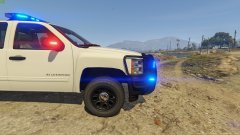
From the album: Caffeninated W.I.P Pics
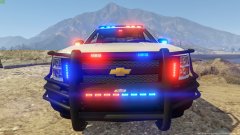
From the album: Caffeninated W.I.P Pics
That question I have no solid answer for. I have had them work and look good in various positions, but usually just follow the instructions provided in the download linked. I want to say Origin make sense, but my so far what makes sense to me has been wrong with working with els.