
ScottyTooHotty
Members
-
Joined
-
Last visited
Everything posted by ScottyTooHotty
-
 Planning on it?
 -
Has it been released?
-
@TheDmac You need to export 'vehicles.awc', replace the sound files then re-import.
-
I'd also recommend:
-
Where did you get that ped?
-
 @JaiTheGamer58 Thanks for the review! However, that will not be because of my plugin. My plugin does not have anything running in the background other than when you are on a call and even then it should not effect performance anymore than any other callout.
- 329 comments
- 53 reviews
-
 Some UK forces in there but also adding 'HM' to the start of things does not make it from the UK. Maybe go and add some of the more popular forces and change the fire & rescue/lifeguard ones to something more accurate.
- 1 comment
- 1 review
-
-

- 2
-
-
I don't have a clue about 2 as I've never played with it at all but for 1 you need to put "GameFiber.Sleep(insert desired amount of time);". Your desired amount of time should be however long you wish the subtitle to stay on screen. It's also worth noting that the numbers you put in there are in milliseconds so if you put in "4000" then that's 4 seconds. Edit: This is to go after your subtitle code. So it'd be: Subtitle Code Subtitle Code etc..
-
Well you're telling it to return false if they're within the desired radius. Change your '<' sign to '>'.
-
If the callout happens in a specific location (coordinates): if (Game.LocalPlayer.Character.DistanceTo(callout location) > maximum distance away they can be from the callout location) { End(); } Or if it's just the general area of LS and Sandy Shores: if (NativeFunction.CallByName<uint>("GET_HASH_OF_MAP_AREA_AT_COORDS", Game.LocalPlayer.Character.Position.X, Game.LocalPlayer.Character.Position.Y, Game.LocalPlayer.Character.Position.Z) == Game.GetHashKey("city")) { End(); } That is how I would do it.
-
Audio would still come through.
-
-
-
-
-
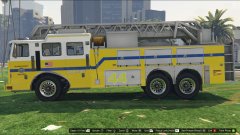 Nice photos, where did you get this skin?
 -
 @Justin991q I understand how you've done it now. I thought you'd done it a different way. No worries.
- 136 comments
- 30 reviews
-
-
Correct. But @BeastyBill88 I will have a look but there's honestly not a whole lot I can do, pursuit callout are fairly simple for the most part in the fact that they dont have much code in them so there's nowhere I can cut back or anything. Maybe it's just the callout cleaning up.
- 329 comments
- 53 reviews
-
-
You've missed my Code Red Callouts in your file description of supported plugins but they're in your screenshots? Also, it says unsupported which is slightly misleading as my current version works fine on 0.45 despite being compiled on 0.42.
- 136 comments
- 30 reviews
-
-
-
-