




PNWParksFan
Insiders
-
Joined
-
Last visited
Everything posted by PNWParksFan
-
 Go to the support thread on the forum and fill out the installation support template:
- 496 comments
- 33 reviews
-
Yes, you can add them in the configuration files under Plugins/LSPDFR/CoastalCallouts/ModelConfig. See the modding guide (linked on the download page) for more info. Yes, it should all be working fine. Download the latest version of LML from August 2, and the latest version of Coastal Callouts from August 6, and you should have no issues with the ship models crashing during loading. Should be working fine. If you need help getting it installed, please fill out the support template from the first page of this forum thread. I cannot help if you don't provide the necessary information to troubleshoot your problem.
-
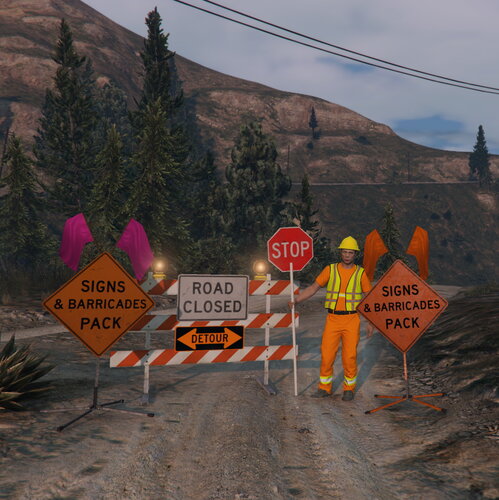 Do you have any graphics mods installed? I can't think of anything besides that which would affect it.
- 39 comments
- 6 reviews
-
Fill out the support template from the first page of this thread
-
Fill out the installation support template from the first page of this thread.
-
Please use the Coastal Callouts support thread if you need help getting it installed correctly. There is a support request template on the first page of the thread. There is no issue with the models themselves, so if it is not working for you then it is a matter of ensuring you installed it correctly.
-
You can edit the EMSUnits.xml file for Better EMS
-
For all of you, make sure you have installed the new update to LML from August 2, build 8247: You should also ensure you have the Coastal Callouts LML Package that was updated in early August too. It looks like the LML package must not be installed correctly. Can you actually spawn any of the vehicles? E.g. try typing "spawn jayhawk" in the RPH console. Fill out the installation support template if you need further help. You must do an LSPDFR traffic stop. I have not tested with STP, but have seen other users play with it without issues. You must initiate a traffic stop through LSPDFR, then board the boat and stand near the driver such that the LSPDFR prompt to "Press E to talk to driver" appears. When that prompt is available, you can also press Q to open the boat traffic stop menu. Not sure about re-entering the armed 45ft RBM, are you sure you're standing right over the driver's seat when you press the enter vehicle key? I am not sure what might be causing this, but try re-ordering it such that the UK Pack is below the base pack in the LML mod manager. Make sure to hit the Save icon after making changes.
-
 I would suggest you add an option to spawn backup units from the LSPDFR backup configuration directly (using Functions.RequestBackup) instead of having to configure all of the vehicles in the plugin itself. There are overloads for the RequestBackup function that let you specify the type of unit, number of occupants, exact spawn location, and no tasks assigned to the spawned unit. In this way you could spawn e.g. "a state patrol vehicle with only 1 occupant" and then warp the occupant out to man the roadblock, for example. Having the models configurable in the mod is fine, but having an alternative is nice for people who've already gone to the effort to set up their backup.xml the way they want. Also, are you in discord? You should join the LSPDFR Developers server. Would be interested to chat more about your road/lane detection code and some suggestions for improvement there.
- 248 comments
- 17 reviews
-
-

- 2
-
-
Fill out the support template from the first page of this thread.
-
Update has been posted. Make sure to update LML as well.
-
Export with "skeletal" option unchecked when exporting YDRs.
-
Please be patient as we continue to investigate issues introduced by the latest game update. Updates for both LML and the Coastal Callouts package should be ready soon but need some further testing.
-
That isn't the question. The question is, if you leave the coastal callouts package enabled in LML but launch the game without RagePluginHook, does the game run? Also, did you put in the temporary change mentioned a couple posts prior?
-
Have you updated Packfile Limit Adjuster to the latest version? Is the game crashing when you load without RagePluginHook? Does it crash immediately or only when going on duty in LSPDFR?
-
 Did you install via LML or manually? Any other mods installed?
 -
Temporary fix: replace vehicles.meta in LML/Coastal Callouts/data/ships with this version. It will disable the two large ship files which are causing problems. It may take some time for LML to get updated to support this again properly. vehicles.meta
-
I have narrowed down the issue to two models, "ocean" and "yaluxe" which are two large ship models provided as part of the Coastal Callouts LML package. There appears to be an issue with LML crashing when trying to stream files >16 MB. I have reported the issue to the LML developers and am waiting for a response.
-
I am investigating an issue related to crashes in Coastal Callouts during startup. First, try launching your game without loading LSPDFR, and make sure the game itself can load successfully. If you have crashes during startup without loading any plugins, then you likely need to update Packfile Limit Adjuster, gameconfig.xml, or LML. If you can load the game successfully without LSPDFR but the game crashes while going on duty in LSPDFR, try opening CoastalCallouts.ini and setting SkipModelScan = False in the Ambient Boats section.
-
Better yet, just use LML to install everything and never touch a mods folder again! Makes getting back up and running after a game update so much faster, and easier to turn various mods on/off.
-
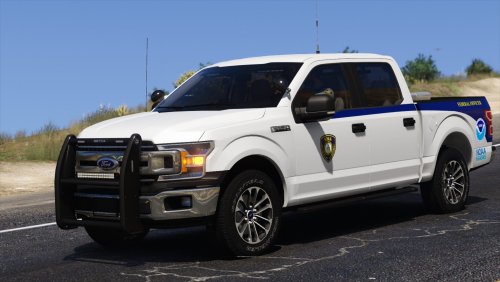 Need that dually too 😉 https://www.fisheries.noaa.gov/feature-story/noaa-enforcement-deploys-support-hurricane-relief-efforts
 -
Yes. It gets loaded dynamically by LML when the game launches, without actually touching any original game folders. You can of course download the gameconfig.xml file itself and install it the traditional way if you prefer.
-
Yes, I will post an update later today.
-
The game just updated this week so some updates are taking some time. With gameconfig it should work, which will be updated later today.
- 496 comments
- 33 reviews
-
-

- 1
-
-
I don't know what you're talking about, and you don't seem to either. If you have a specific issue, post it in the support thread with the support template. Posting comments without any information or details isn't helpful.
- 496 comments
- 33 reviews


