




PNWParksFan
Insiders
-
Joined
-
Last visited
Everything posted by PNWParksFan
-
I just updated the gameconfig download, the LML config had an error in the recent update. Please redownload it and try again.
-
 Issue is fixed now, you can redownload. But for future reference, yes you could edit the install.xml yourself.
 -
Ah, I see the issue. I will publish a fix later today.
-
I am not sure what files you may have modified. I would suggest taking out any mods and doing a fresh install of the game.
-
Do you by chance have another vehicle installed with a model name that conflicts with this mod? Someone else had a similar error and it turned out they had another vehicle model named "defender" installed which was not a boat.
-
The "latest" folder contains the latest version, which is 2944. I provide a duplicate of the latest one in its specific version folder to make it easier to keep track of if people redownload the mod in the future. By default if you install with LML it will install the latest version as the resource.
-
You don't have to use this one in particular.
-
You need to install weapon limit adjuster
-
Can you please link to which gameconfig.xml you installed? Try the recommended one:
-
You need to provide the log for me to be able to help. The menu opens if you've installed correctly and press the right key. Go in game and try again, then upload the log immediately thereafter.
-
Just a quick reminder that I will only respond to support requests that fill out the support template from the first page of this thread, unless your issue doesn't fit the support template because of a very weird situation that is clearly explained and documented. If you just say "it does not work" and do not post any logs or other required information, I will not reply to your post. If you're "waiting for a response" from before the time of this post, please post again with the required information.
-
You can try messing with the handling.meta entries. It is very difficult to perfect boat handling, especially for boats that are larger than the default boats in the game. If you do come up with something better, let me know.
-
Very weird... this crash seems to be coming from within LSPDFR itself in something related to character switching. This is happening while flying around normally? From the log it looks like it's happening while switching characters or going on duty.
-
Likely missing weapon limit adjuster and/or heap limit adjuster, but if that doesn't fix it, fill out the support template from the first page.
-
Hmm, the Australia pack may not have been updated for the model changes that happened when we added working guns to the boats. I'll have to look into that. Maybe try spawning RBS2 model and see if that works? I believe the boats use the SHERIFF2 siren slot. Try out the gameconfig I help maintain: I would also suggest taking out any non-essential ASI mods to just confirm there isn't some conflict. I believe I've had issues with the No Turbulence mod and the Open Camera mod in the past, not sure how recently they've been updated.
-
Are you using a specific separate international version that changes the models, or did you just add a texture to the default pack? Can you confirm what model you spawned in?
-
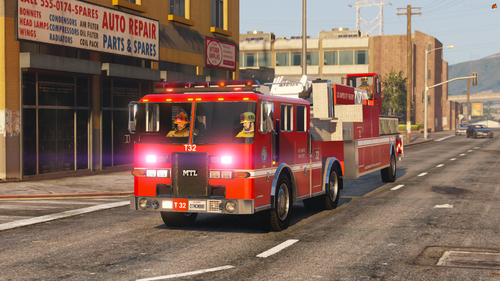 Would be nice to see emissives added to the lightbar rotators. You can find a guide for how to do that here.
 -
Fill out the full support template from the first page of this thread please
-
-
You need to upload the RagePluginHook.log file from your main GTA V folder, not from the logs folder, immediately after exiting the game when the issue occurred. This log file is essentially empty and doesn't contain any info about Coastal Callouts.
-
Fill out the support template from the first page of this thread.
-
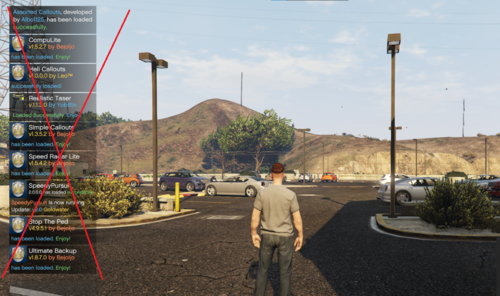 I would be careful with this. Sometimes those notifications do have necessary information, like telling you that an update is required.
 -
People, please read the recent previous posts and pinned comments on the download page. You need the weapon limit adjuster.
-
Fill out the support template from the first page of this thread.
-
You need to be on duty in LSPDFR with Coastal Callouts plugin loaded for the Paleto station to spawn.




